Twelve years of photos. Finally in order.
Shoebox reads the date the camera wrote inside each photo — not the file date, which changes every time a photo is copied — and files every photo and video into Year \ Month. On the way it finds the same photo saved twice, the burst of five near-identical shots, and the hundreds of screenshots burying your real pictures. Nothing is uploaded, removed photos go to the Recycle Bin, and every sort can be undone.
Version 1.0.0 · Windows 10 & 11
— downloads so far
Dates
The real date, not the file date.
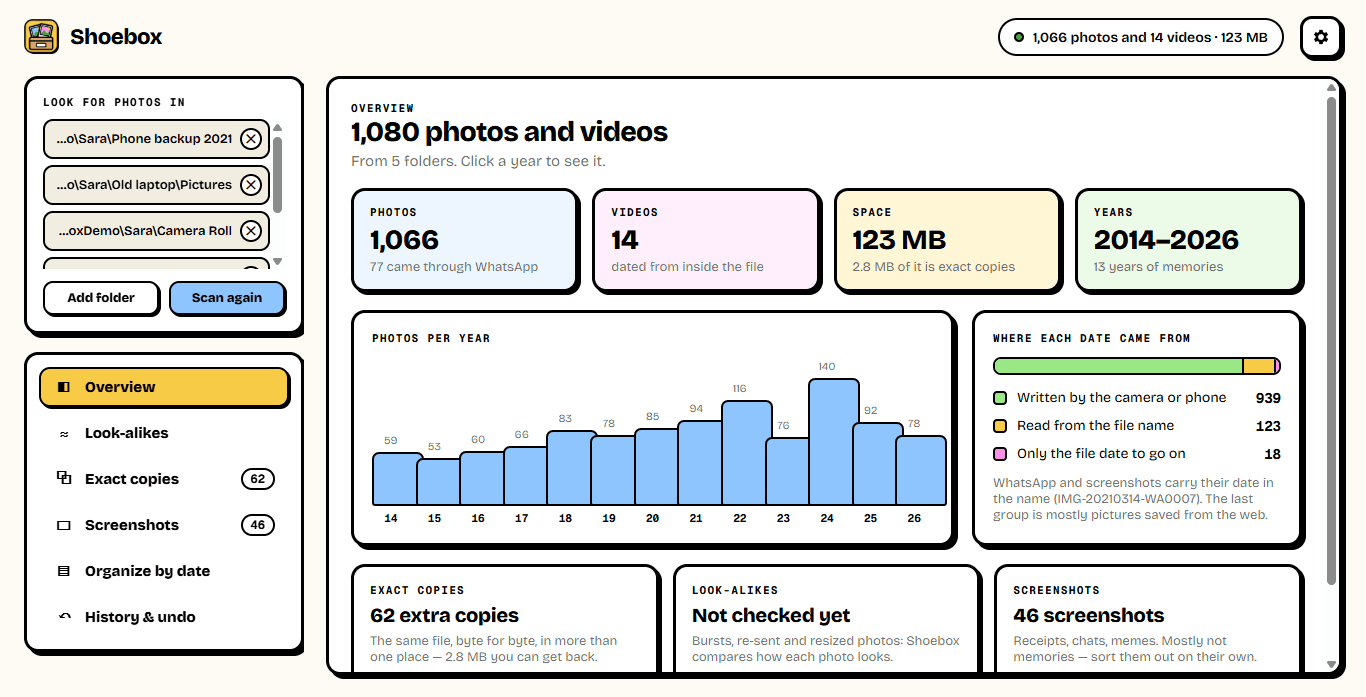
Copy a photo to a new laptop and Windows gives it today's date. Shoebox ignores that and reads the date the phone or camera wrote inside the photo, the creation time inside each video, and the date WhatsApp, Android and Windows put in file names (IMG-20210314-WA0007, Screenshot_20240311…). It shows you exactly how many dates came from where, so you know how much to trust it.
- Camera date from inside JPEG, TIFF and RAW files
- Creation time from inside MP4 and MOV videos
- Dates in WhatsApp, Pixel, Samsung and Windows file names
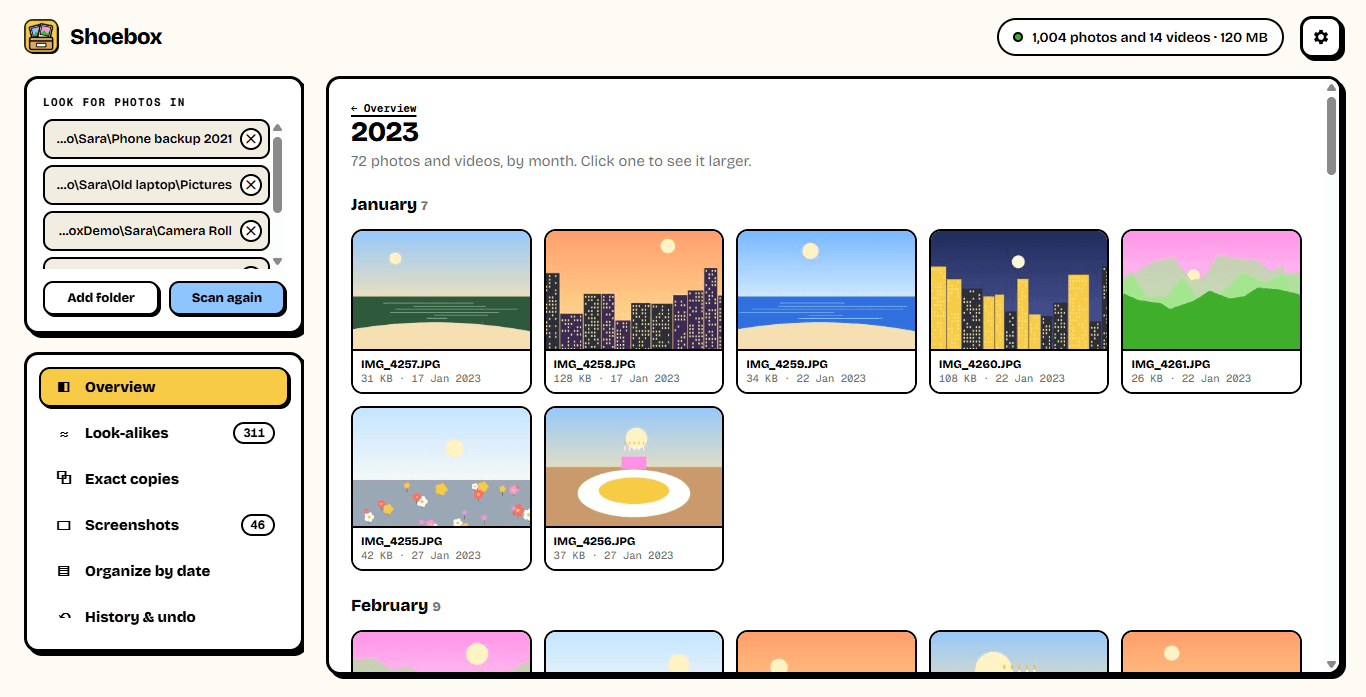
- Every year at a glance — click one to see it
Look-alikes
Five shots of the same moment? Keep the sharpest.
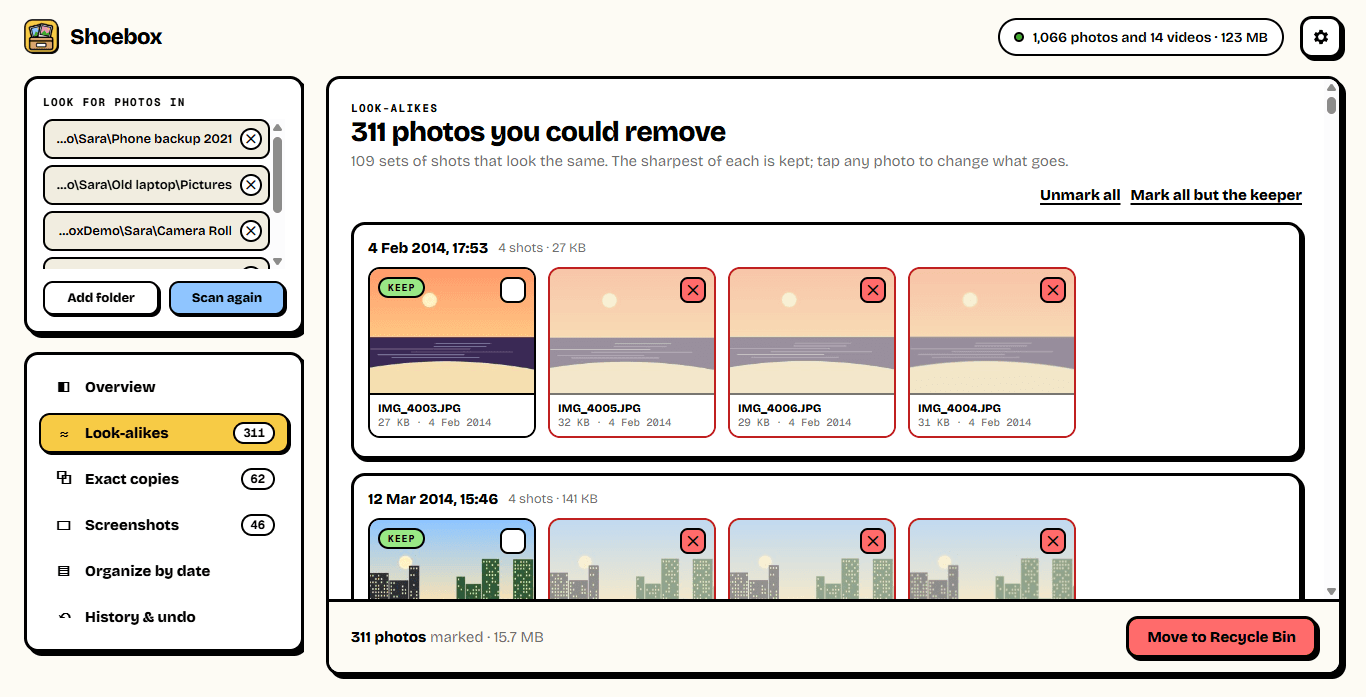
Shoebox shrinks each photo to a tiny fingerprint of light and dark and compares photos taken within a few days of each other. Bursts, the same shot taken five times, and a photo next to its WhatsApp-resized copy end up in one set — with the sharpest one marked to keep. Tap any photo to change what goes.
- Finds near-identical shots, not just identical files
- Picks the sharpest of each set to keep
- 958 photos compared in 8 seconds on our test PC
- Nothing is removed until you choose
Organize
One folder per month. With undo.
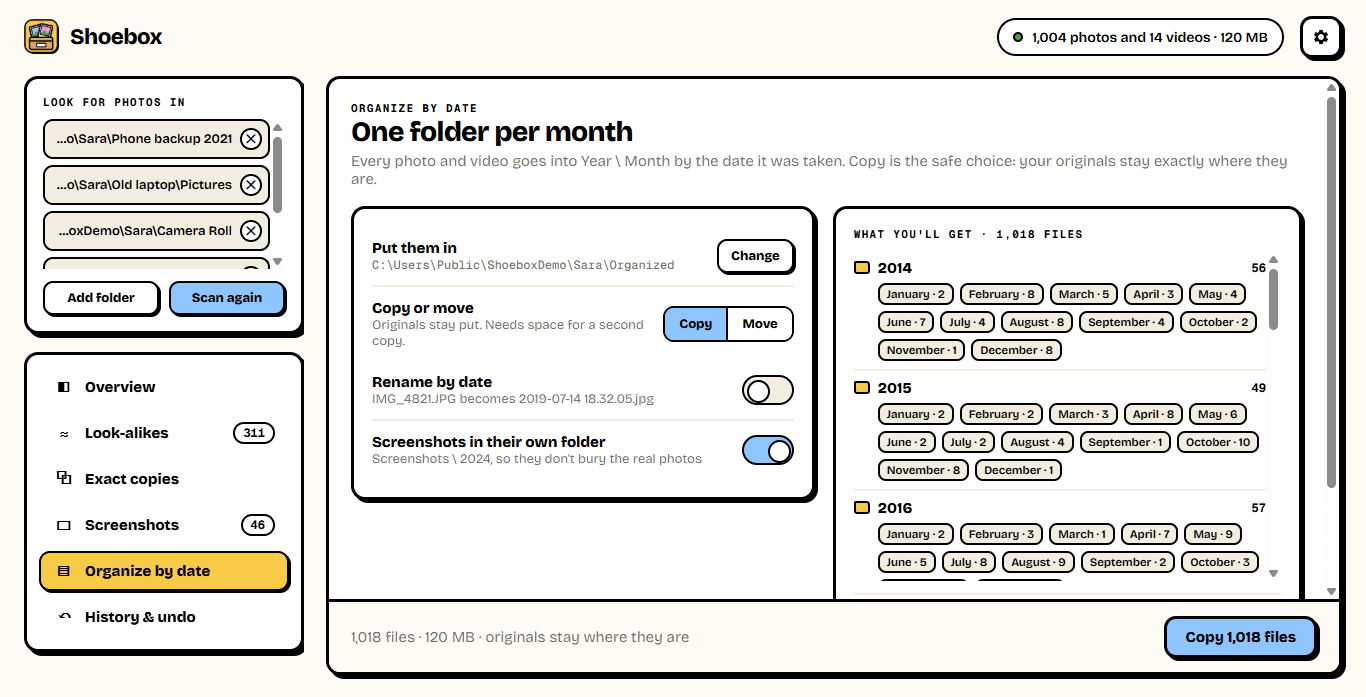
Choose where the sorted photos go, copy or move, and whether to rename them by date. Shoebox shows you the folders you'll get before it touches a file. Copy keeps your originals exactly where they are; Move needs no extra space. Either way, History has an Undo button — it works even after a restart, because Shoebox keeps a record next to the sorted photos.
- Year \ 2019-07 July, for every photo and video
- Screenshots in their own folder, if you like
- Leave out exact copies, so each photo goes in once
- Undo puts every moved file back where it was
8 s
958 photos compared
for look-alikes, on our test PC
4
Places a date is read from
camera, video, file name, file
100%
Of every sort undoable
copy or move
Ready to try Shoebox?
Free. No ads, no account, no upload, no admin rights. Updates itself.
A look inside Shoebox.
Overview
A year, by month
Look-alikes
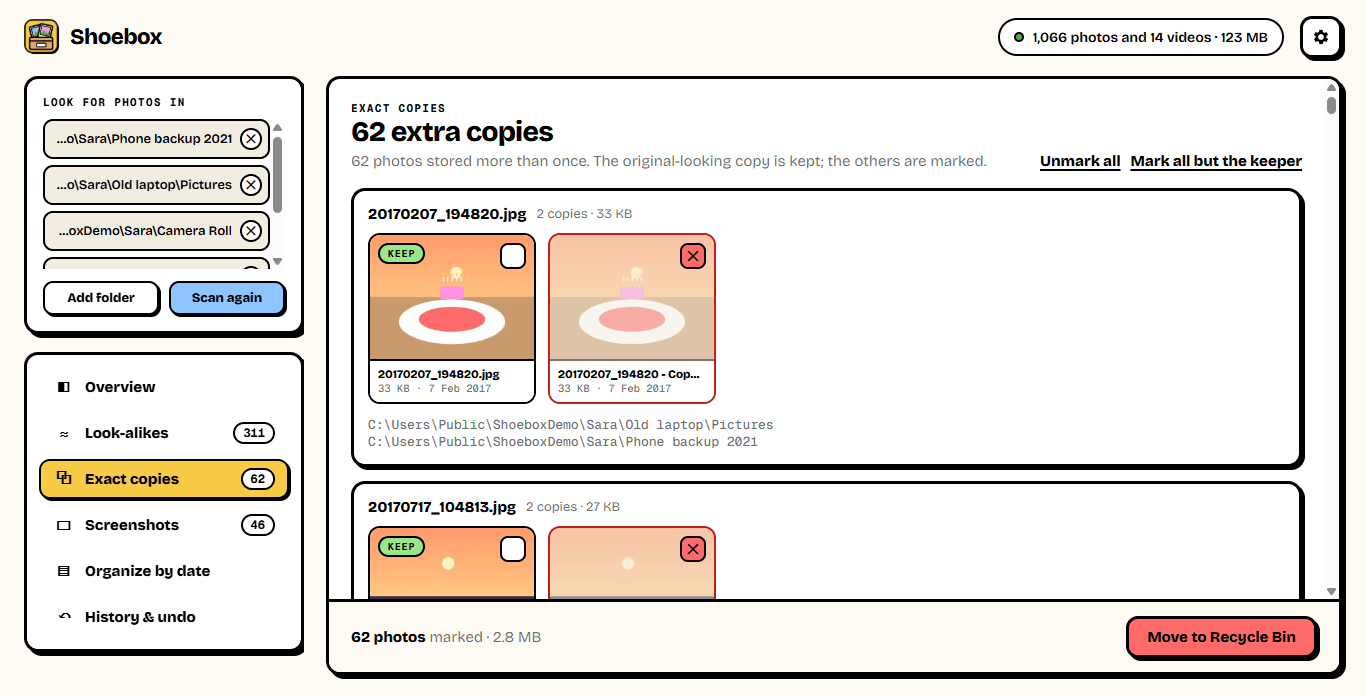
Exact copies
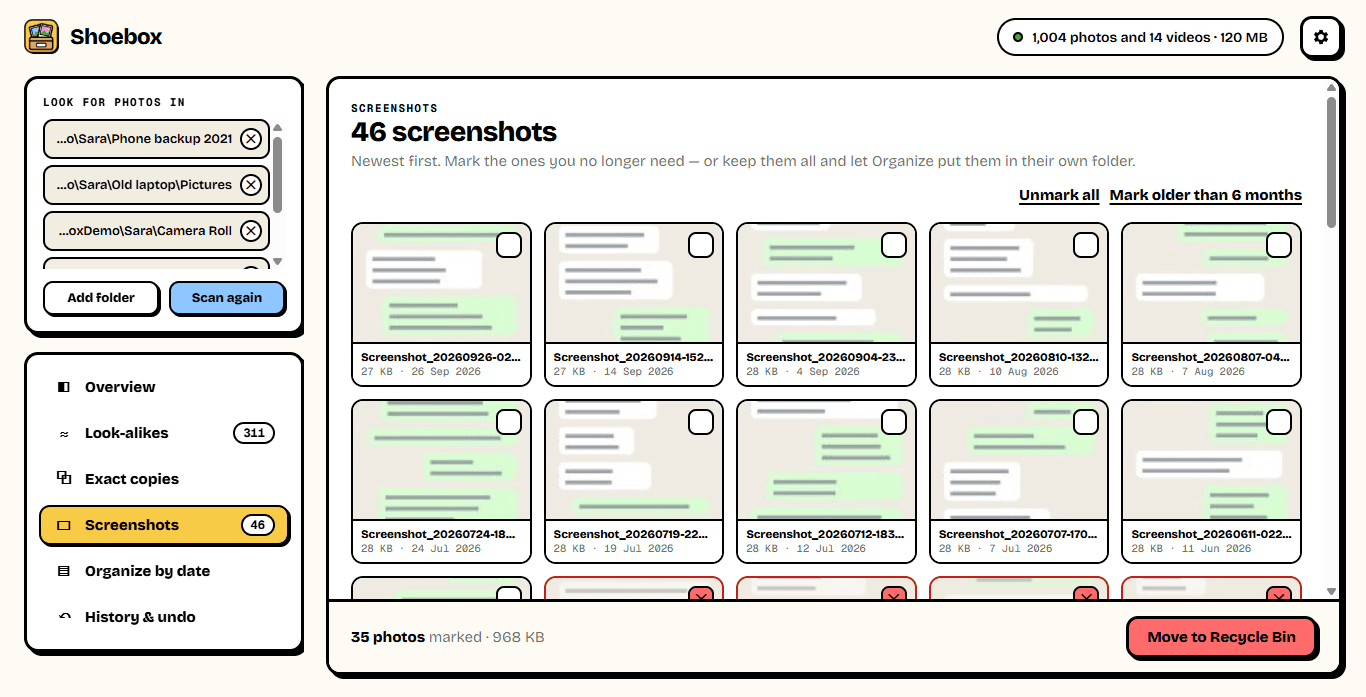
Screenshots
Organize
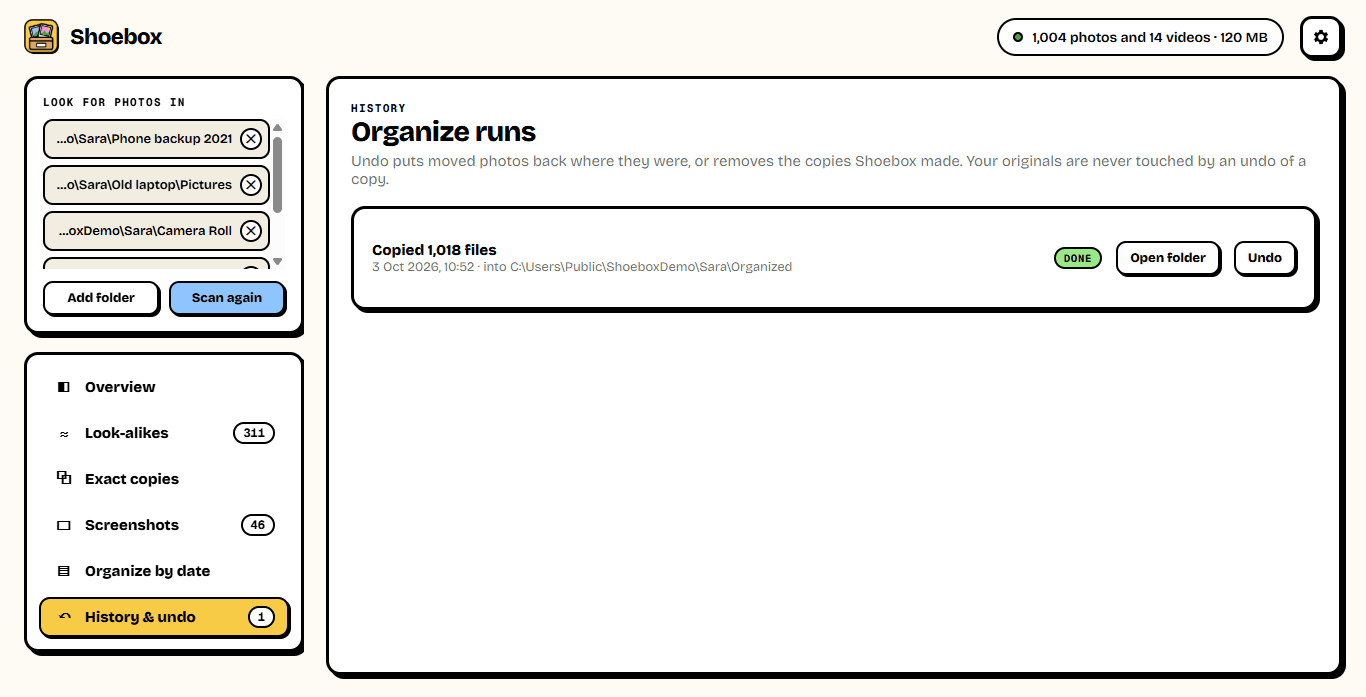
Undo
Everything you need.
The rest of what Shoebox does.
Date taken
Read from inside each photo and video.
Exact copies
The same photo saved twice, found by its bytes.
Look-alikes
Bursts and re-sends; the sharpest is kept.
Screenshots
Sorted out from the real photos.
Copy or move
Into Year \ Month folders, with undo.
Never uploads
Everything happens on your PC.
Common questions.
Everything you need to know about Shoebox.
Is Shoebox free?
Yes. No advertising, no account, no "pro" version and nothing to buy. It goes online only to check this site for a new version.
Does it upload my photos anywhere?
No. Shoebox reads your photos on your PC, and nothing about them leaves it. Even the look-alike comparison uses Windows' own thumbnails, on your PC.
Could it lose my photos?
Shoebox is built so it can't do that quietly. Copy (the default) never touches your originals. Move keeps a record of every file it moved, and Undo in History puts them all back. Photos you remove as copies, look-alikes or screenshots go to the Recycle Bin, not straight to deletion. Still, if these are your only copies, keep a backup — of anything.
How does it know when a photo was taken?
Most phones and cameras write the date inside the photo (EXIF); videos carry it in their header. WhatsApp removes that, but puts the date in the file name, as do screenshots — Shoebox reads those too. Only when there's nothing else does it fall back to the file's own date, and the overview tells you how many photos that was.
What's the difference between exact copies and look-alikes?
Exact copies are the same file, byte for byte, stored in two places — one is always kept and the original-looking name is preferred. Look-alikes are different files that look the same: a burst, the same scene taken five times, or a photo and its smaller WhatsApp copy. For those, Shoebox marks the sharpest to keep, and you decide about the rest.
Which files does it handle?
JPEG, PNG, HEIC, WebP, GIF, BMP, TIFF and common RAW formats, plus MP4, MOV, 3GP, AVI, MKV and other videos. Previews come from Windows itself, so a format Windows can't preview shows a placeholder but is still sorted.
Windows showed a blue “Windows protected your PC” screen. Is it safe?
That is SmartScreen, which Windows shows for new software from a small publisher it has not seen many downloads of yet. Click More info, then Run anyway. The installer is checked by dozens of antivirus engines on VirusTotal, and the result is shown on this page.

Get Shoebox today.
Free. No ads, no account, no upload, no admin rights. Updates itself.
Version 1.0.0 · Windows 10 & 11
Counting visitors…
Reviews & suggestions.
Used Shoebox? Rate it, and tell us what to add or fix — we read every one.
Loading reviews…
Be the first to rate Shoebox.