Phone to PC, PC to phone. No cable. No cloud.
Beamdrop moves photos, videos and files between your phone and your Windows PC over your own Wi-Fi. There is nothing to install on the phone: point its camera at the QR code on your screen and it opens in the browser, on iPhone and Android alike. Send a 4K video to your PC, or a PDF to your phone, with no upload to the internet and no size limit.
Version 1.0.0 · Windows 10 & 11
— downloads so far
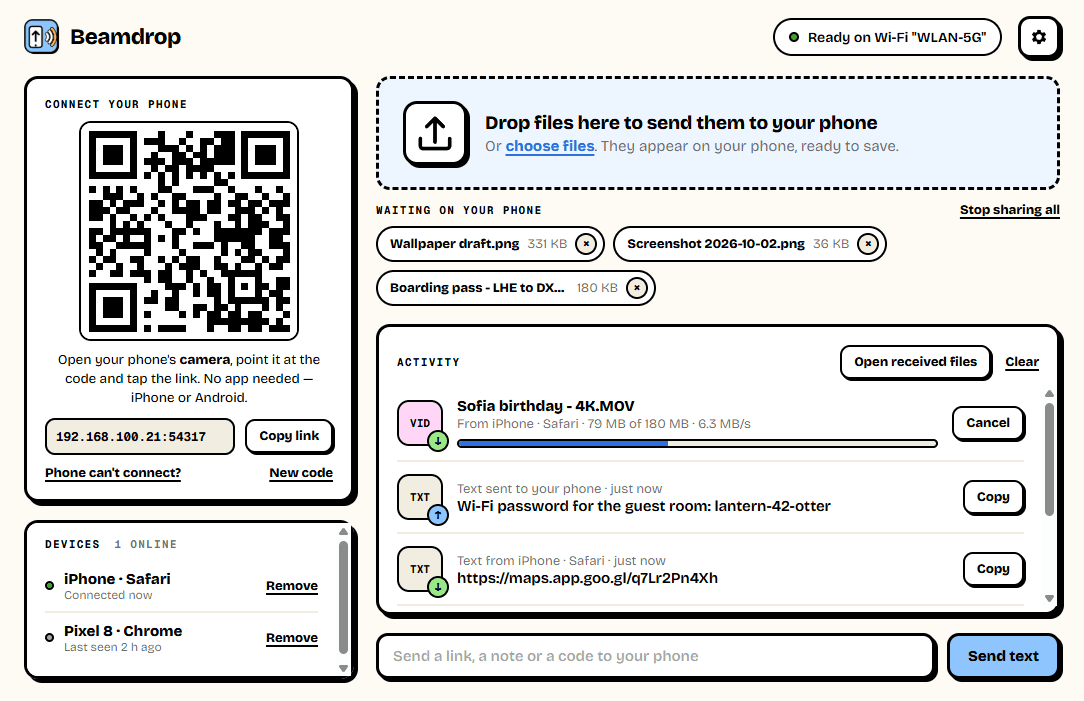
Scan once
Your phone's camera is all it needs.
Open Beamdrop on your PC and point your phone's camera at the code. It opens in the phone's browser, ready to send and receive. The phones you allow are remembered, so next time it just works. Drop files onto the window to send them the other way.
- Nothing to install on the phone
- Works on iPhone and Android
- Drop files or folders to send them to the phone
- Send links, notes and codes both ways
Any size
Big videos, straight to your PC.
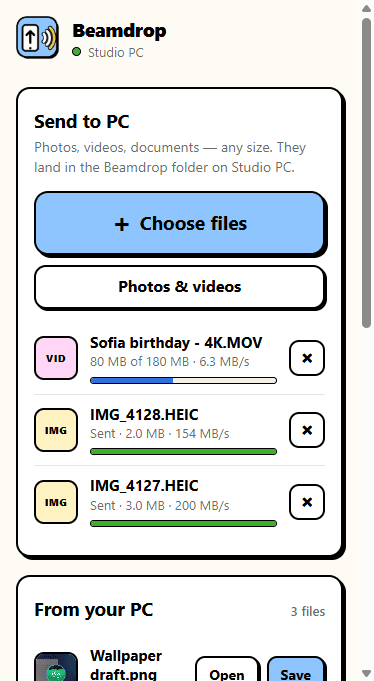
Pick photos, videos or documents on the phone and they go straight to the Beamdrop folder on your PC over your Wi-Fi, with the progress and speed shown on both screens. Nothing is shrunk or compressed, and nothing passes through the internet. If the Wi-Fi drops halfway, the transfer picks up where it stopped instead of starting again.
- Originals, never compressed
- No file size limit from Beamdrop
- Resumes after a dropped connection
- Never uploaded to the internet
Yours only
Nobody joins without your OK.
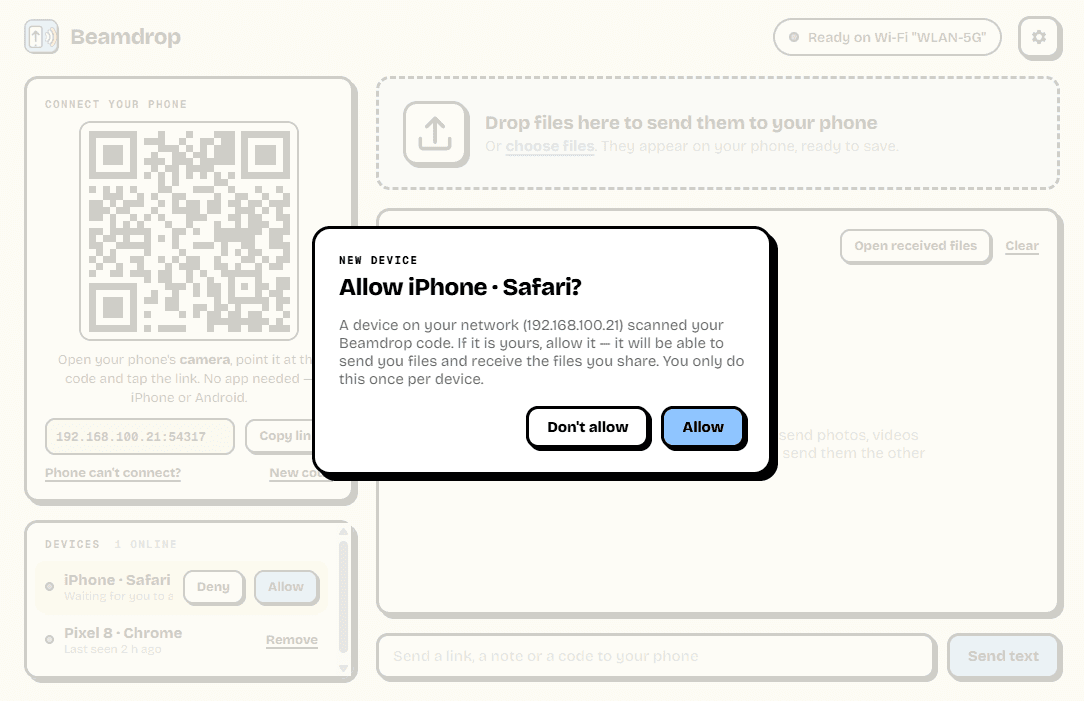
The QR code carries a key that changes every time Beamdrop starts, and each new phone has to be allowed on the PC once before it can send or receive anything. Beamdrop only answers devices on your own network, and you can remove a device whenever you like.
- Approve each new device once
- A fresh key every time it starts
- Only devices on your own network
- Remove a device at any time
0
Apps on the phone
just its browser
0 MB
Through the cloud
straight over your Wi-Fi
∞
File size limit
videos, backups, anything
Ready to try Beamdrop?
Free. No ads, no account. Nothing to install on the phone. Updates itself.
A look inside Beamdrop.
On the PC
Send from the phone
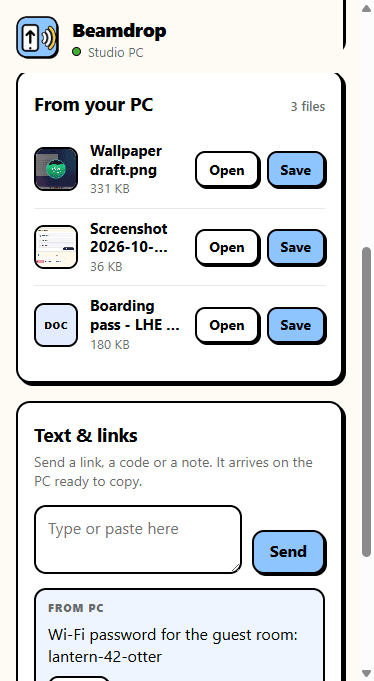
Receive on the phone
Allow a device
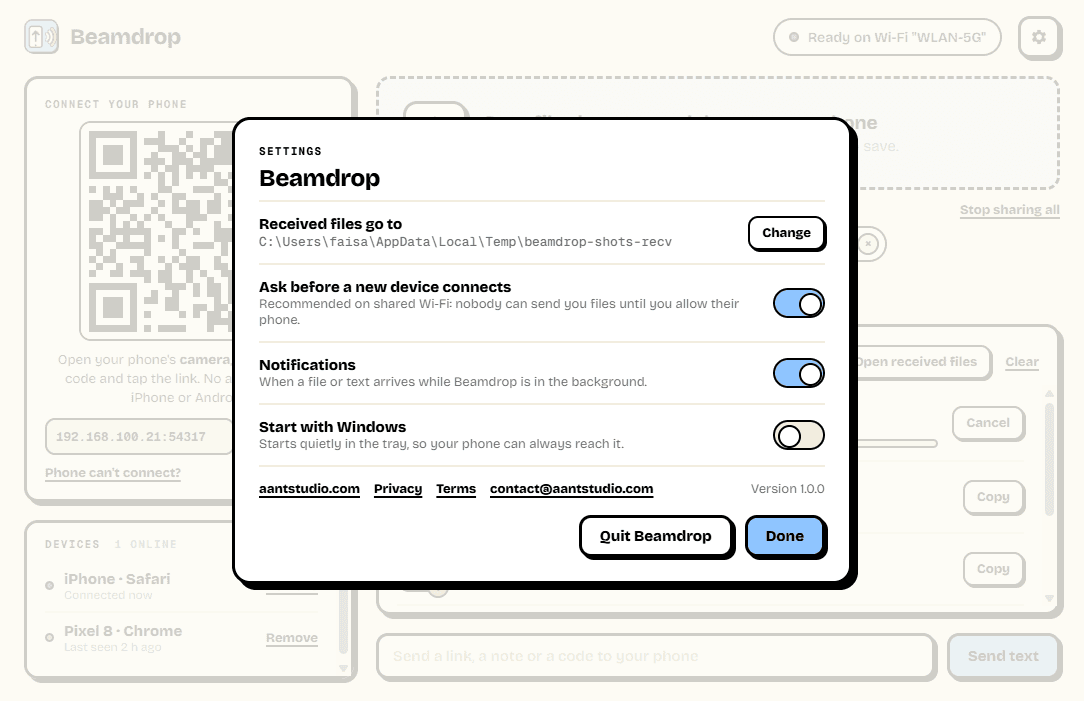
Settings
Everything you need.
The rest of what Beamdrop does.
No app on the phone
Scan the code with the camera and you are in.
Both directions
Phone to PC and PC to phone, files and text.
Resumes
A dropped Wi-Fi picks up where it stopped.
Private
Nothing goes through the internet or any server.
Approve devices
Each new phone needs your OK on the PC once.
Always the latest
New versions install themselves.
Common questions.
Everything you need to know about Beamdrop.
Is Beamdrop free?
Yes. No advertising, no account, no in-app purchases and no analytics. It goes online only to check this site for a new version.
Do I need to install anything on my phone?
No. Point the phone's camera at the QR code in Beamdrop and tap the link: Beamdrop opens in the phone's own browser. That is the same on iPhone and on Android.
Do my files go through the internet?
No. They go straight from the phone to the PC over your Wi-Fi. There is no server of ours in between, which is also why there is no size limit and nothing to pay for.
My phone can't open the page. What's wrong?
Almost always one of three things: the phone is on mobile data or a different Wi-Fi than the PC; Windows Firewall is blocking Beamdrop because its "Allow access" box was closed the first time (the app has a "Fix Windows Firewall" button for this); or the router keeps devices apart, which is common in offices and hotels. The "Phone can't connect?" link in the app walks through each.
What happens if the Wi-Fi drops halfway through a big video?
The transfer pauses and then carries on from where it stopped once the phone can reach the PC again. Keep the Beamdrop page open on the phone until it says Sent.
Can someone else on my Wi-Fi send me files?
Not unless you let them. A phone needs the code from your screen, and then you have to click Allow on the PC before it can send or receive anything. You can switch the approval step off in Settings if you are the only one on your network.
Windows showed a blue “Windows protected your PC” screen. Is it safe?
That is SmartScreen, which Windows shows for new software from a small publisher it has not seen many downloads of yet. Click More info, then Run anyway. The installer is checked by dozens of antivirus engines on VirusTotal, and the result is shown on this page. It installs for your Windows account only and needs no admin rights.
Get Beamdrop today.
Free. No ads, no account. Nothing to install on the phone. Updates itself.
Version 1.0.0 · Windows 10 & 11
Counting visitors…
Reviews & suggestions.
Used Beamdrop? Rate it, and tell us what to add or fix — we read every one.
Loading reviews…
Be the first to rate Beamdrop.