Small studio.
Serious apps.
We build our own software end to end — designed, shipped and maintained by the same hands. No agency, no handoff, no one to pass the bug to.
 OldFriend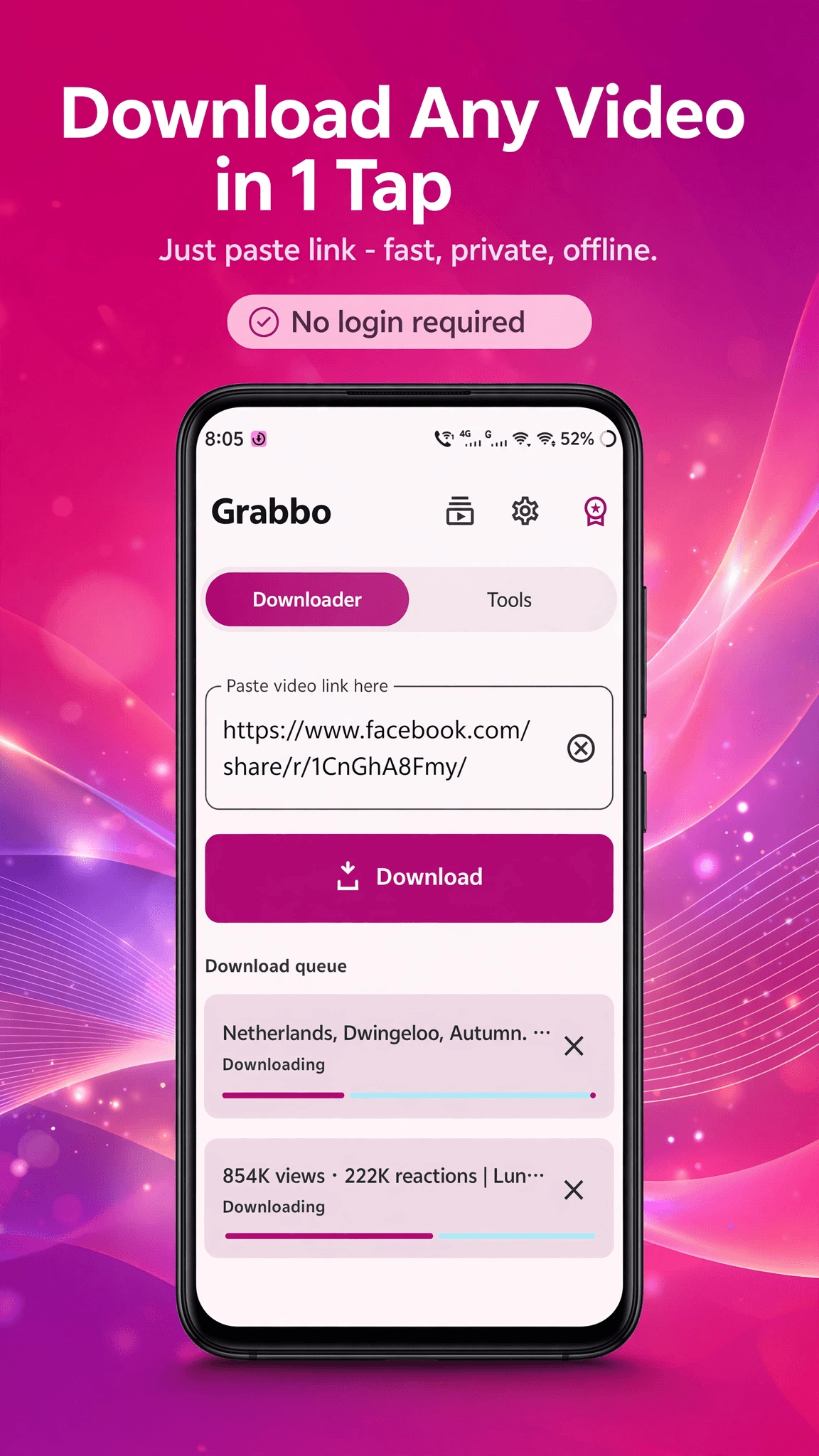
 Grabbo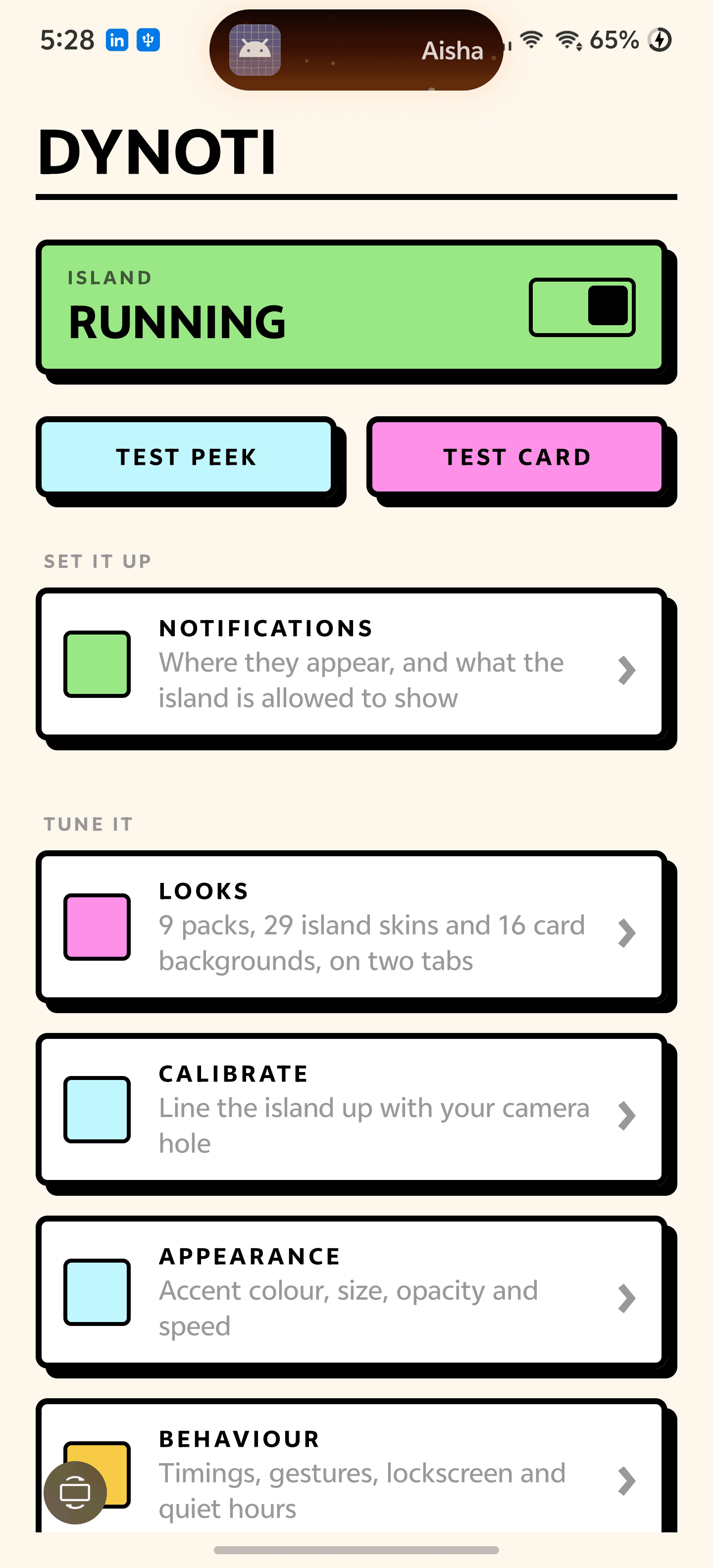
 Dynoti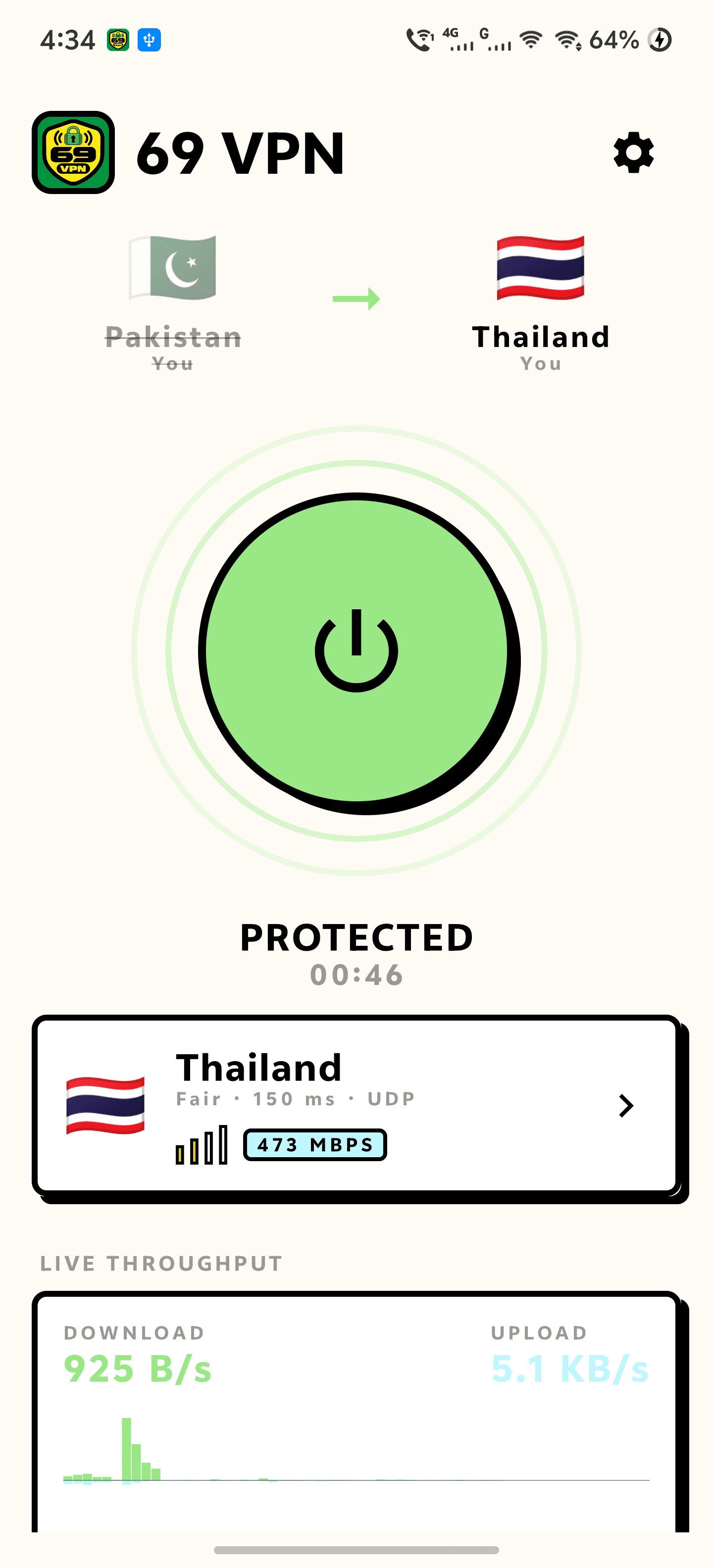
 69 VPN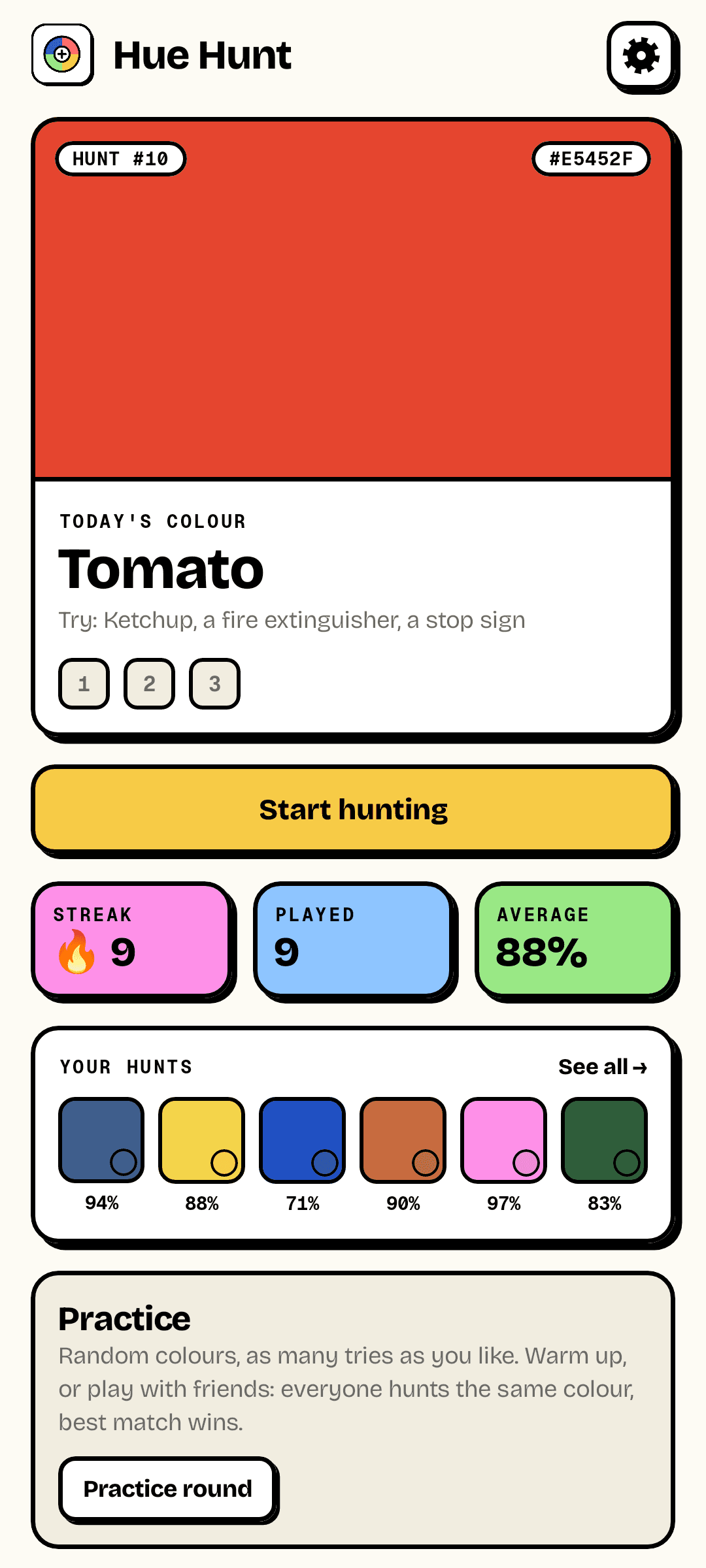
 Hue Hunt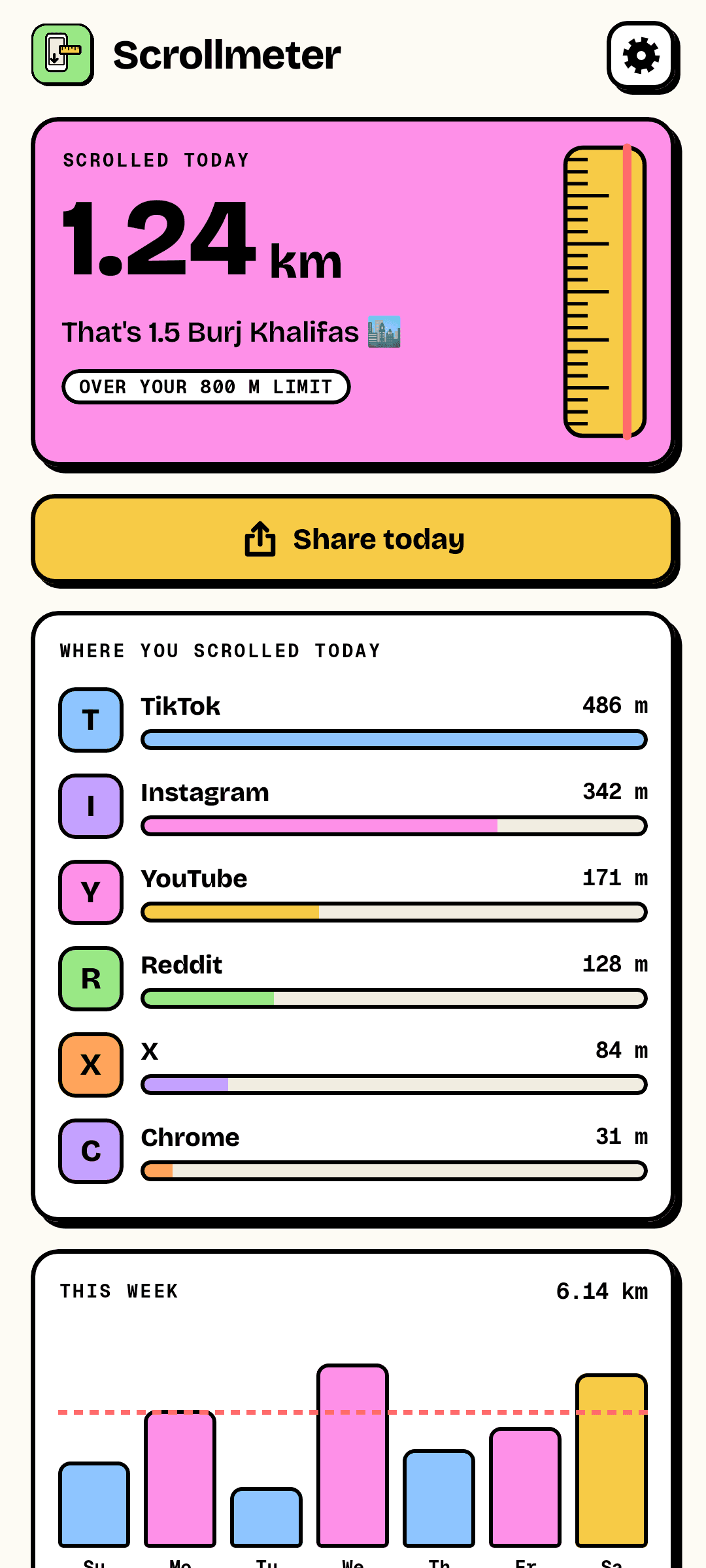
 Scrollmeter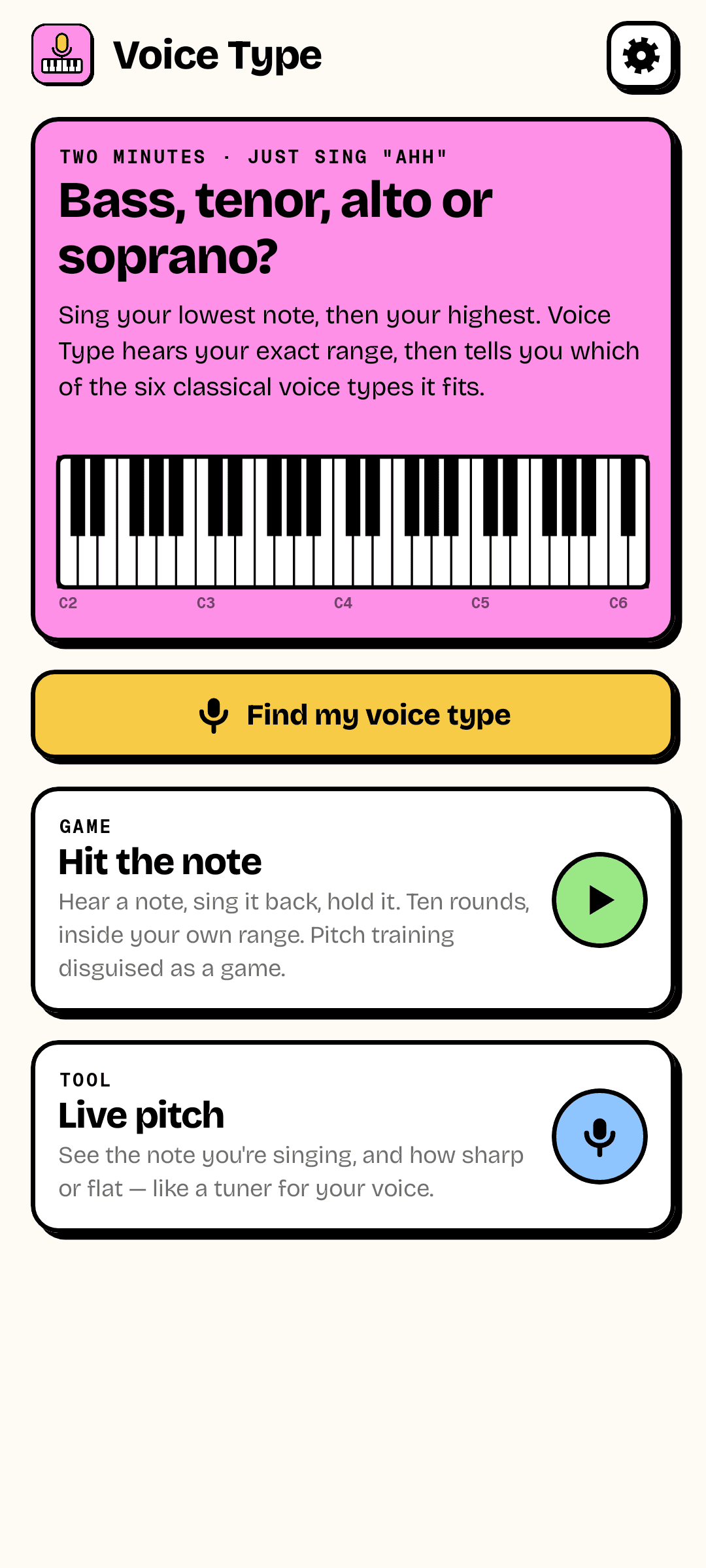
 Voice Type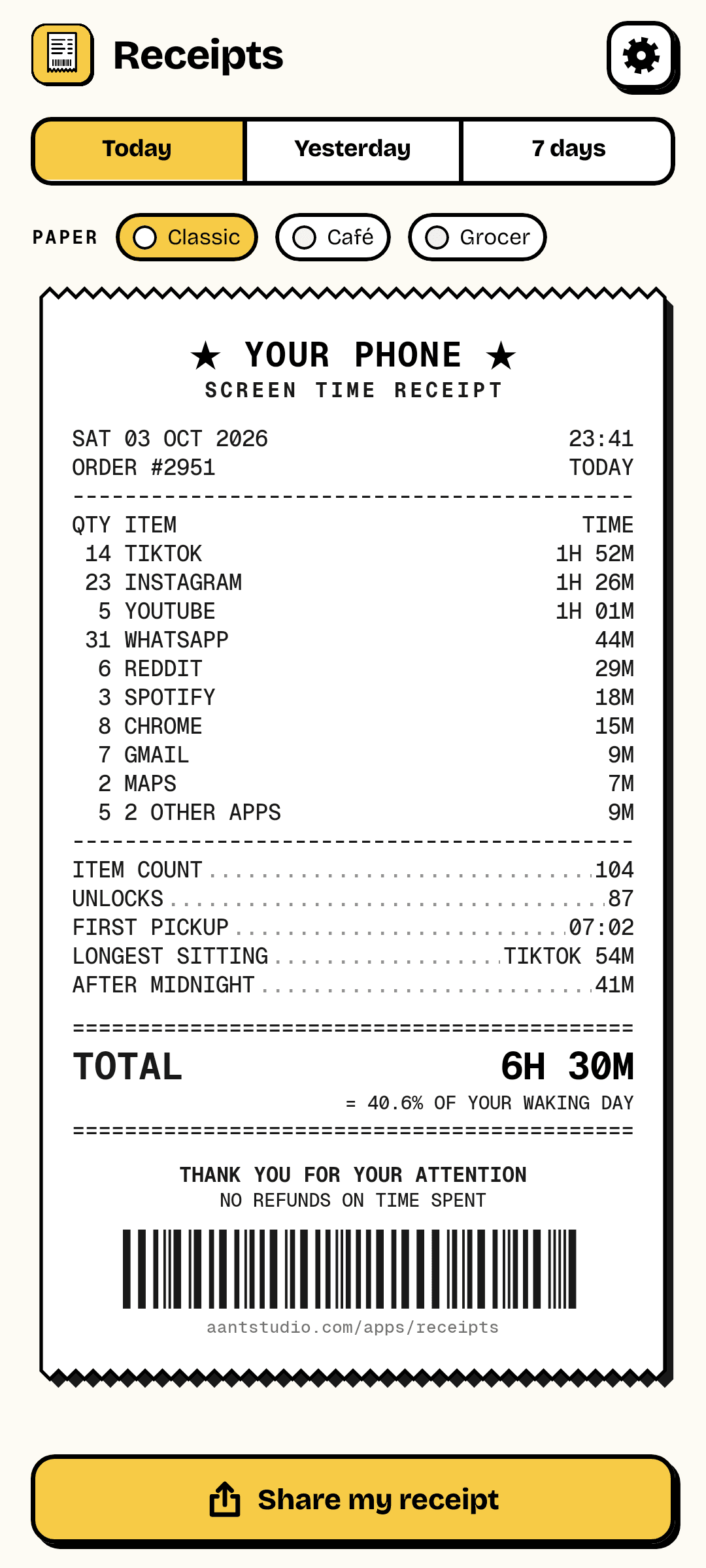
 Receipts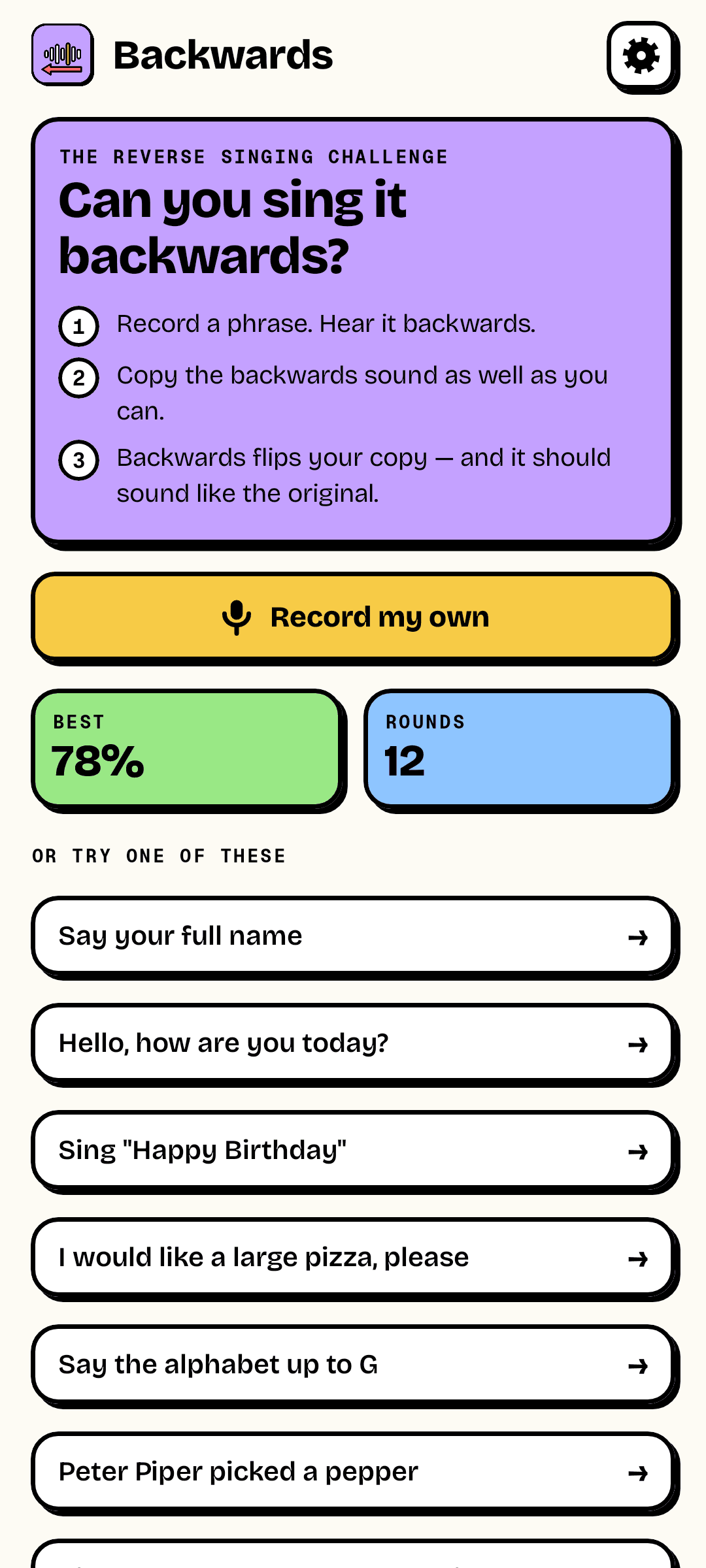
 Backwards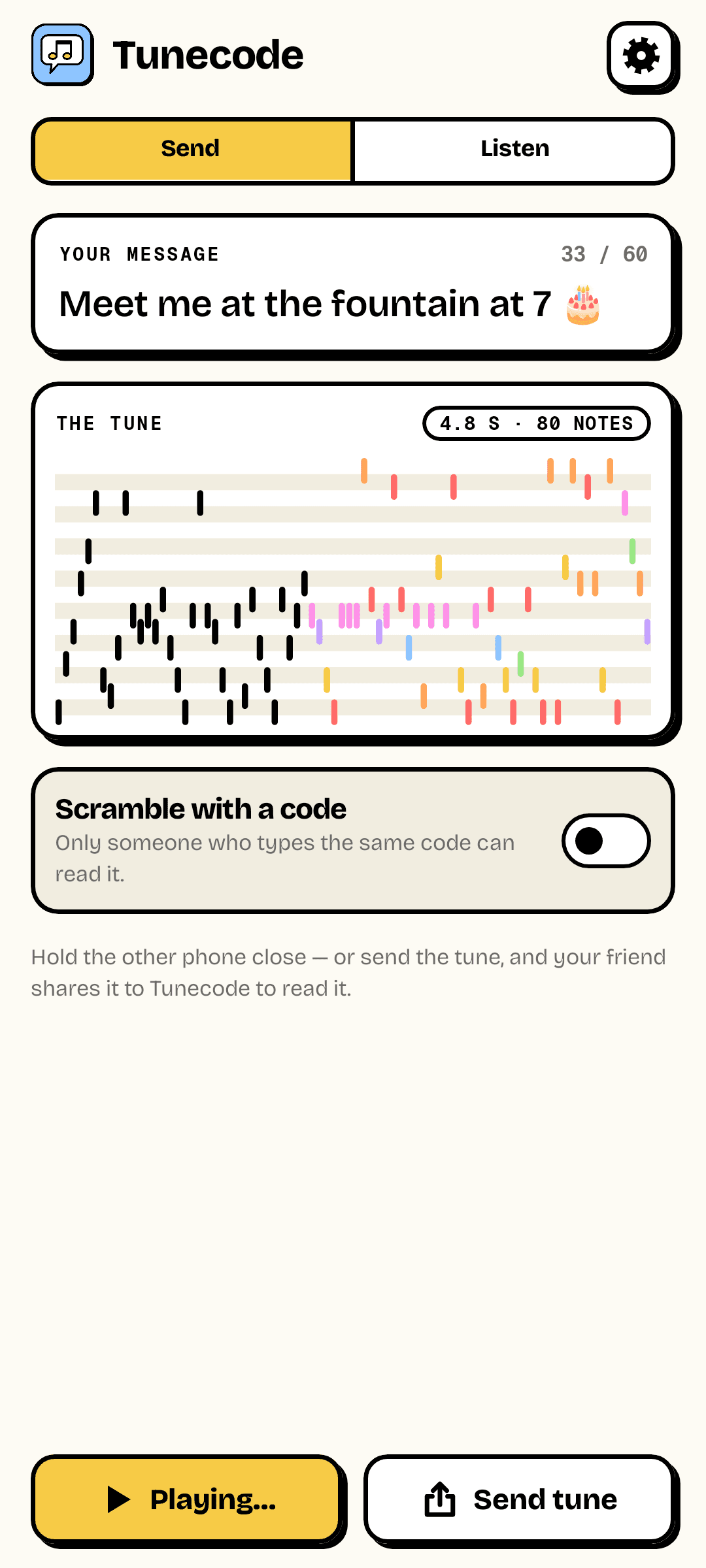
 Tunecode

01 · Social Challenges & Games
Live
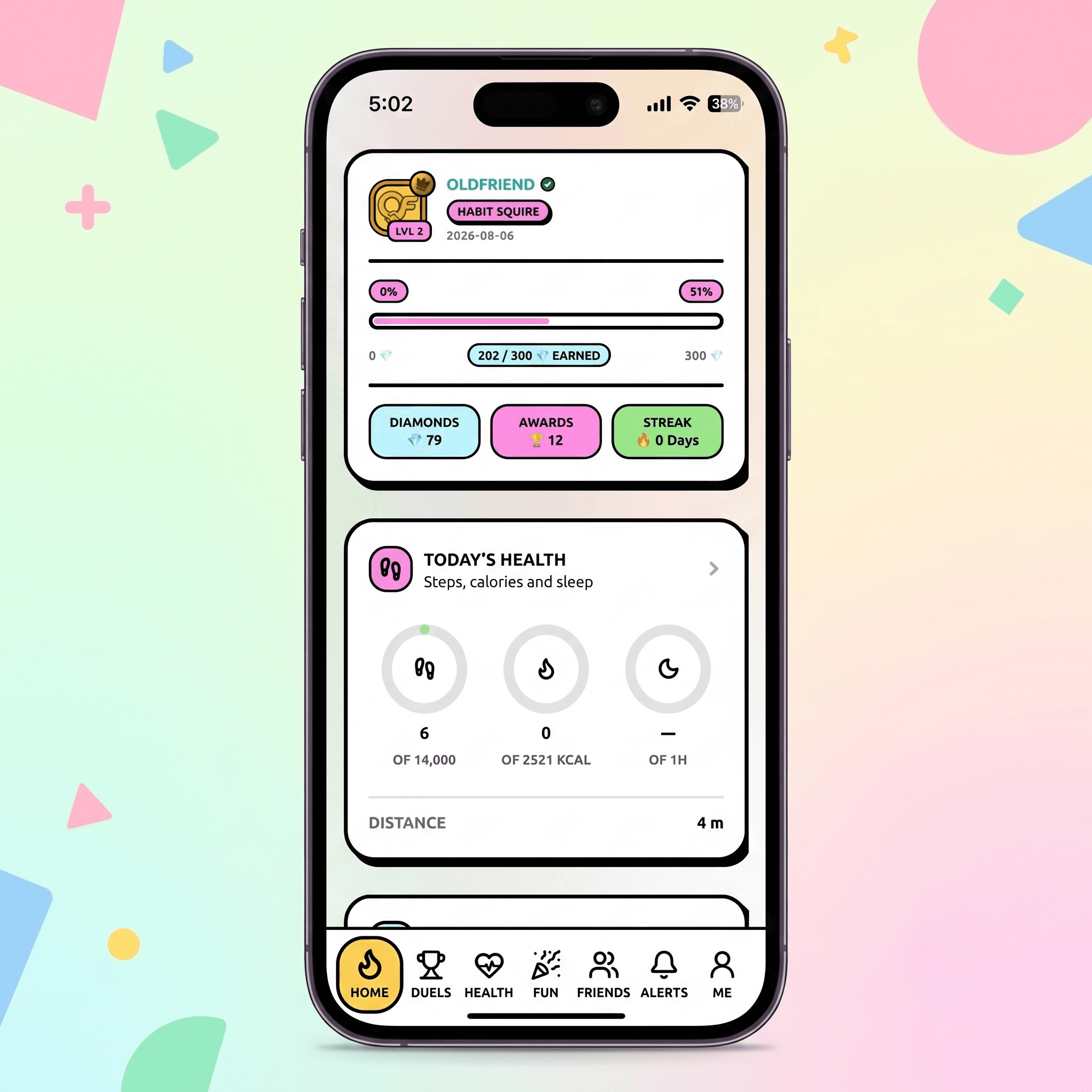
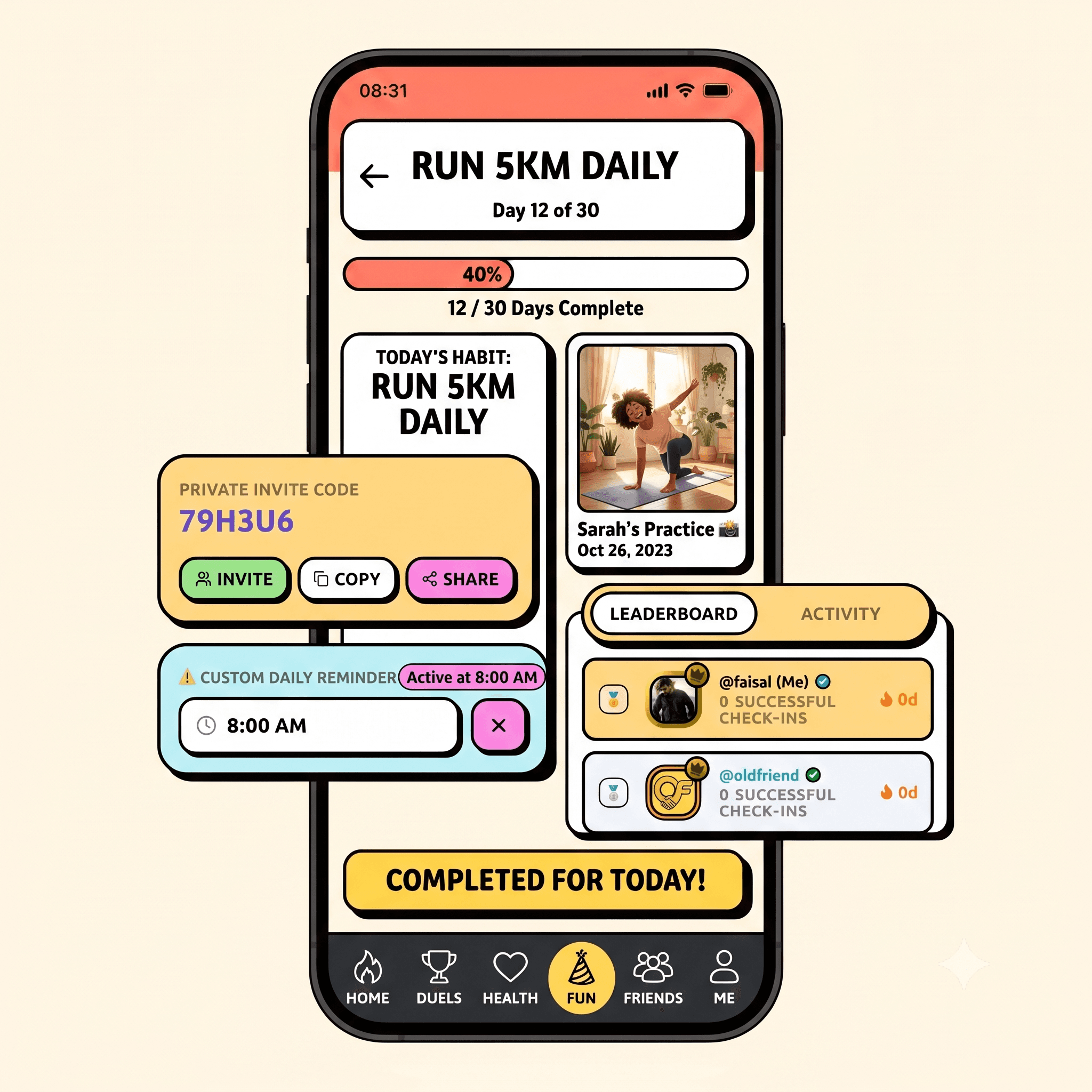
OldFriend keeps your friends honest.
Challenge your friends, complete goals together, play social games, compete in battles and turn everyday moments into memorable experiences.
— downloads so far
02 · Downloader & Video Tools
Live
Grabbo grabs it, then edits it.
Paste a link and the file saves straight to your phone. Then keep going — fourteen editing tools run right there on the device, so a clip never has to leave it to be trimmed, merged or turned into a GIF.
— downloads so far
03 · Notifications & Personalisation
Live
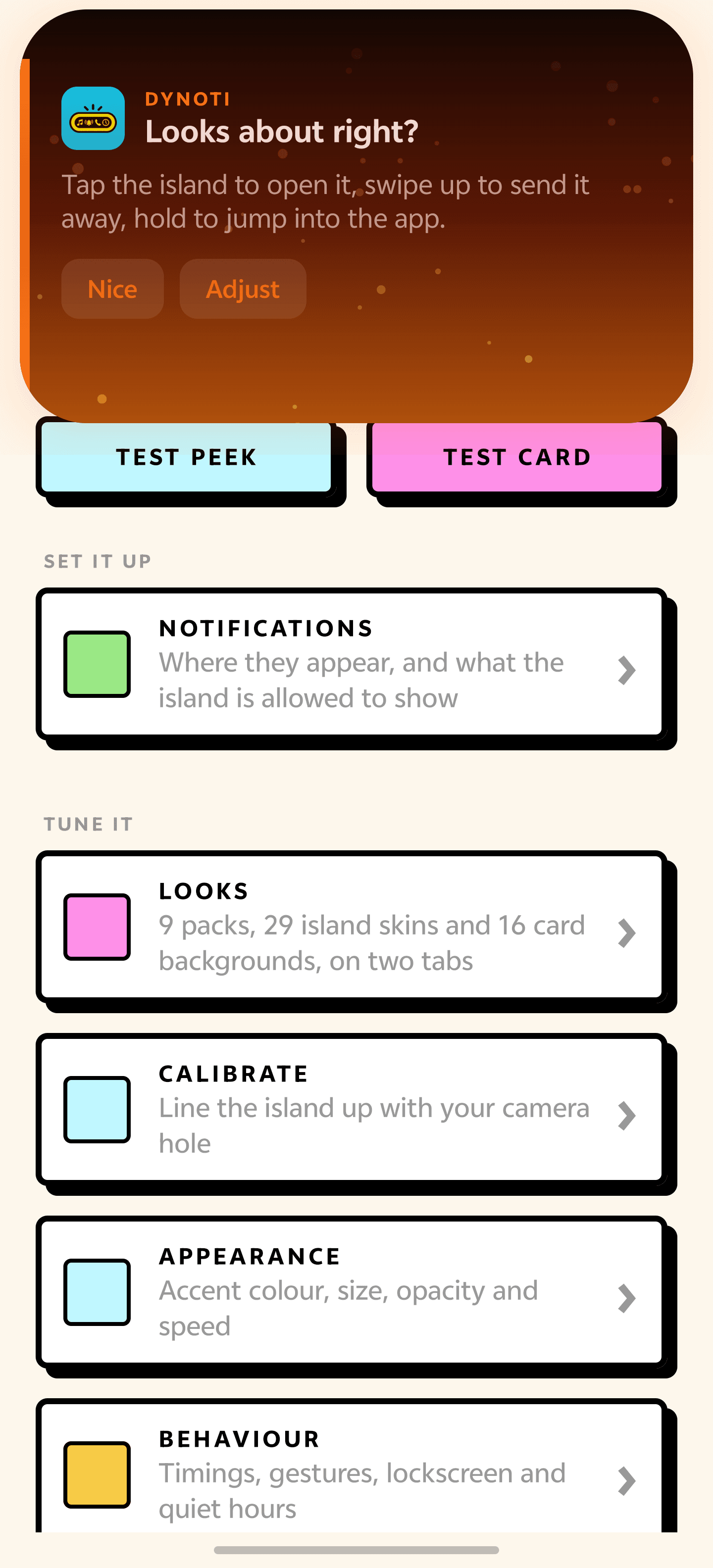
Dynoti puts your whole phone on one line.
Dynoti draws a small island at the top of your screen and shows you what your phone is doing — who is calling, what is playing, how long is left on the timer, how far a download has got, how long until the battery is full. It rests as a quiet pill on the camera hole and opens out the moment there is something to say.
— downloads so far

04 · Privacy & Networking
Live
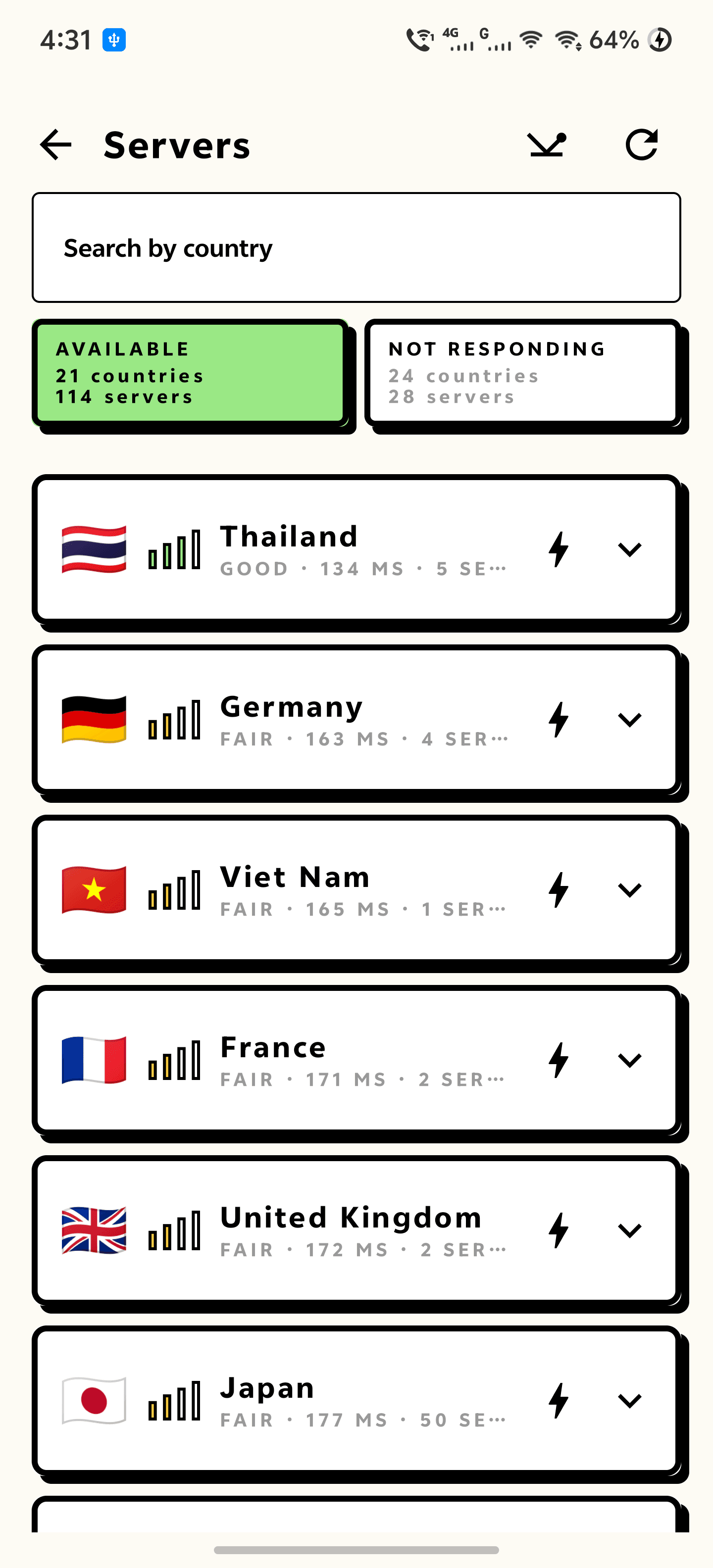
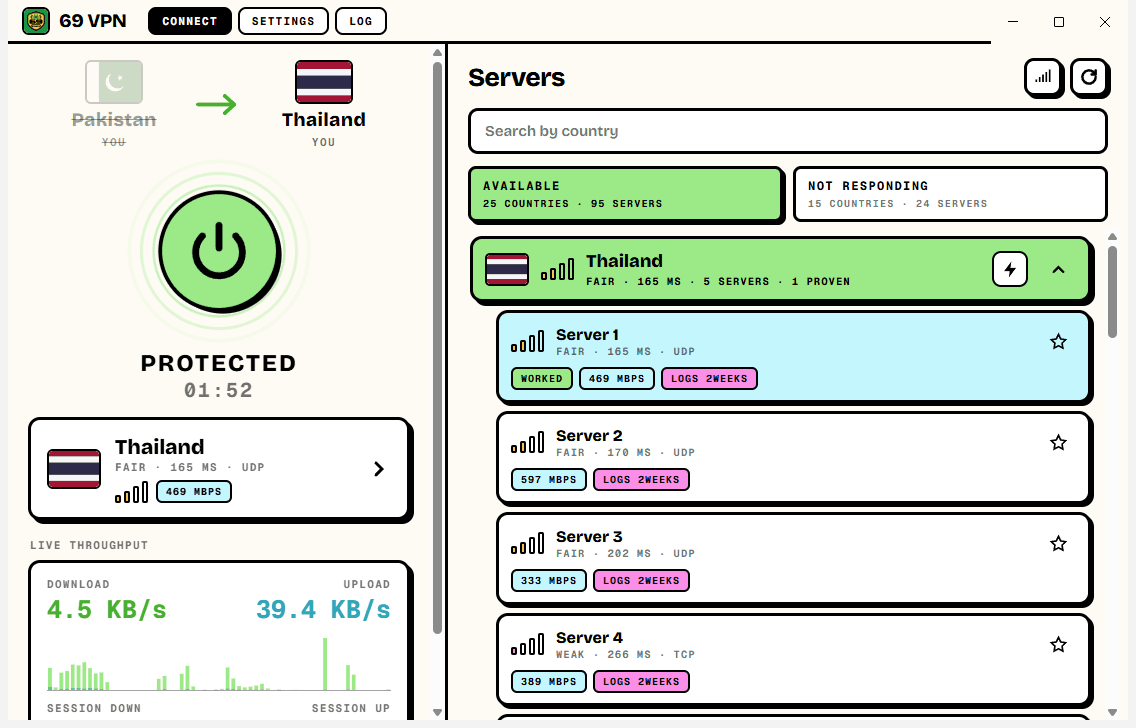
69 VPN is free, and it proves it moved you.
One tap to connect. Your real country and your new one sit side by side at the top of the screen, so you can see the change rather than trust a green badge. Underneath: a live speed graph, per-app split tunnelling, a DNS override and IPv6 leak blocking.
— downloads so far
05 · Eye Care for Windows
Live
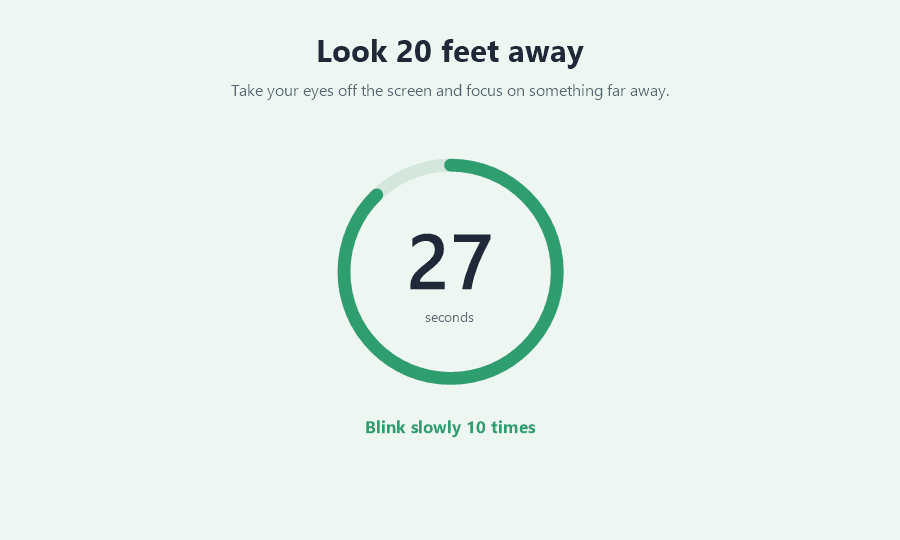
EyeBreak remembers so your eyes don't have to.
EyeBreak sits quietly in the taskbar and follows the 20-20-20 rule for you. A small heads-up slides into the corner, and ten seconds later the screen turns into a calm 30-second countdown by itself — no click needed, so no break gets missed — then hands your work back on its own.
— downloads so far

06 · Free VPN for Windows
Live
69 VPN, now on your PC.
One click to connect. Your real country and your new one sit side by side at the top of the window, so you can see the change instead of trusting a green badge. Beside it: every country that is answering right now, a live speed graph, and the controls a paid client has — kill switch, IPv6 leak blocking, your own DNS and split tunnelling.
— downloads so far

07 · Meeting Interpreter for Windows
Live
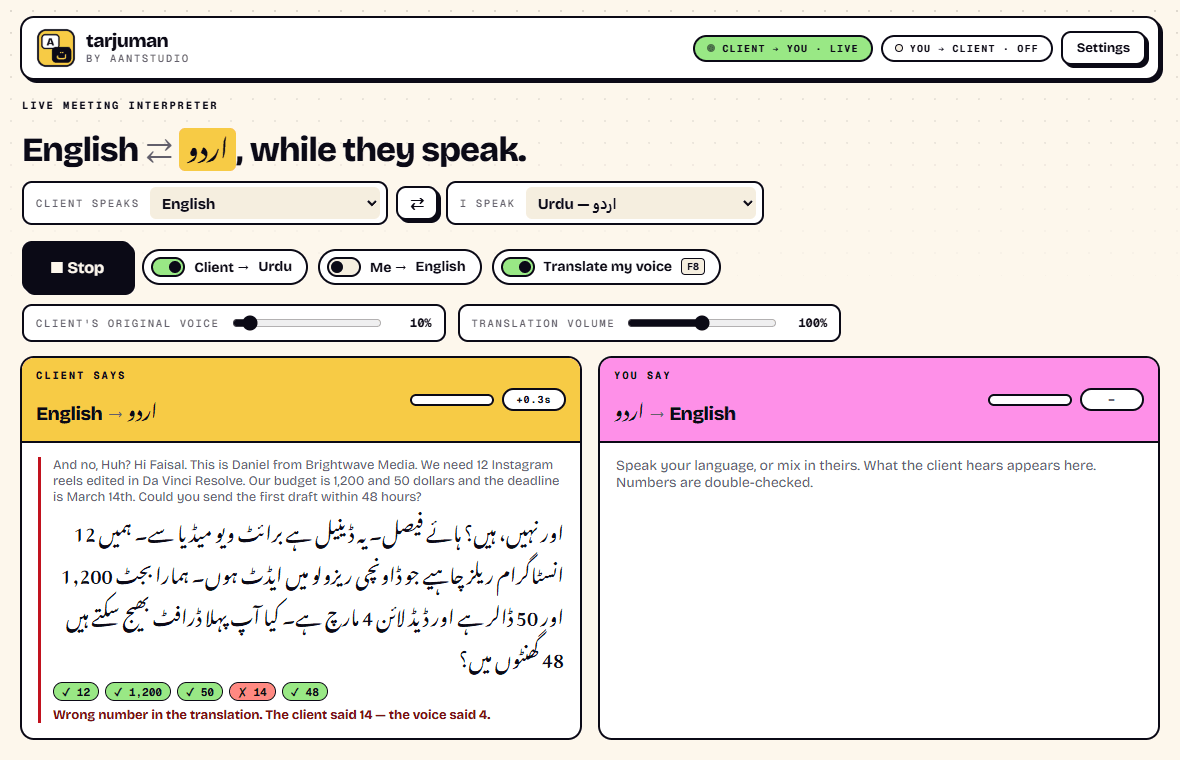
Speak your language. Be heard in theirs.
Tarjuman sits between you and your meeting app. When the client speaks, you hear them in your own language a few seconds later. When you speak, they hear you in theirs. Every number they say is checked against the translation, and a wrong price or date is flagged on screen.
— downloads so far

08 · Baby Keyboard Toy for Windows
Live
Let tiny fingers smash away.
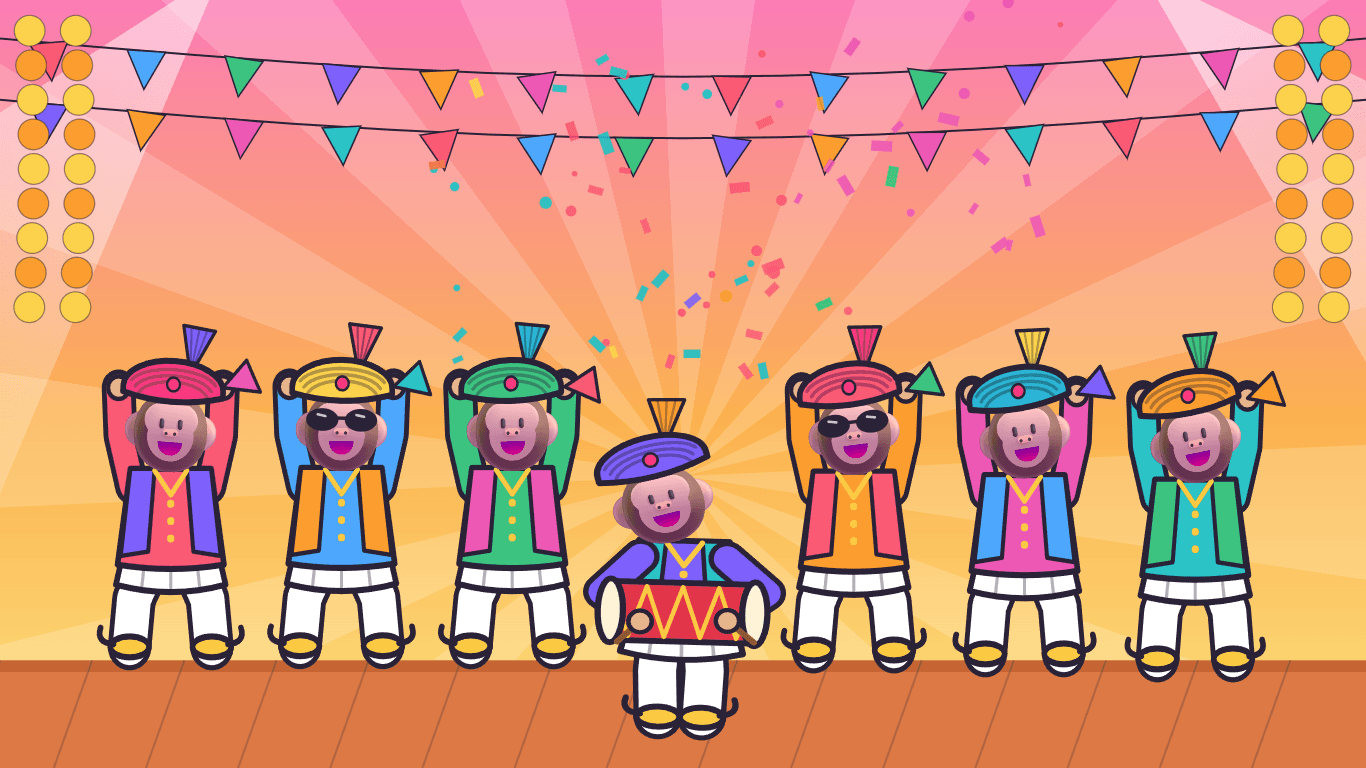
KeyPop turns your PC into a baby's toy. Each key plays its own sound — guitar, marimba, bells, drums, a big bass drum on Space — and pops a letter, a number or an animal from one of 58 bright scenes. Every minute a troupe of animals in kurtas and pagris dances on with a dhol for a crazy bhangra. While your little one plays, the Windows key, Alt + Tab and other shortcuts are switched off, so your files and settings stay safe. Ctrl + Alt + Shift + P gives the PC back.
— downloads so far
09 · Desktop Pet for Windows
Live
Your desktop just got a cat.
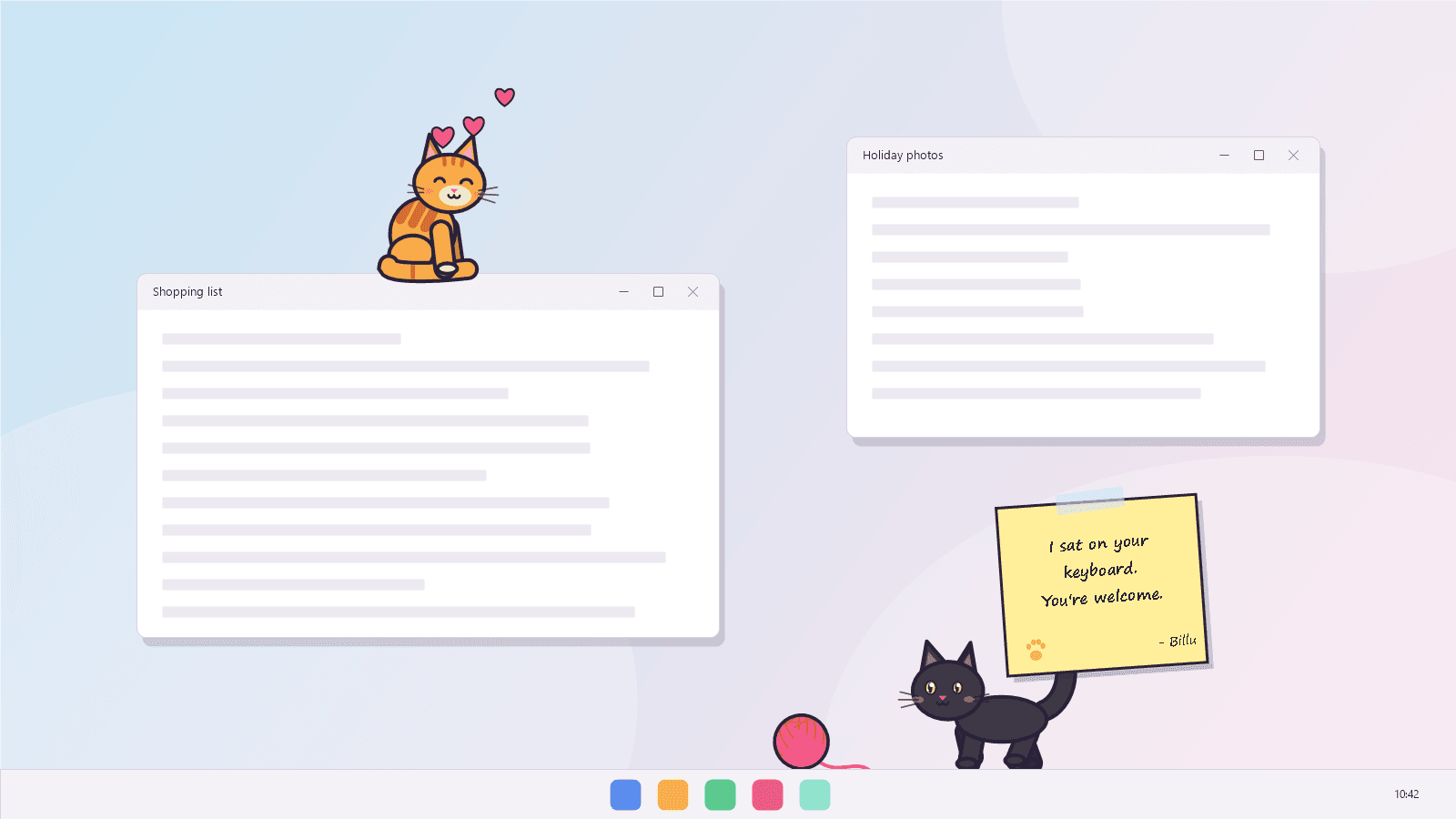
Billu walks along your taskbar, leaps up onto the windows you have open and naps on their title bars. It watches your mouse pointer, wiggles, pounces — and sometimes carries it off. It brings you sticky notes, eats the treats you drop, chases a yarn ball you can throw, and purrs when you rub it with the mouse. Pick it up by the scruff and it dangles, deeply unimpressed.
— downloads so far

10 · Focus Timer for Windows
Live
Rain outside. Focus inside.
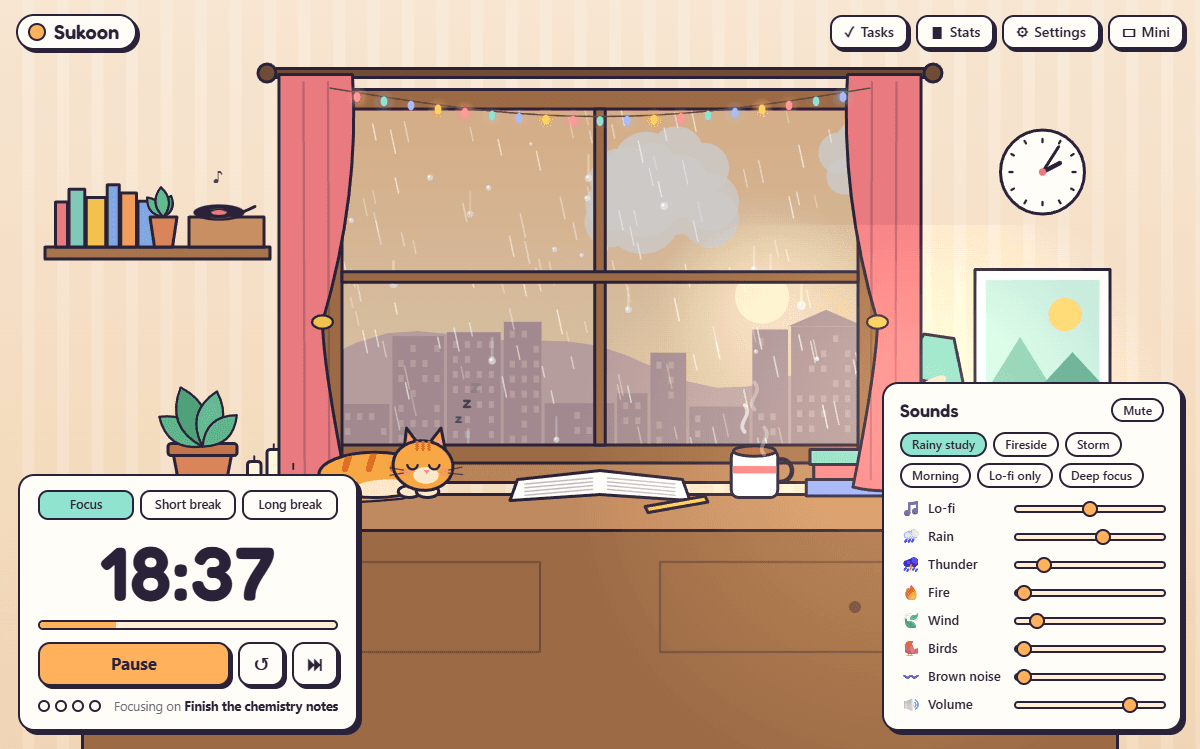
Sukoon sits you at a desk by a rainy window: chai steaming, fairy lights twinkling, a ginger cat asleep beside your notebook. Start the Pomodoro timer and the cat sleeps while you work, then sits up for your break. Mix your own background from endless lo-fi music composed live on your PC, rain, thunder, a crackling fire, wind, birds and brown noise.
— downloads so far
11 · Live Wallpapers for Windows
Live
Bring your desktop to life.
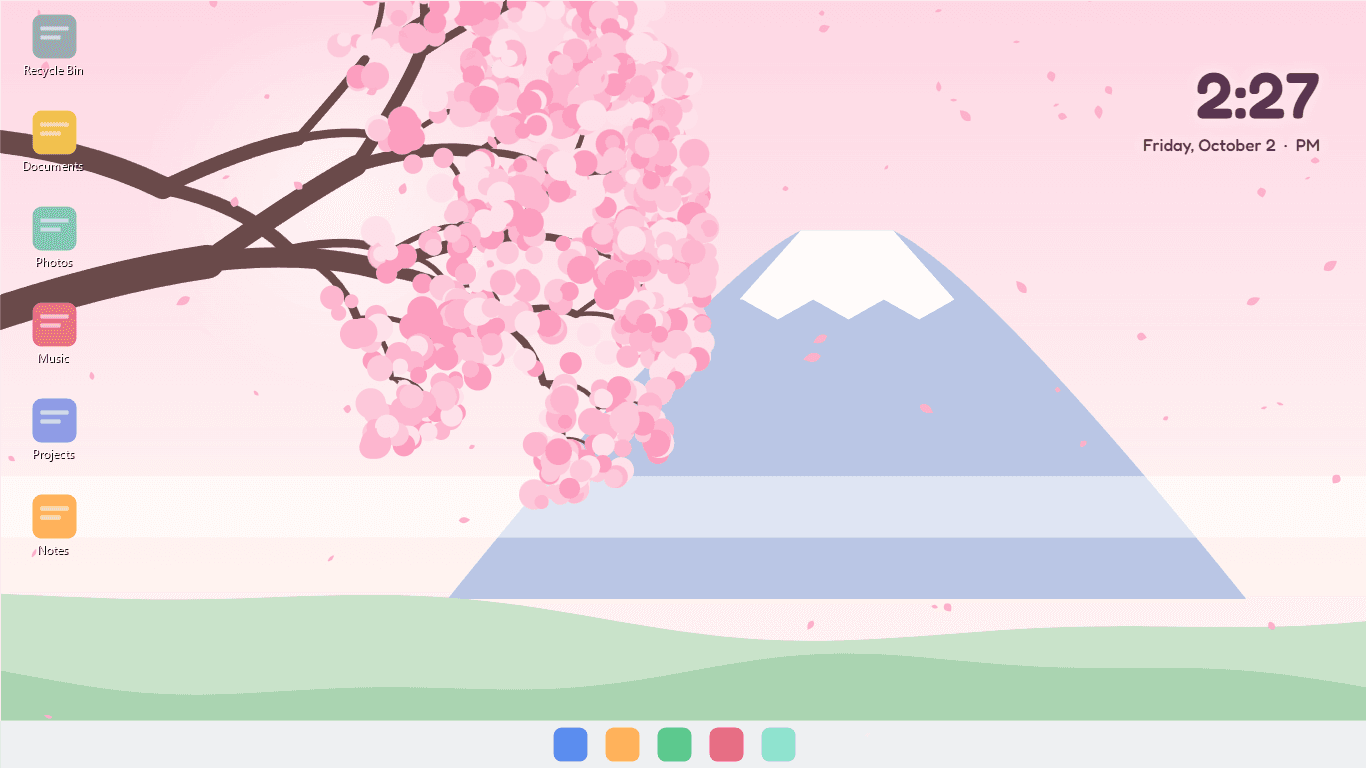
Zinda turns your wallpaper into a living scene that plays behind your icons. Fish swim over to say hello when you move the mouse and dart away when you click. Rain runs down a misty window you can wipe clear, fireflies drift to your pointer, cherry petals blow past a snowy mountain. Eight hand-drawn scenes, an optional clock, and almost no power: it pauses by itself whenever an app fills the screen.
— downloads so far

12 · Screen Annotation for Windows
Live
Point it out. Circle it. Explain it.
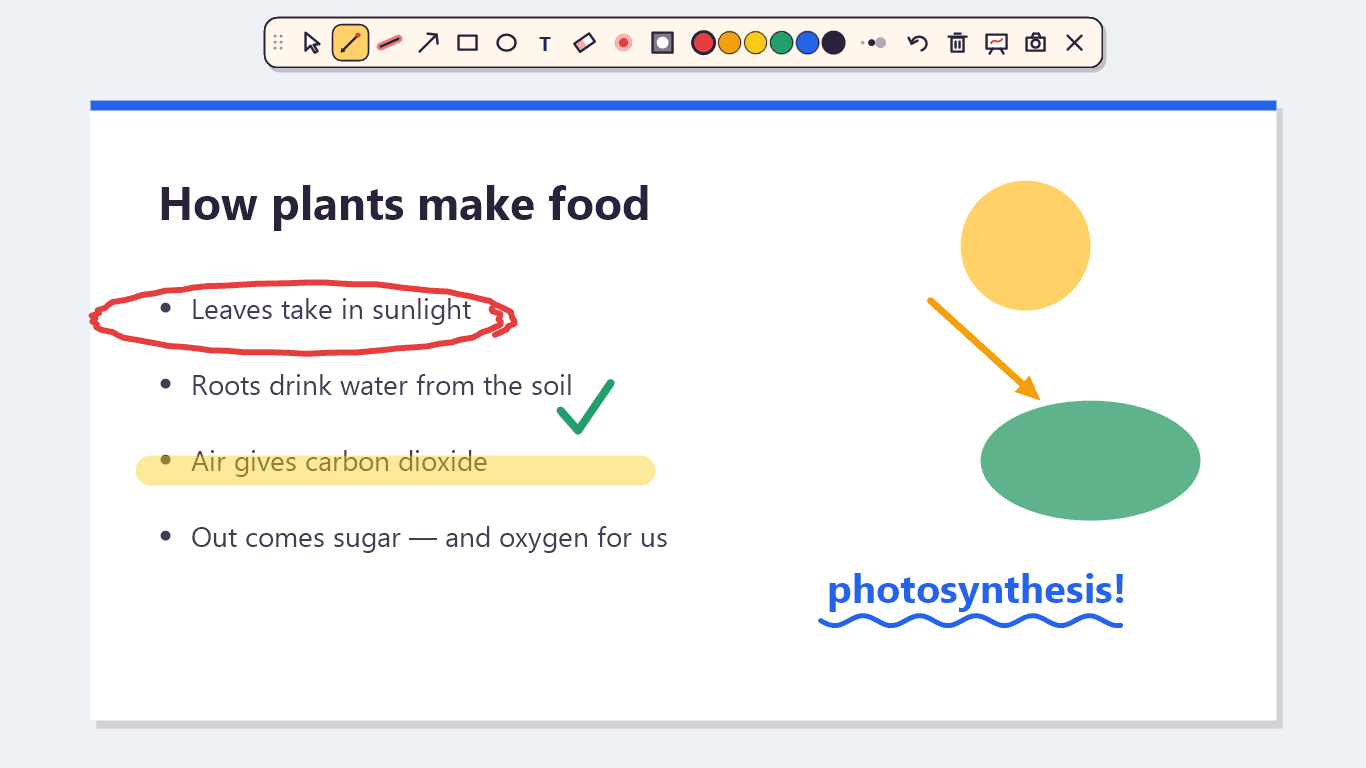
Press Ctrl + Shift + D and your whole screen becomes a page you can draw on — over slides, code, a browser, a video call, anything. Circle the bit that matters, underline it with a highlighter, point with an arrow, write a note, or switch on the laser pointer and the spotlight. Whiteboard and zoom are one shortcut away, and Ctrl + S saves the screen with your drawing on it.
— downloads so far
13 · Screen to GIF for Windows
Live
Show it, don't type it.
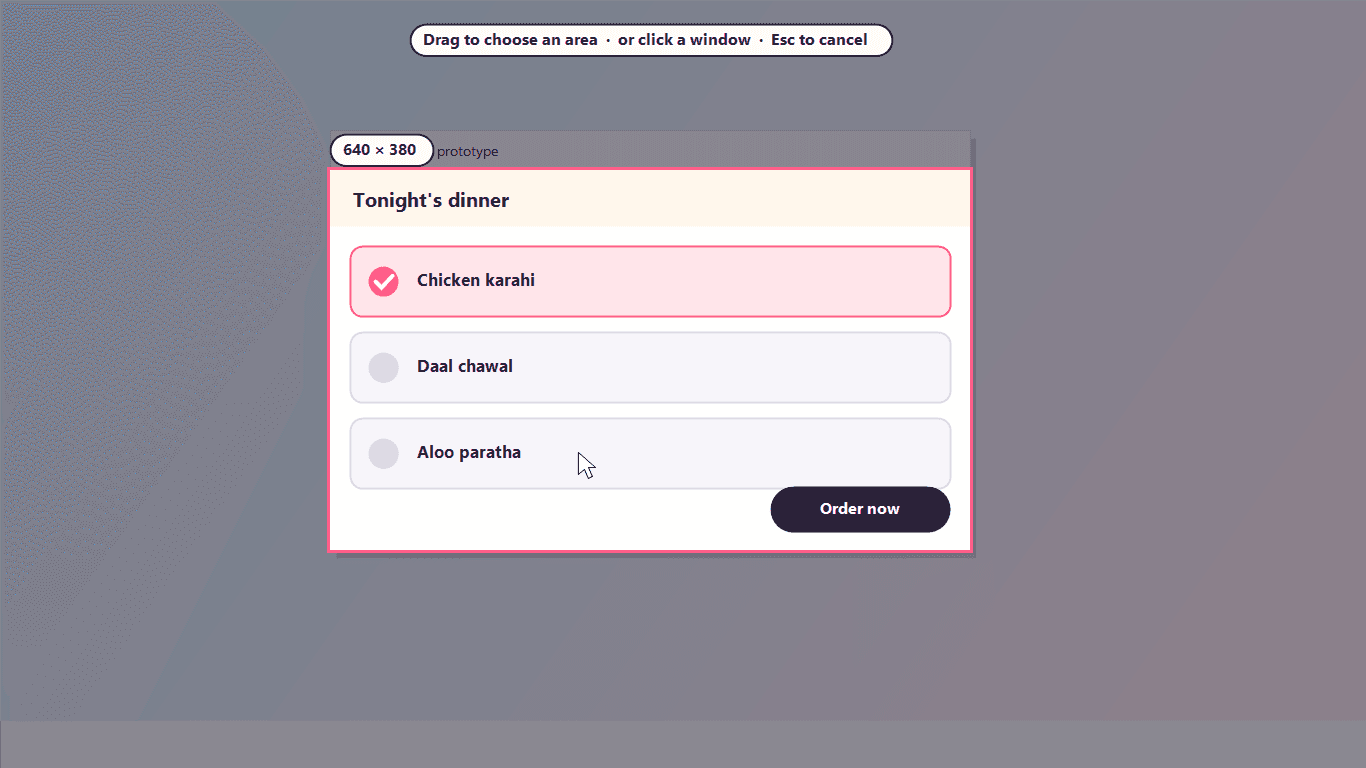
Press Ctrl + Shift + G, drag a box around anything — or click a window to take all of it — and Lamha records it. Press the shortcut again to stop, trim the start and end, pick the speed and size, and save. The GIF lands in your Pictures folder, and one click copies it, ready to paste into WhatsApp, Slack, Discord or an email.
— downloads so far
14 · Charging animations for Windows laptops
Live
Plug in. Watch it glow.
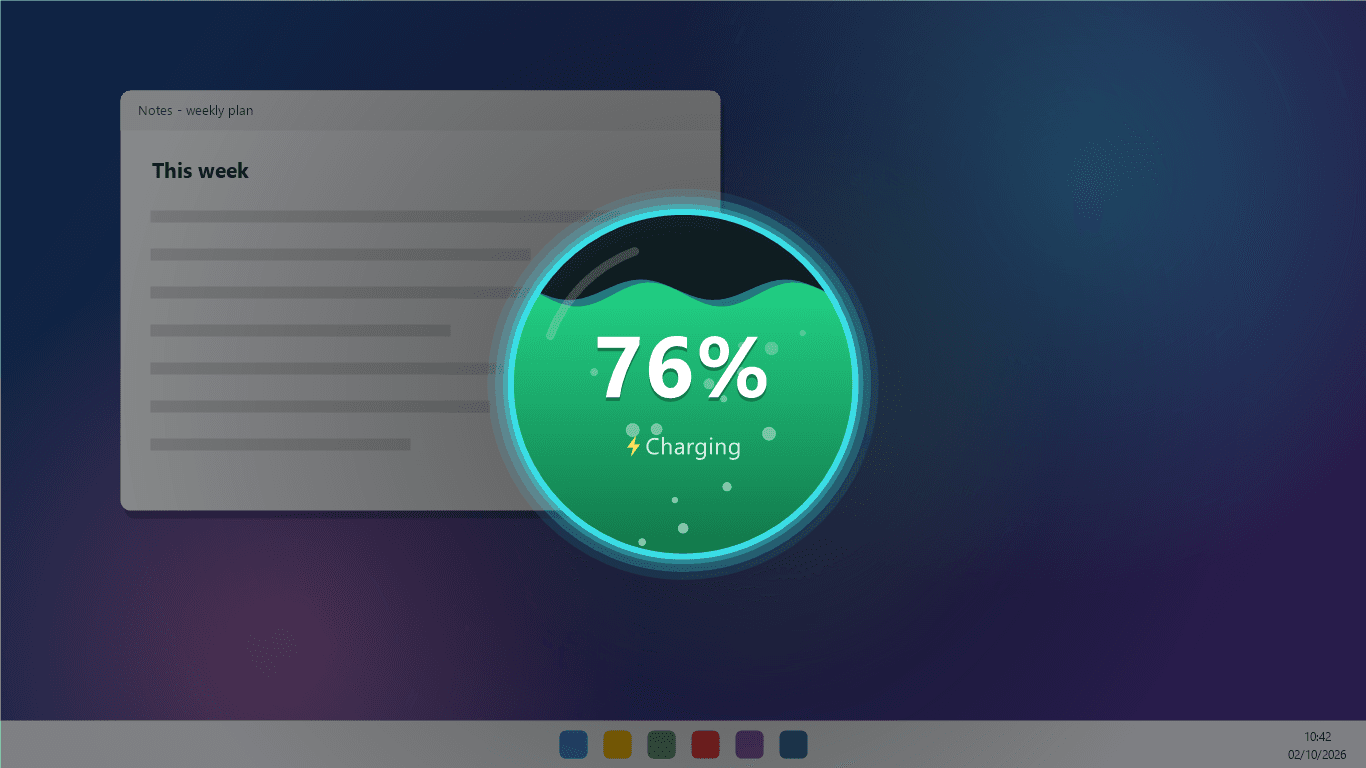
Phones have had charging animations for years. Now your laptop does too. Plug in the charger and Bijli fills your screen for four seconds with your battery level: rising liquid, a neon ring, a crackling bolt or a glowing battery. It never takes a click or a key press, so whatever you were doing carries on underneath. It also reminds you to unplug at 80%, so the battery wears more slowly, and warns you at 20%.
— downloads so far
15 · Phone to PC file transfer
Live
Scan. Send. Done.
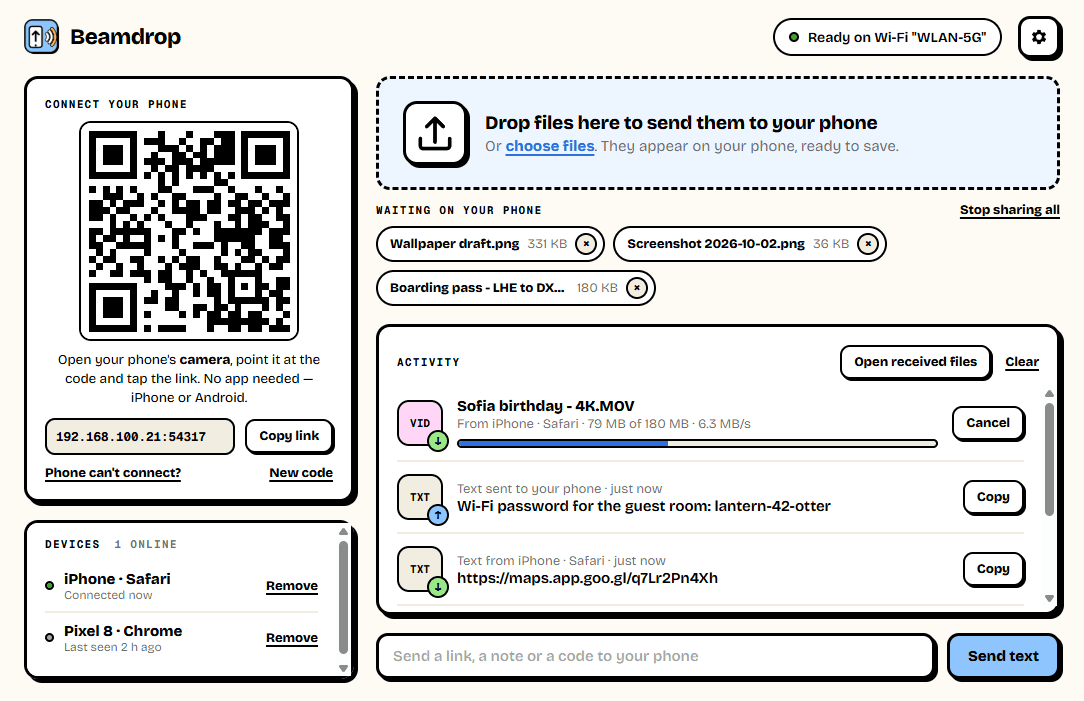
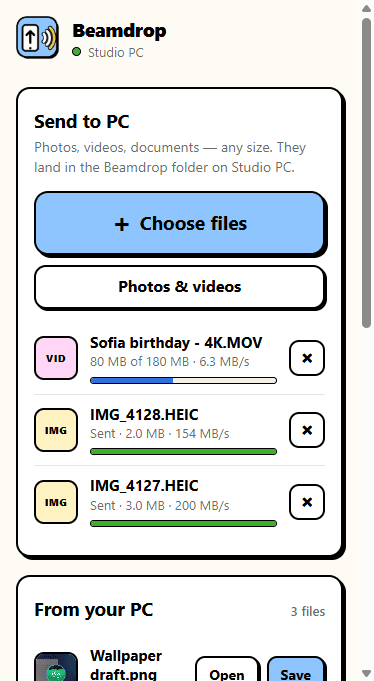
Beamdrop moves photos, videos and files between your phone and your Windows PC over your own Wi-Fi. There is nothing to install on the phone: point its camera at the QR code on your screen and it opens in the browser, on iPhone and Android alike. Send a 4K video to your PC, or a PDF to your phone, with no upload to the internet and no size limit.
— downloads so far
16 · Phone as PC remote
Live
Your phone is the remote.
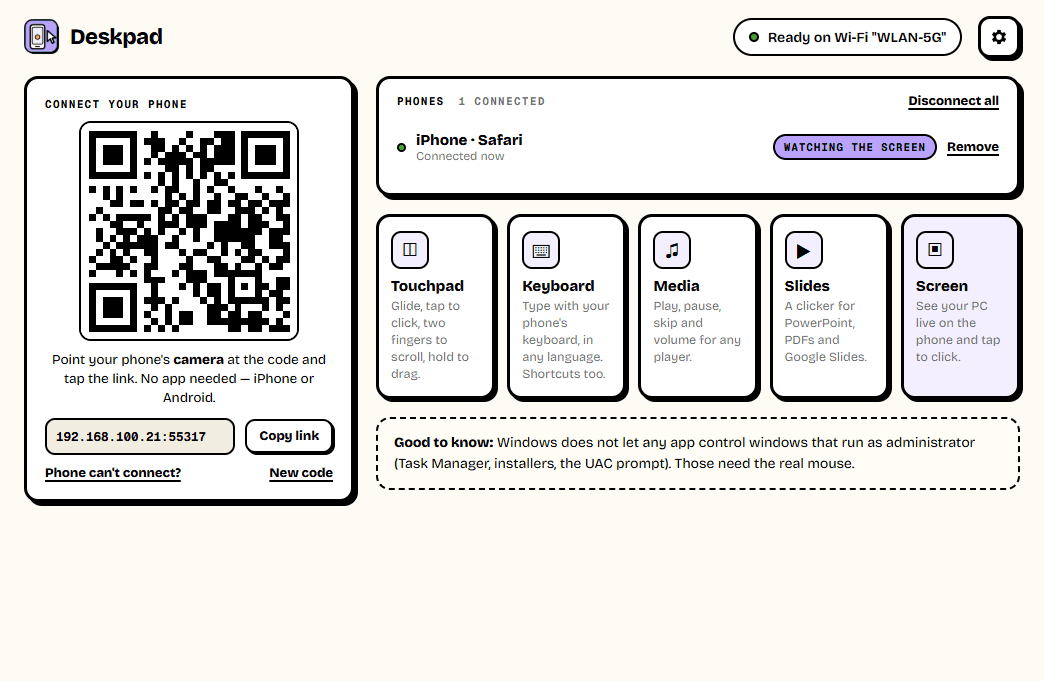
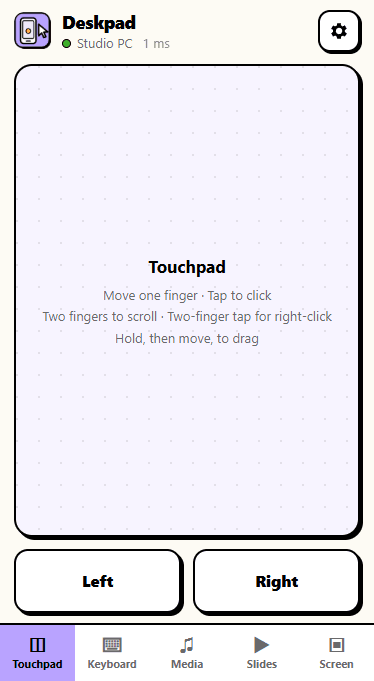
Deskpad turns any phone into a wireless touchpad, keyboard, media remote and presentation clicker for your Windows PC — and shows the PC's screen live on the phone, where a tap clicks. Control a movie from the sofa, run slides from across the room, or type on the PC from your bed. Nothing to install on the phone: scan the QR code and it opens in the browser.
— downloads so far
17 · Offline PDF editor for Windows
Live
Your PDFs never leave your PC.
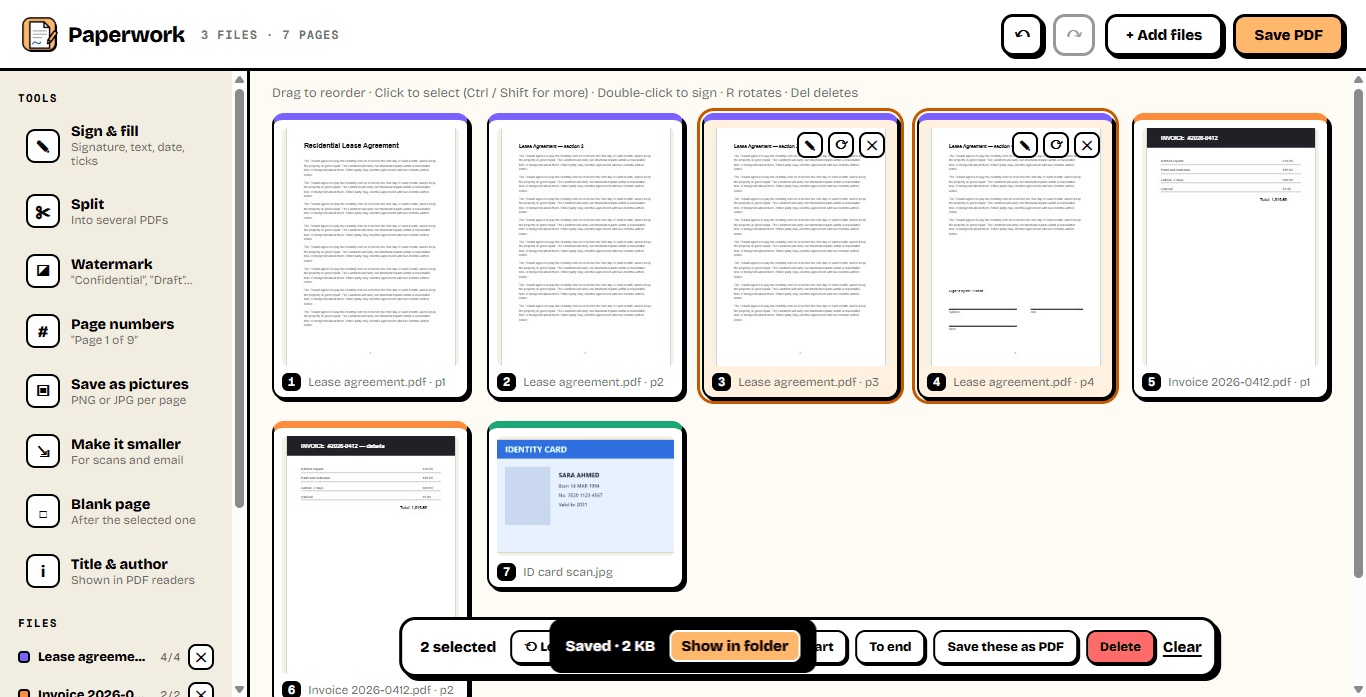
Paperwork does what the PDF websites do — merge files, reorder and rotate pages, sign, add page numbers and watermarks, split, shrink and turn pages into pictures — right on your Windows PC. Your lease, your ID card and your bank statements never go to someone else's server, there are no daily limits, and nothing is stamped with a logo.
— downloads so far

18 · Who's on my Wi-Fi, for Windows
Live
Know who's on your Wi-Fi.
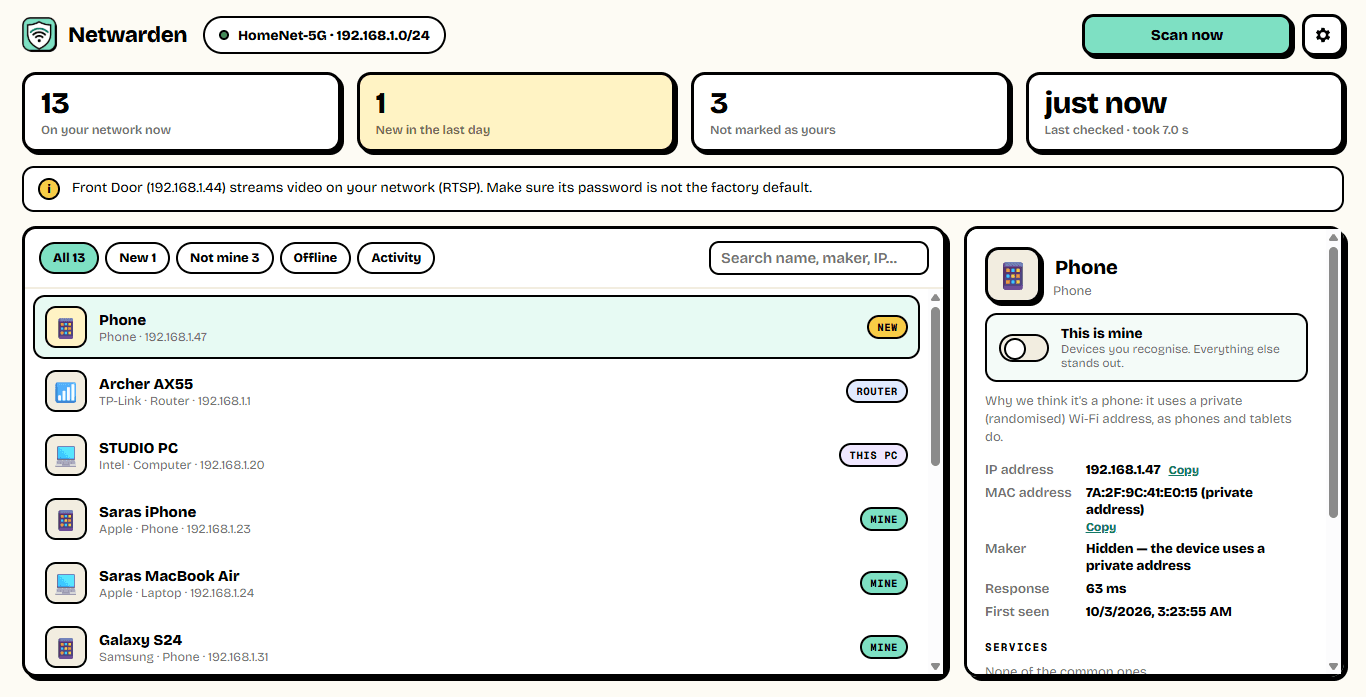
Netwarden finds every device on your network in a few seconds and works out what each one is — an iPhone, a Samsung TV, a Hikvision camera, a smart plug — from its maker, its name and the services it runs. Mark the ones that are yours, and it keeps watch from the tray: when a device it has never seen joins, you get a notification.
— downloads so far
19 · Automatic backup for Windows
Live
Every version, safe.
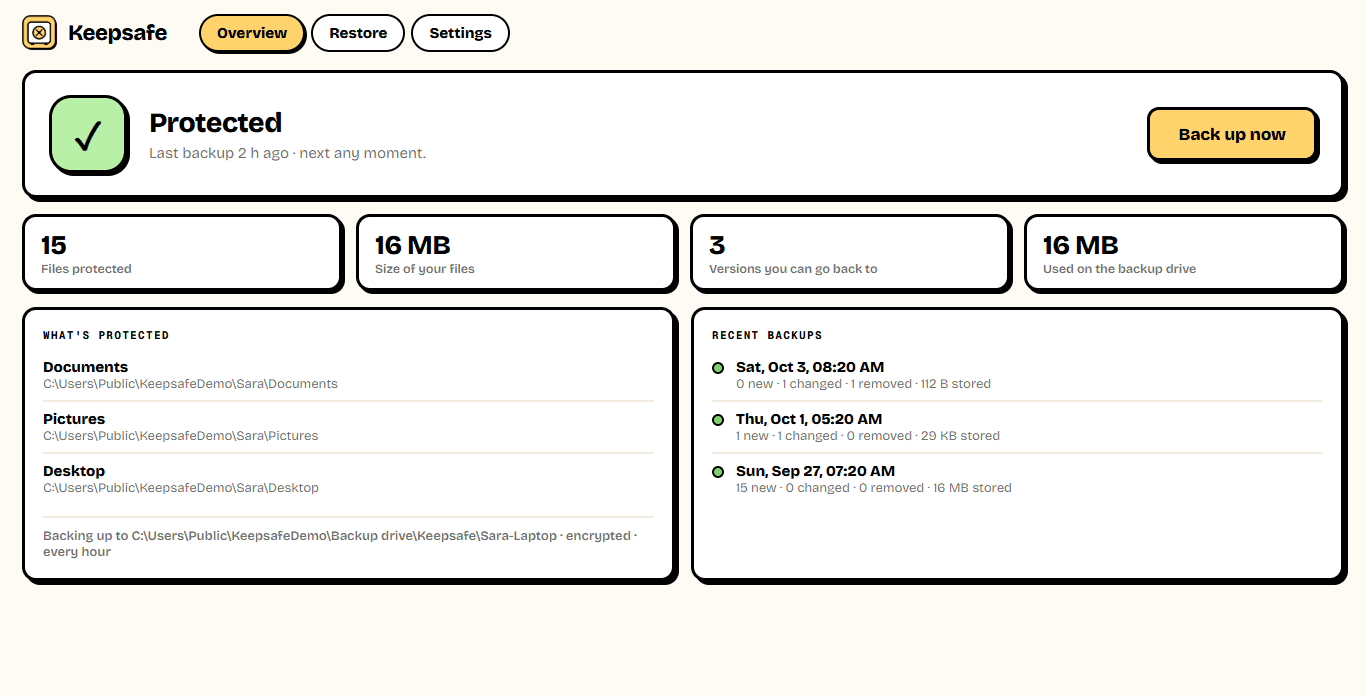
Keepsafe backs up your Documents, Pictures and any other folders to an external drive — every hour, and the moment the drive is plugged in — and keeps every version. Overwrote a report, deleted a folder, laptop stolen, hit by ransomware? Pick a day and get your files back exactly as they were. With a password, the whole backup is encrypted.
— downloads so far
20 · Disk space analyzer for Windows
Live
Find the space. Free the space.
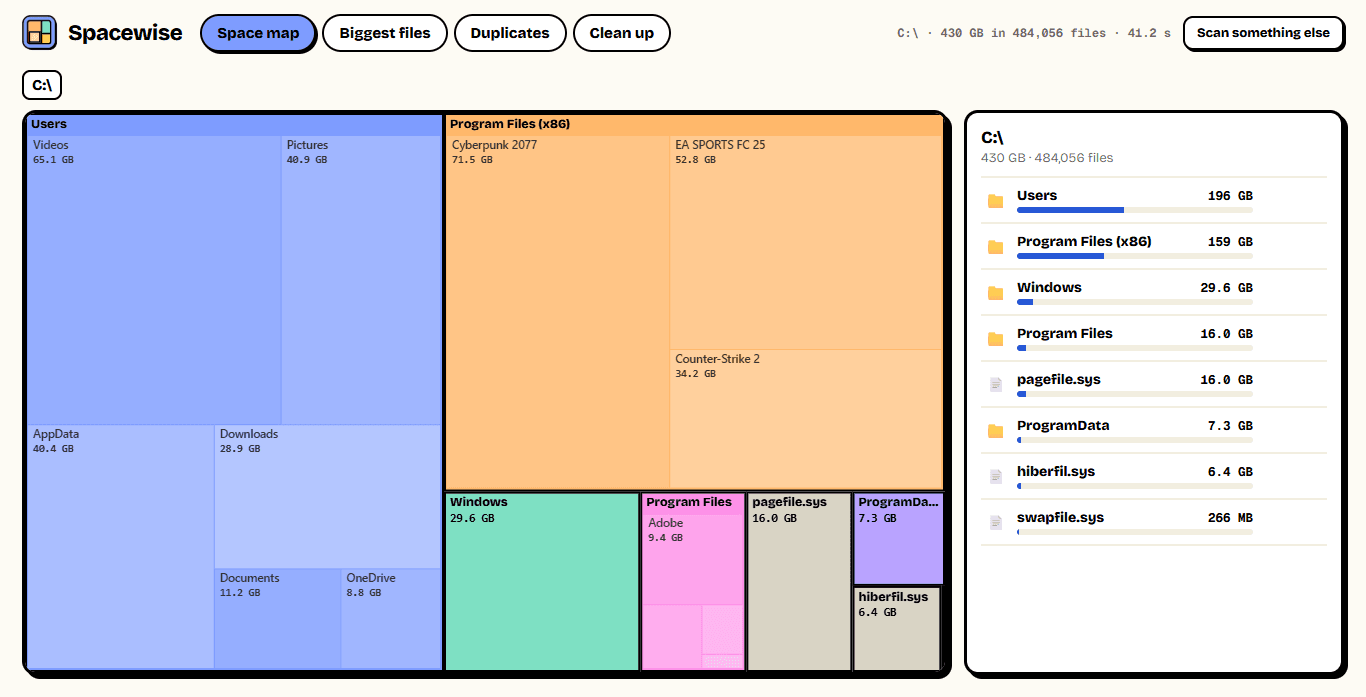
Spacewise adds up every folder on a drive in seconds and shows the result as a map: the bigger the block, the more space it takes. Click into the biggest ones, see the largest files, find copies of the same file scattered across your folders, and clear temporary files and caches. Anything you delete goes to the Recycle Bin first, so nothing is gone by accident.
— downloads so far
21 · Photo organizer for Windows
Live
Every photo, in the right month.
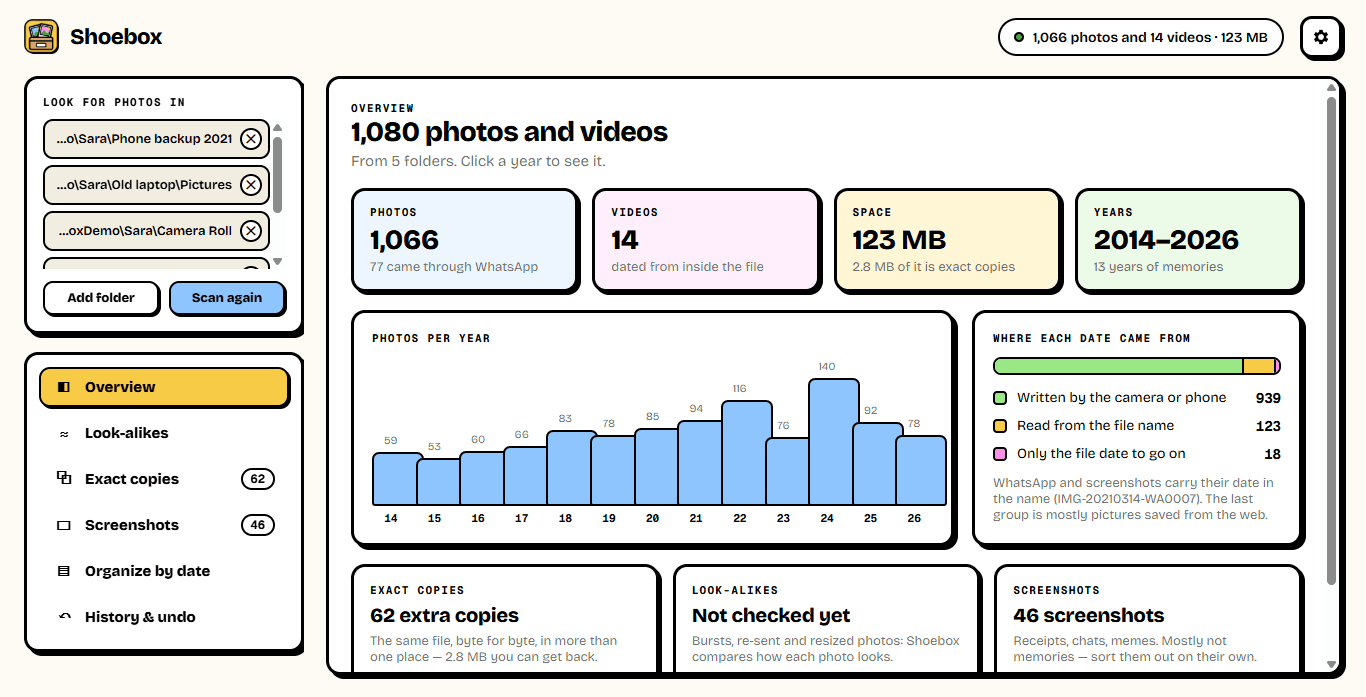
Shoebox reads the date the camera wrote inside each photo — not the file date, which changes every time a photo is copied — and files every photo and video into Year \ Month. On the way it finds the same photo saved twice, the burst of five near-identical shots, and the hundreds of screenshots burying your real pictures. Nothing is uploaded, removed photos go to the Recycle Bin, and every sort can be undone.
— downloads so far
22 · Daily colour game
Live
One colour a day. Go find it.
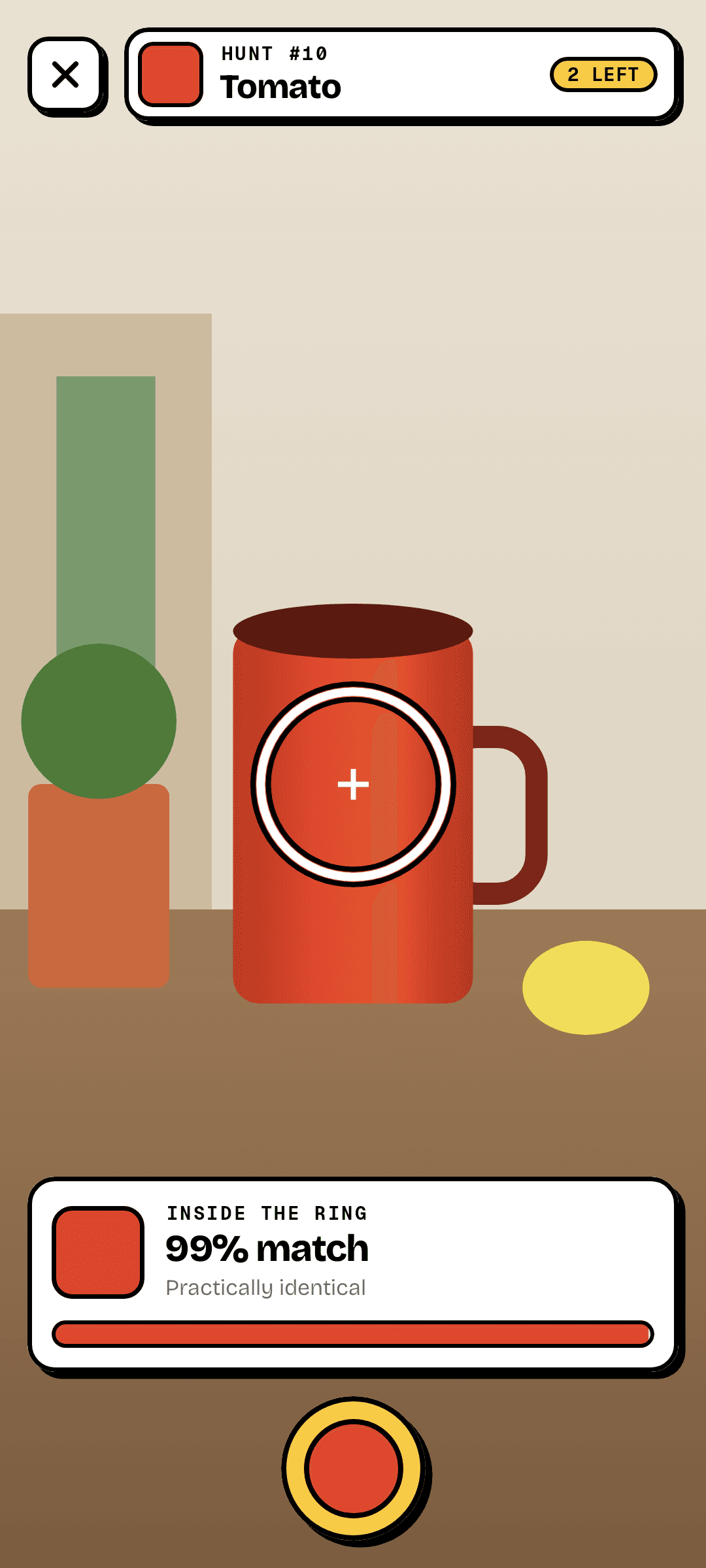
Every day Hue Hunt names one colour — Tomato, Denim, Mint, Mustard — and everyone gets the same one. Point your camera at things around you; the ring in the middle tells you, live, how close you are. You get three snaps. The best one is your score, and the result is a little card you can post next to your friends'.
— downloads so far
23 · Digital wellbeing
Live
Your doomscrolling, in kilometres.
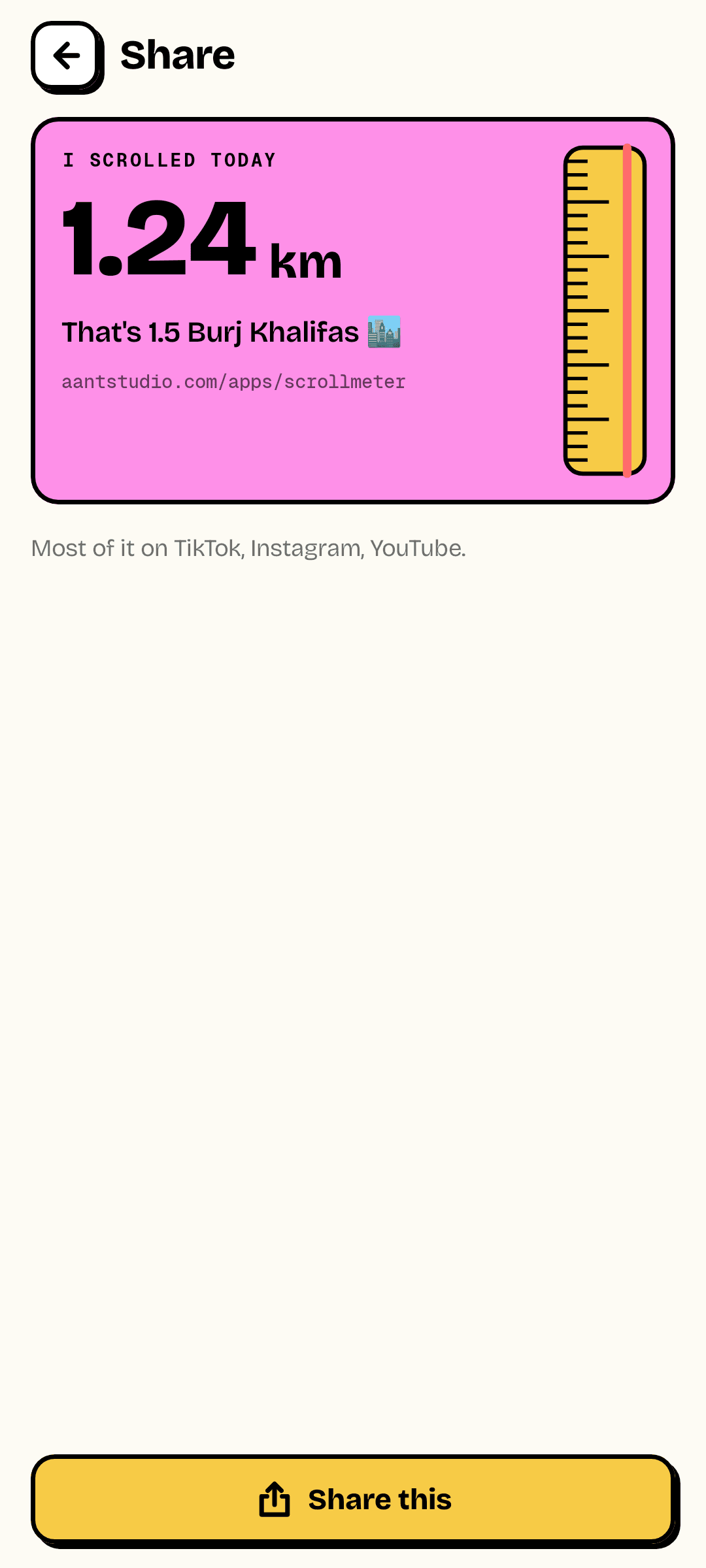
Screen time says hours, and hours mean nothing. Scrollmeter measures the actual distance your feeds travel under your thumb — converted into real metres for your phone's screen — app by app, day by day. Then it puts it in terms you'll remember: football pitches, Eiffel Towers, marathons. Set a daily limit and it tells you when you've passed it.
— downloads so far

24 · Singing & music
Live
Find out what your voice actually is.
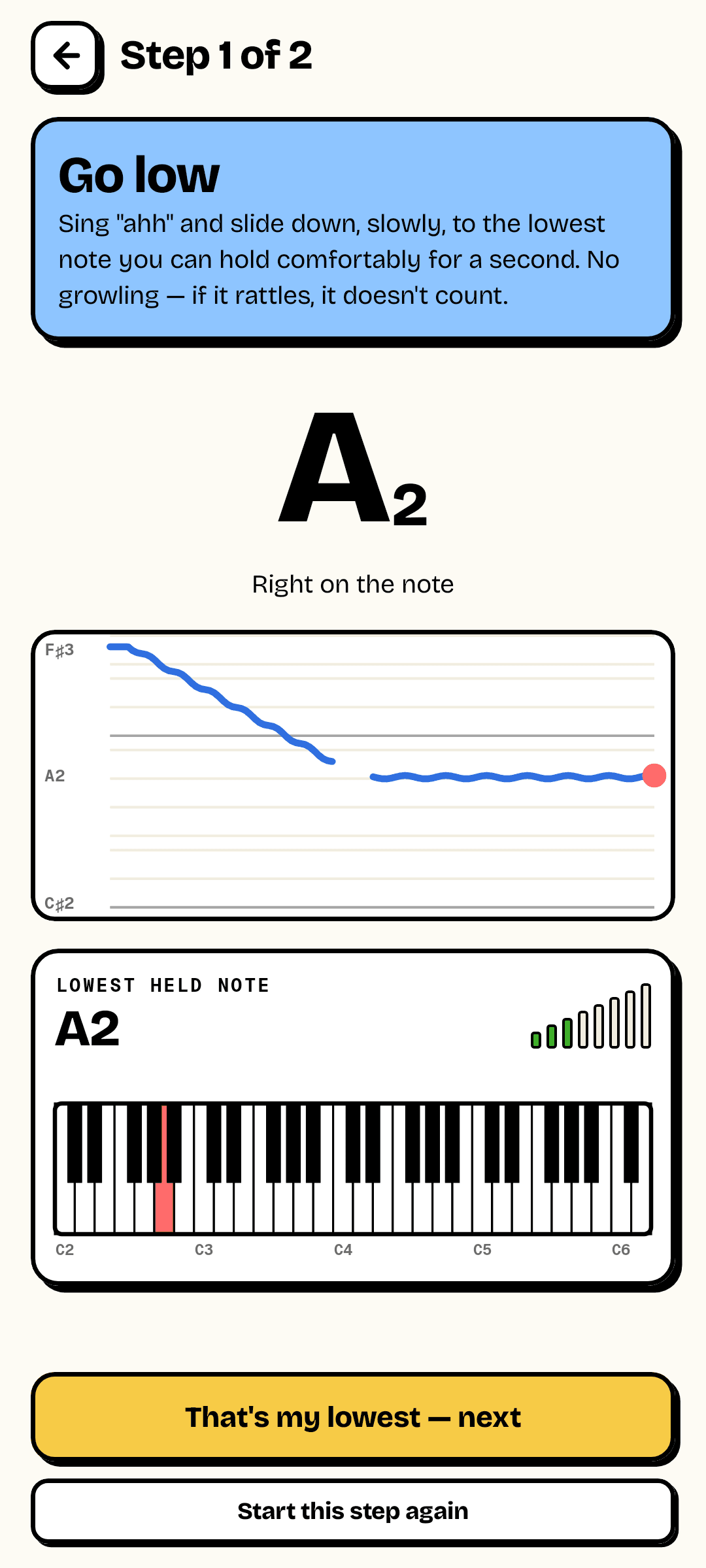
Voice Type listens while you sing "ahh" down to your lowest comfortable note and up to your highest. It hears the exact notes you can hold — not the cracks and slides in between — shows your range on a piano keyboard, and tells you which of the six classical voice types it fits. Then train your ear with a note-matching game, or watch your pitch live.
— downloads so far

25 · Screen time
Live
Your phone handed you the bill.
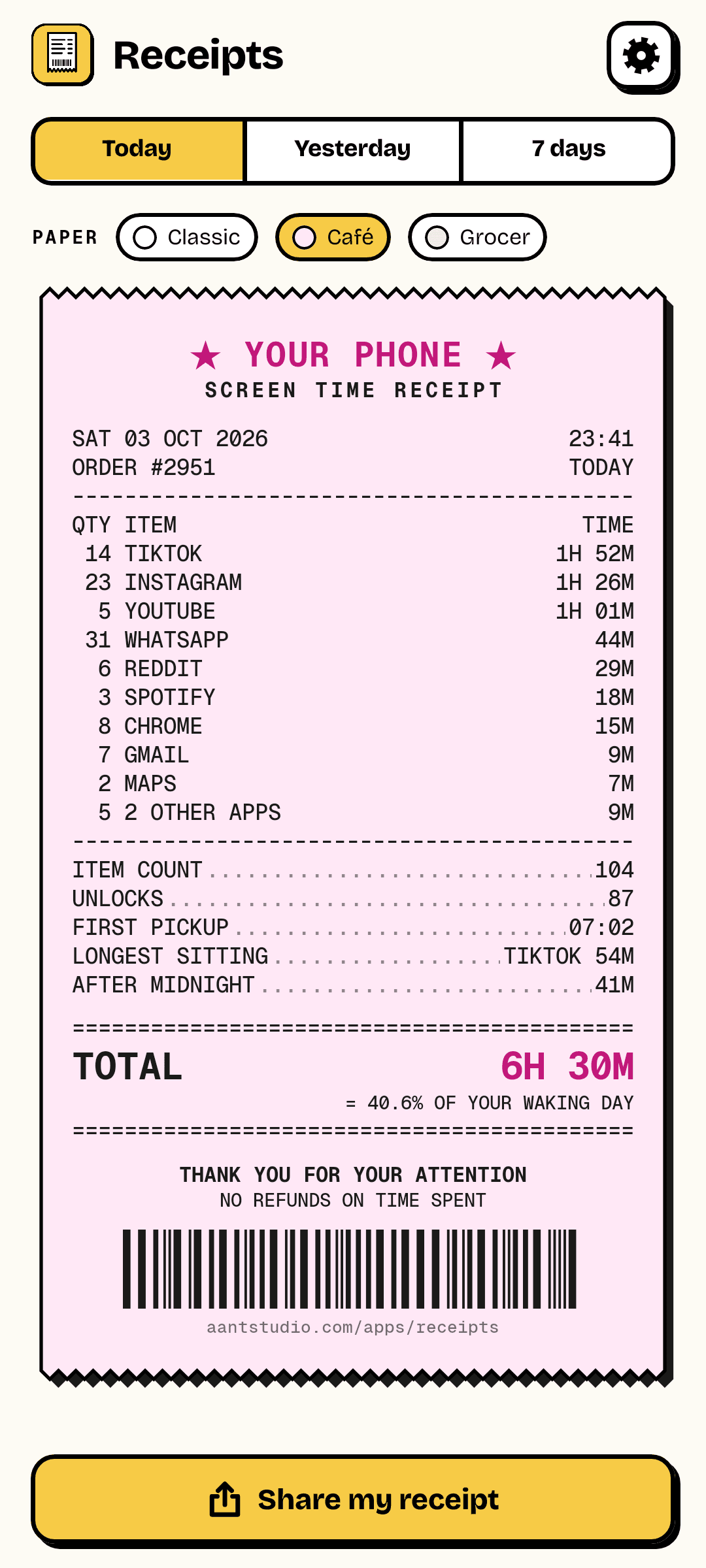
Receipts reads Android's own record of which apps you used and prints it the way a till would: every app with how many times you opened it and for how long, how often you unlocked your phone, when you first picked it up, what you did after midnight — and the total, as a share of your waking day. Today, yesterday or the whole week, on three kinds of paper.
— downloads so far
26 · Party game
Live
Can you sing it backwards?
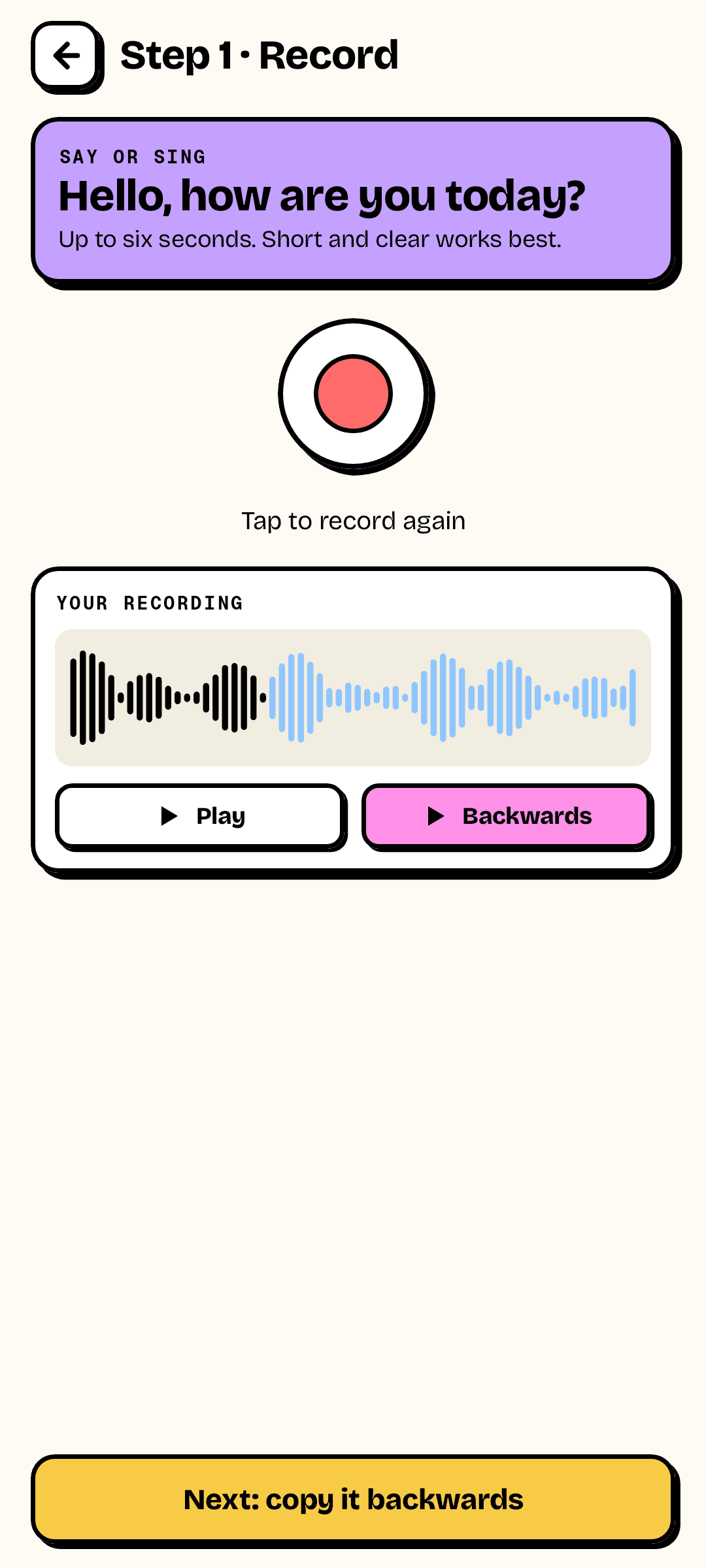
Say "Hello, how are you today?" and Backwards plays it reversed — pure gibberish. Copy that gibberish as well as you can, and Backwards flips your copy back round. If you got it right, out comes "Hello, how are you today?" in your own voice. If you didn't, it's even funnier. Every round gets a score.
— downloads so far

27 · Messaging, by sound
Live
Your message, as a melody.
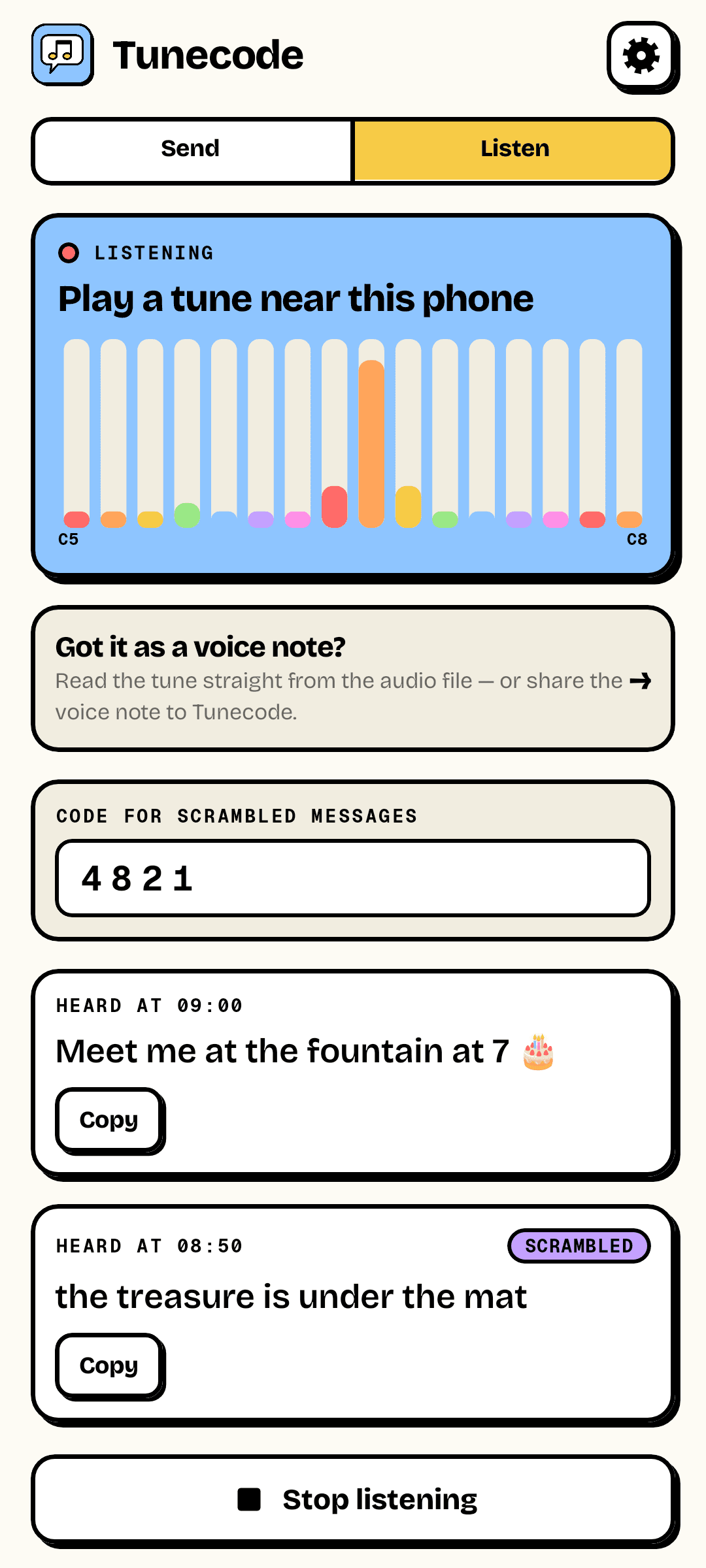
Tunecode turns up to 60 characters into a few seconds of melody — every note from one musical scale, so it sounds like a tune rather than a fax machine. Hold another phone nearby and its Tunecode reads the message out of the air. Or send the tune as a voice note: your friend shares it to Tunecode and the words appear. Add a secret code and only someone who knows it can read it.
— downloads so far
Client work
We take on a few outside projects.
Product design and engineering across mobile, web and AI — from the same hands that ship our own apps. Scope in writing, price fixed before anything starts.
See our services →Say hello
contact@aantstudio.com