Every PDF job, without uploading a thing.
Paperwork does what the PDF websites do — merge files, reorder and rotate pages, sign, add page numbers and watermarks, split, shrink and turn pages into pictures — right on your Windows PC. Your lease, your ID card and your bank statements never go to someone else's server, there are no daily limits, and nothing is stamped with a logo.
Version 1.0.0 · Windows 10 & 11
— downloads so far
Merge and arrange
Every page of every file, side by side.
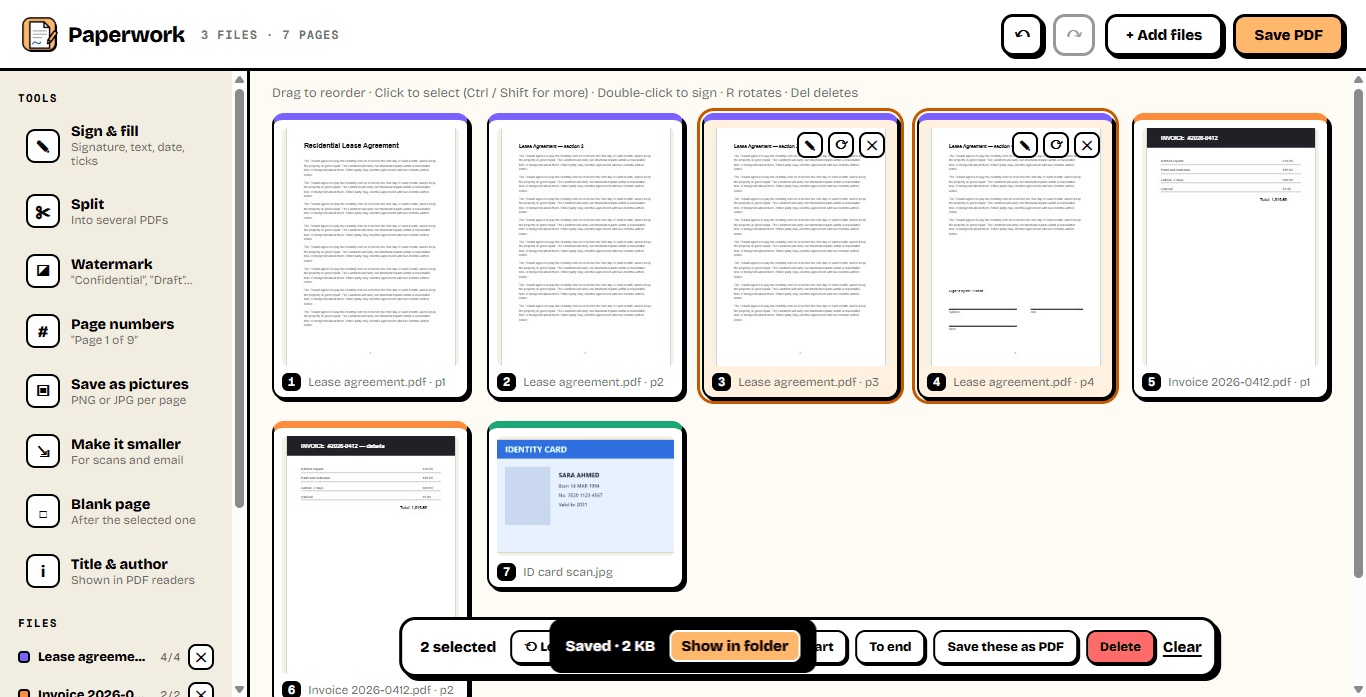
Drop in PDFs and photos and every page appears as a card. Drag pages into the order you want — across files — rotate the ones scanned sideways, delete the blank ones, duplicate, and save it all as one PDF. Photos and scans become proper pages too.
- Merge any number of PDFs and pictures
- Drag pages to reorder, across files
- Rotate, delete, duplicate, insert blank pages
- Undo anything, with Ctrl + Z
Sign and fill
Sign it here. No printer, no scanner.
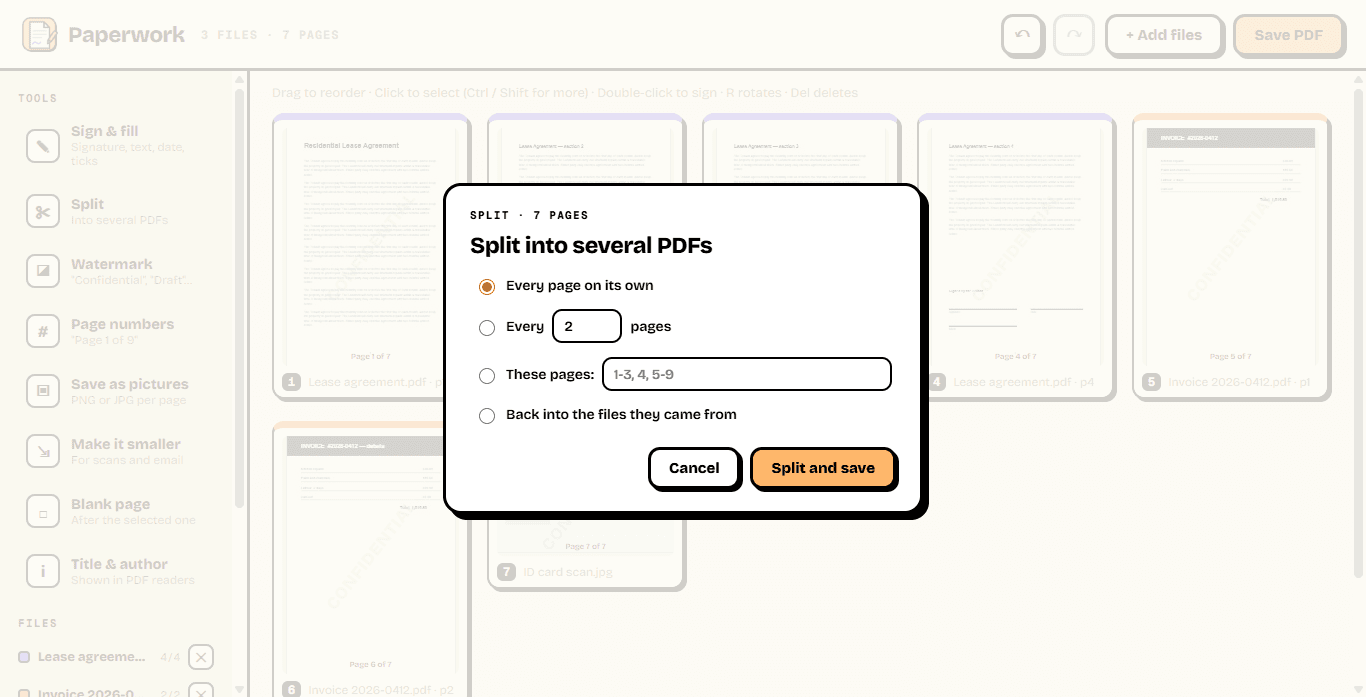
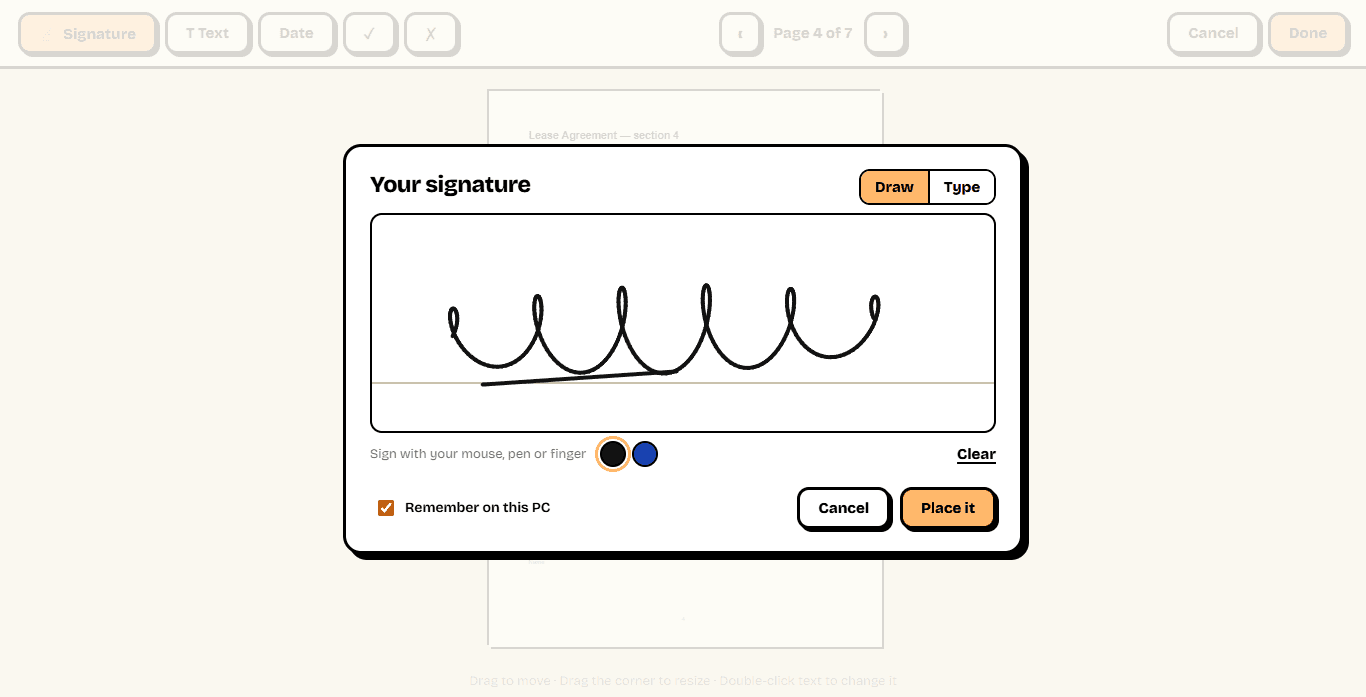
Open any page and add your signature — drawn with the mouse, a pen or a touch screen, or typed in a handwriting font — plus text, today's date and ticks. Drag them into place and resize them. Paperwork can remember your signature on this PC for next time.
- Draw or type your signature
- Text, dates, ✓ and ✗ for forms
- Drag to place, drag the corner to resize
- Stays in place if you rotate the page later
Split, stamp, shrink
The other things you need on a deadline.
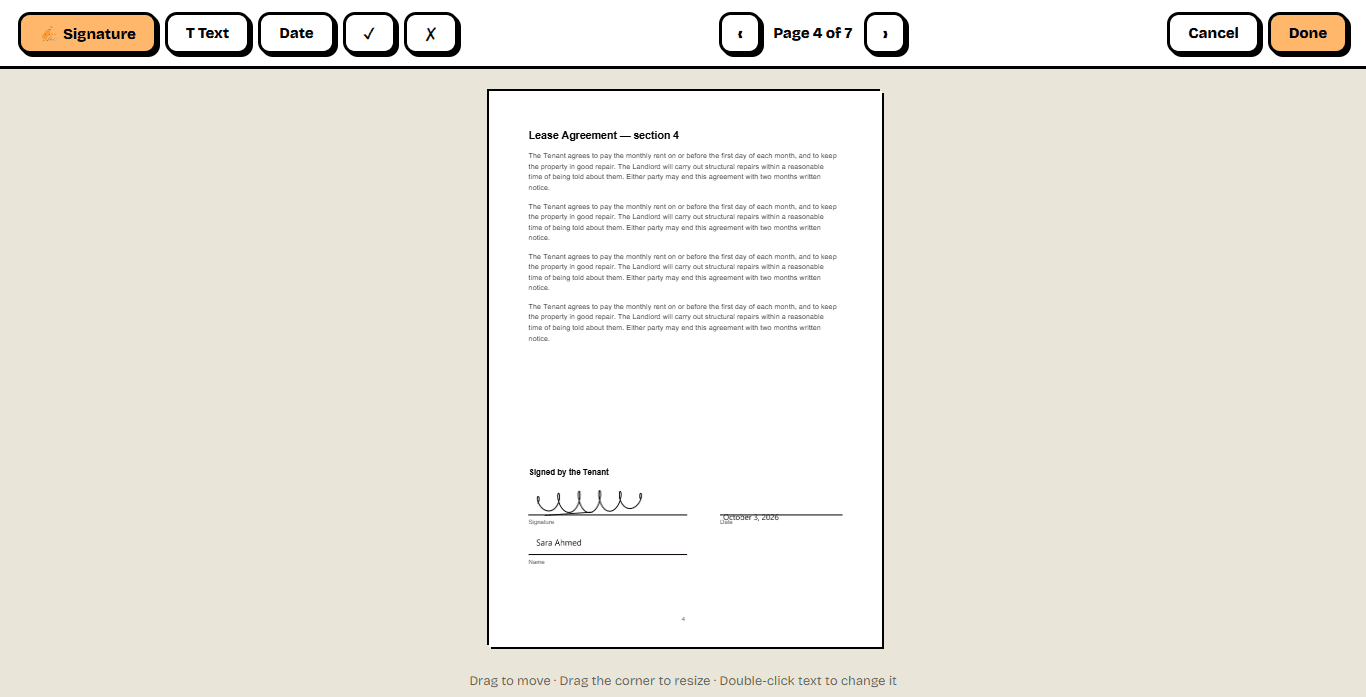
Split a PDF into single pages, every few pages or the exact ranges you type. Stamp "Confidential" or "Draft" across every page and number them "Page 1 of 9". Turn pages into PNG or JPG pictures, or shrink a heavy scan so it fits in an email.
- Split by page, by every N pages or by ranges
- Watermarks and page numbers
- Pages to PNG or JPG, up to print quality
- Shrink scans for email and upload forms
0
Files uploaded
everything stays on your PC
∞
Daily limit
no tasks per day, no file caps
0
Watermarks
unless you add your own
Ready to try Paperwork?
Free. No ads, no account, no limits, no watermark. Updates itself.
A look inside Paperwork.
Merge and arrange
Sign and fill
Your signature
Split, stamp, number
Everything you need.
The rest of what Paperwork does.
Merge & reorder
Many files into one, pages in any order.
Sign & fill
Signature, text, dates and ticks on any page.
Split
By page, every N pages or the ranges you type.
Compress
Shrink scans so they fit in an email.
PDF to pictures
Every page as PNG or JPG.
Private by design
Works offline. Nothing is ever uploaded.
Common questions.
Everything you need to know about Paperwork.
Is Paperwork free?
Yes. No advertising, no account, no daily limits, no watermark on your files and nothing to buy. It goes online only to check this site for a new version.
Are my files uploaded anywhere?
No. Paperwork opens, edits and saves your PDFs on your own PC. That is the point of it: contracts, IDs, payslips and bank statements should not have to go to a website to be merged or signed.
Is the signature legally binding?
Paperwork places a picture of your signature on the page, like signing a printout and scanning it. Many everyday forms, leases and agreements accept that, but some documents need a certified digital signature, which Paperwork does not create. If in doubt, ask whoever needs the document.
How does "Make it smaller" work?
It saves each page as a compressed picture, which makes scans and photo-heavy PDFs much smaller. The catch is that the text can no longer be selected or searched, so use it for scans and email attachments, not for documents people need to copy from. Your original is left as it is, unless you choose to save over it.
Can it open password-protected PDFs?
Not yet. Paperwork tells you when a file is protected rather than opening it partly.
Can it edit the existing text in a PDF?
No — Paperwork works with whole pages and adds things on top of them (signatures, text, dates, watermarks, page numbers). Changing words that are already in a PDF needs a full PDF editor.
Windows showed a blue “Windows protected your PC” screen. Is it safe?
That is SmartScreen, which Windows shows for new software from a small publisher it has not seen many downloads of yet. Click More info, then Run anyway. The installer is checked by dozens of antivirus engines on VirusTotal, and the result is shown on this page. It installs for your Windows account only and needs no admin rights.

Get Paperwork today.
Free. No ads, no account, no limits, no watermark. Updates itself.
Version 1.0.0 · Windows 10 & 11
Counting visitors…
Reviews & suggestions.
Used Paperwork? Rate it, and tell us what to add or fix — we read every one.
Loading reviews…
Be the first to rate Paperwork.