Lose a file? Go back to yesterday.
Keepsafe backs up your Documents, Pictures and any other folders to an external drive — every hour, and the moment the drive is plugged in — and keeps every version. Overwrote a report, deleted a folder, laptop stolen, hit by ransomware? Pick a day and get your files back exactly as they were. With a password, the whole backup is encrypted.
Version 1.0.0 · Windows 10 & 11
— downloads so far
Set it and forget it
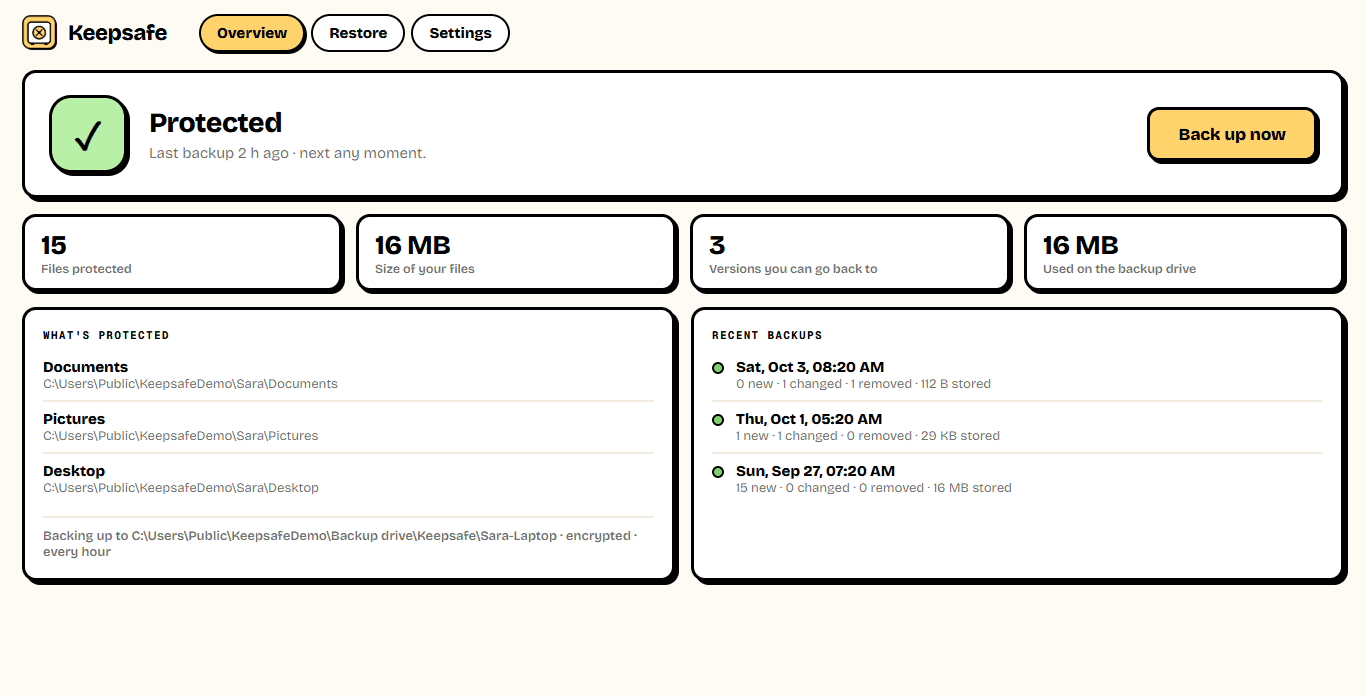
Backs up on its own. Every hour.
Choose the folders you can't lose and the drive to keep them on. Keepsafe backs up quietly from the tray — every hour, every four hours or once a day — and straight away whenever you plug the backup drive in. After the first time it only copies what changed, so backups take seconds.
- Hourly, every 4 hours, or daily
- Backs up as soon as the drive is plugged in
- Only changed files are copied
- Identical files are stored once
Go back in time
Any file, as it was, on any day.
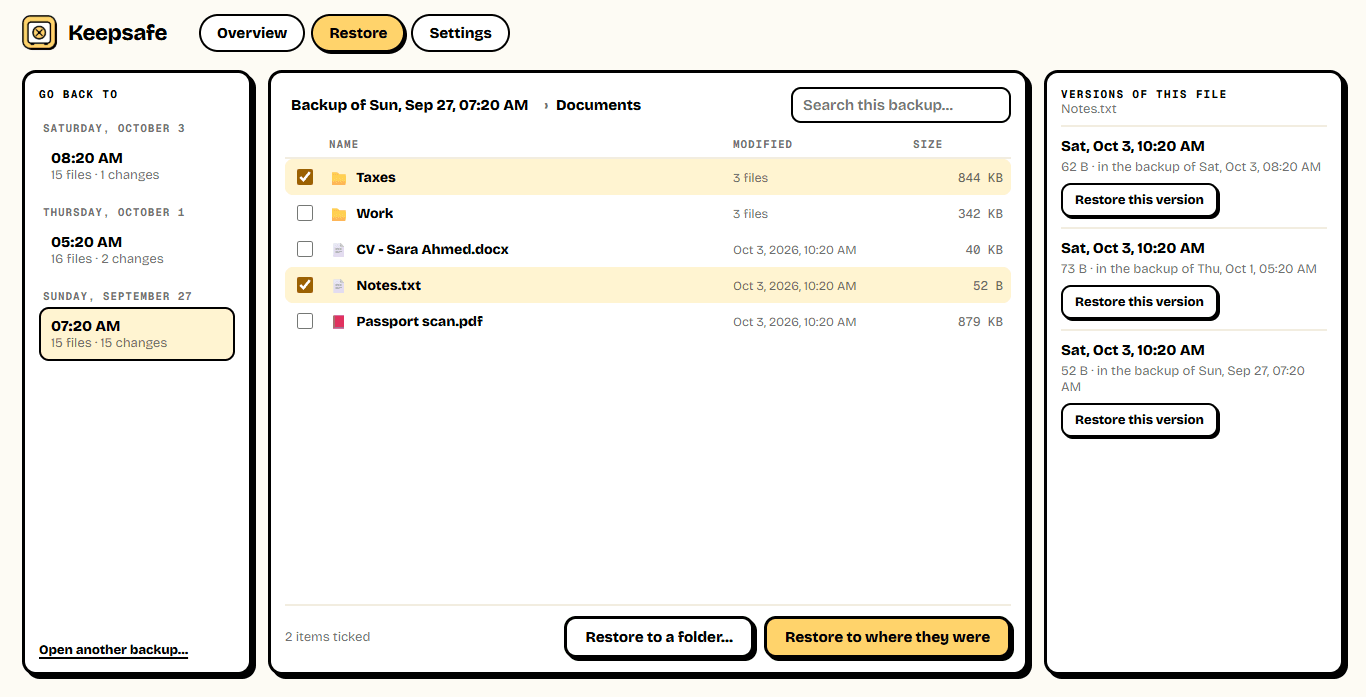
Pick a backup from the timeline and browse your folders as they were then. Tick a whole folder or a single file and restore it to where it was — your current files are kept, the restored copies get the date in their name — or to any folder you choose. Every version of a file is a click away.
- Browse any backup like a folder
- Every version of a file, side by side
- Restore without overwriting today's files
- Every version from the last day, one a day for a month, one a week after that
Locked tight
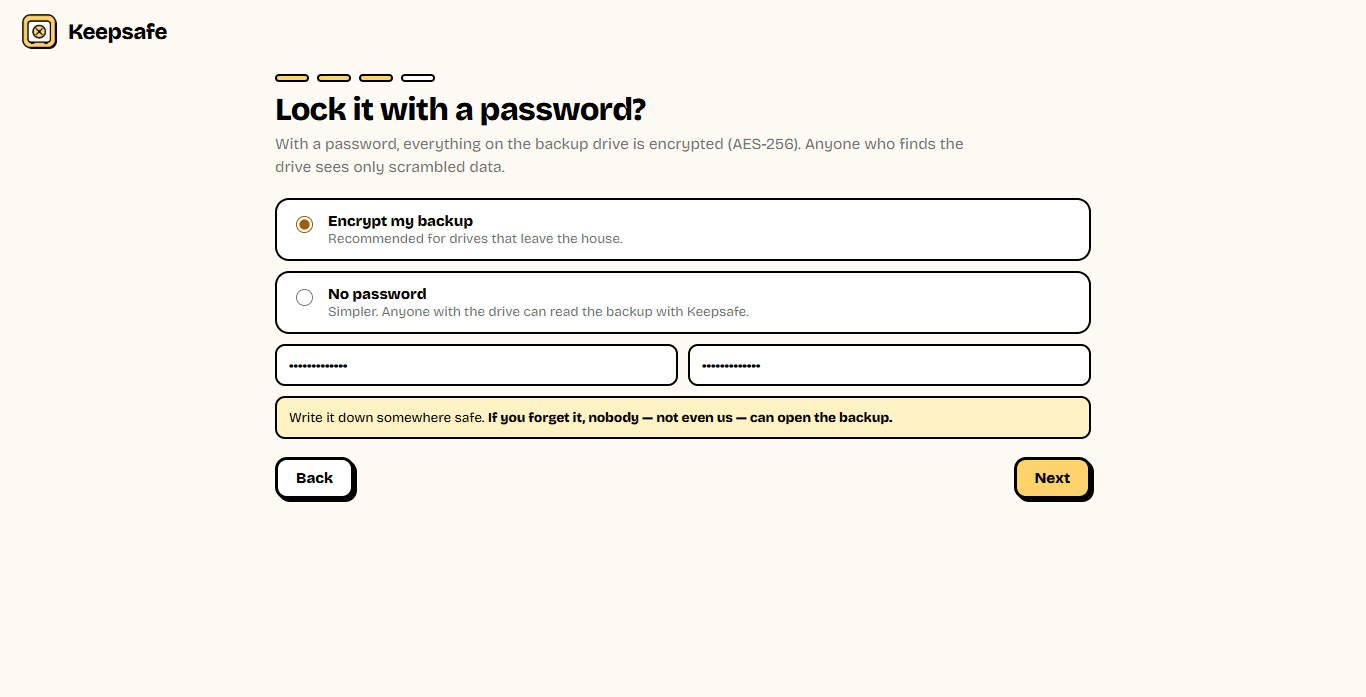
Your password. Your drive. Nobody else.
Give your backup a password and everything on the drive is encrypted with AES-256 — the files, their names, even which files you have. If the drive is lost or stolen, it's just scrambled data. And if your PC dies, install Keepsafe on the new one, plug in the drive, enter the password and get everything back.
- AES-256 encryption with your password
- File names and folders are hidden too
- A built-in check reads stored files back, byte by byte
- Restore on a new PC from the same drive
AES-256
Encryption
with your own password
∞
Versions over time
hourly, daily, then weekly
0
Cloud uploads
your drive, your files
Ready to try Keepsafe?
Free. No ads, no account, no cloud. Updates itself.
A look inside Keepsafe.
Protected
Go back in time
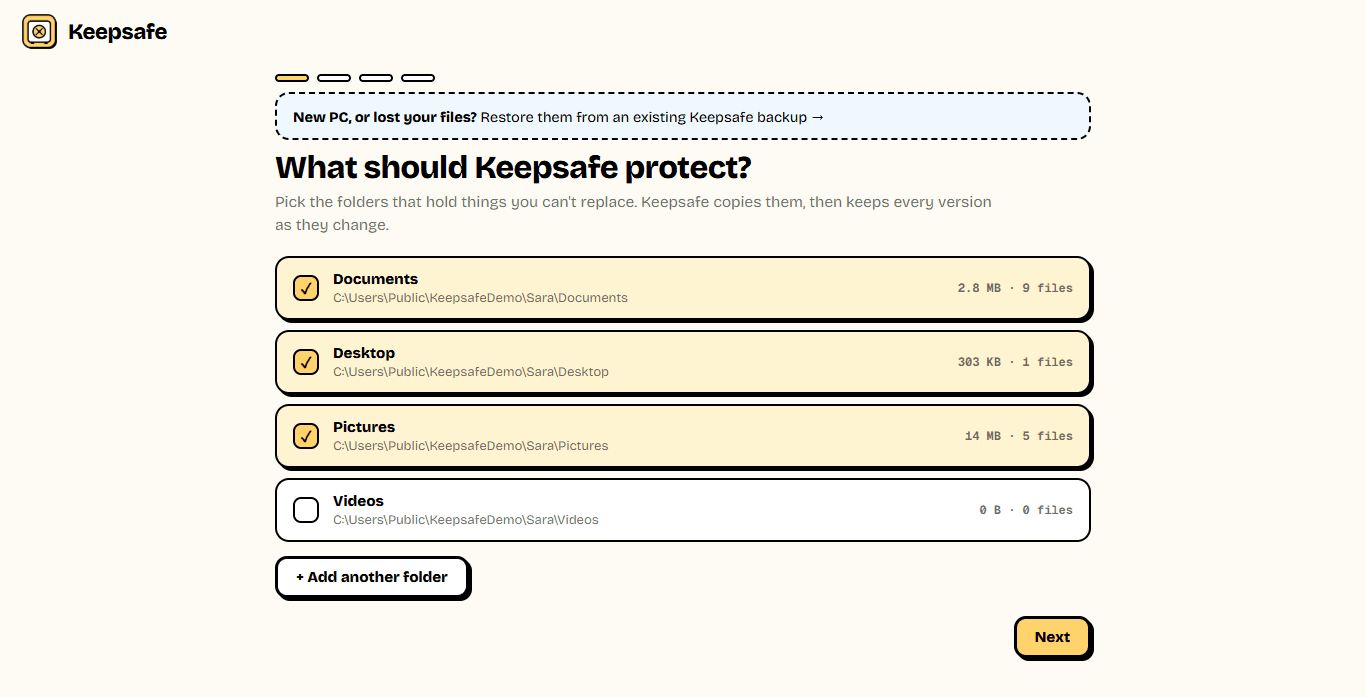
Choose folders
Encrypt it
Everything you need.
The rest of what Keepsafe does.
Automatic
Hourly backups, and whenever the drive is plugged in.
Every version
Go back to any file as it was on any day.
Encrypted
AES-256 with your password, names included.
Fast
Only what changed is copied; duplicates stored once.
New PC ready
Restore everything from the drive on another PC.
Checks itself
Reads back stored files and checks every byte.
Common questions.
Everything you need to know about Keepsafe.
Is Keepsafe free?
Yes. No advertising, no account, no subscription and no cloud storage to pay for. Your backup lives on your own drive. Keepsafe goes online only to check this site for a new version.
What drive should I use?
An external USB drive or SSD is best: it protects you if the PC dies, is stolen or is hit by ransomware. A network drive or NAS works too. You can back up to a folder on the same PC, but then a failing disk could take both.
What happens if I forget the password?
Then the backup can't be opened — by you, by us, or by anyone. That is what makes the encryption worth having. Keep the password somewhere safe, away from the PC.
My laptop died. How do I get my files back?
Install Keepsafe on the new PC, choose "Restore them from an existing Keepsafe backup", plug in the drive, pick the backup and enter its password. Then browse any version and restore it.
How many versions does it keep?
Every backup from the last 24 hours, then one per day for a month, then one per week. Only changed files take extra space, so years of history usually fit on the drive.
Can it back up files that are open?
Files another program is writing to at that moment (some email archives and databases) may be skipped; Keepsafe lists them and picks them up on the next backup. Most documents and photos can be backed up while they are open.
Windows showed a blue “Windows protected your PC” screen. Is it safe?
That is SmartScreen, which Windows shows for new software from a small publisher it has not seen many downloads of yet. Click More info, then Run anyway. The installer is checked by dozens of antivirus engines on VirusTotal, and the result is shown on this page. It installs for your Windows account only and needs no admin rights.
Get Keepsafe today.
Free. No ads, no account, no cloud. Updates itself.
Version 1.0.0 · Windows 10 & 11
Counting visitors…
Reviews & suggestions.
Used Keepsafe? Rate it, and tell us what to add or fix — we read every one.
Loading reviews…
Be the first to rate Keepsafe.