Who's on your Wi-Fi? Now you know.
Netwarden finds every device on your network in a few seconds and works out what each one is — an iPhone, a Samsung TV, a Hikvision camera, a smart plug — from its maker, its name and the services it runs. Mark the ones that are yours, and it keeps watch from the tray: when a device it has never seen joins, you get a notification.
Version 1.0.0 · Windows 10 & 11
— downloads so far
See everything
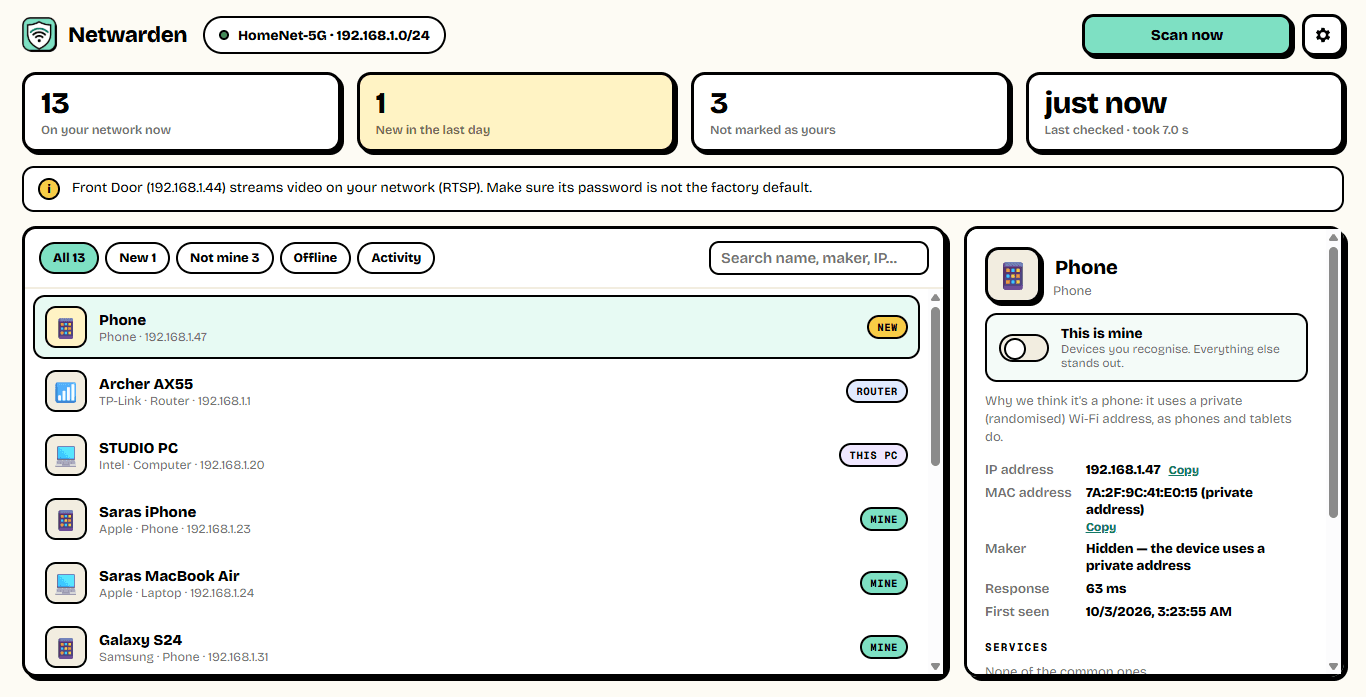
Every device, named and explained.
Netwarden pings your whole network at once, reads which hardware answered, and asks each device who it is — the ways phones, TVs, printers and PCs announce themselves. Each one gets an icon, a name, its maker, its address, and a line explaining why Netwarden thinks it is what it is.
- A full scan in seconds
- Phones, TVs, cameras, printers, consoles, smart-home
- Maker from the device's hardware address
- Names from the device itself, where it gives one
Keep watch
A tap on the shoulder when someone new joins.
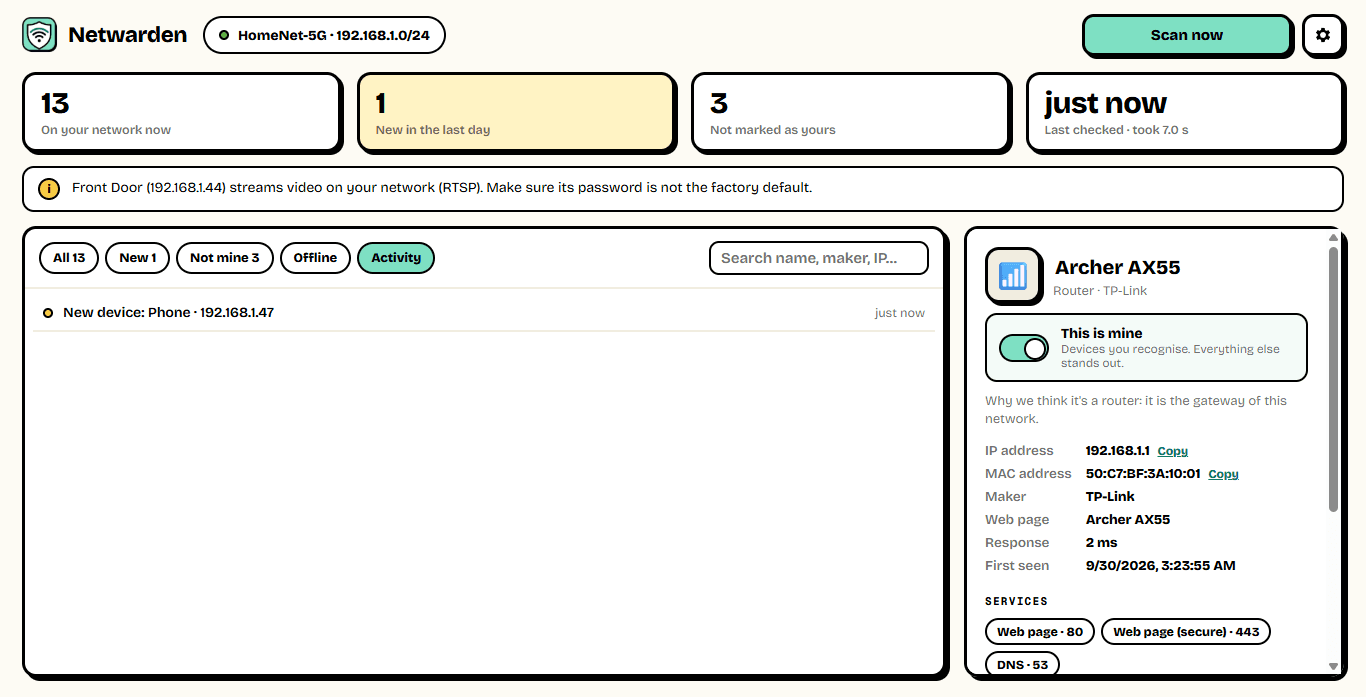
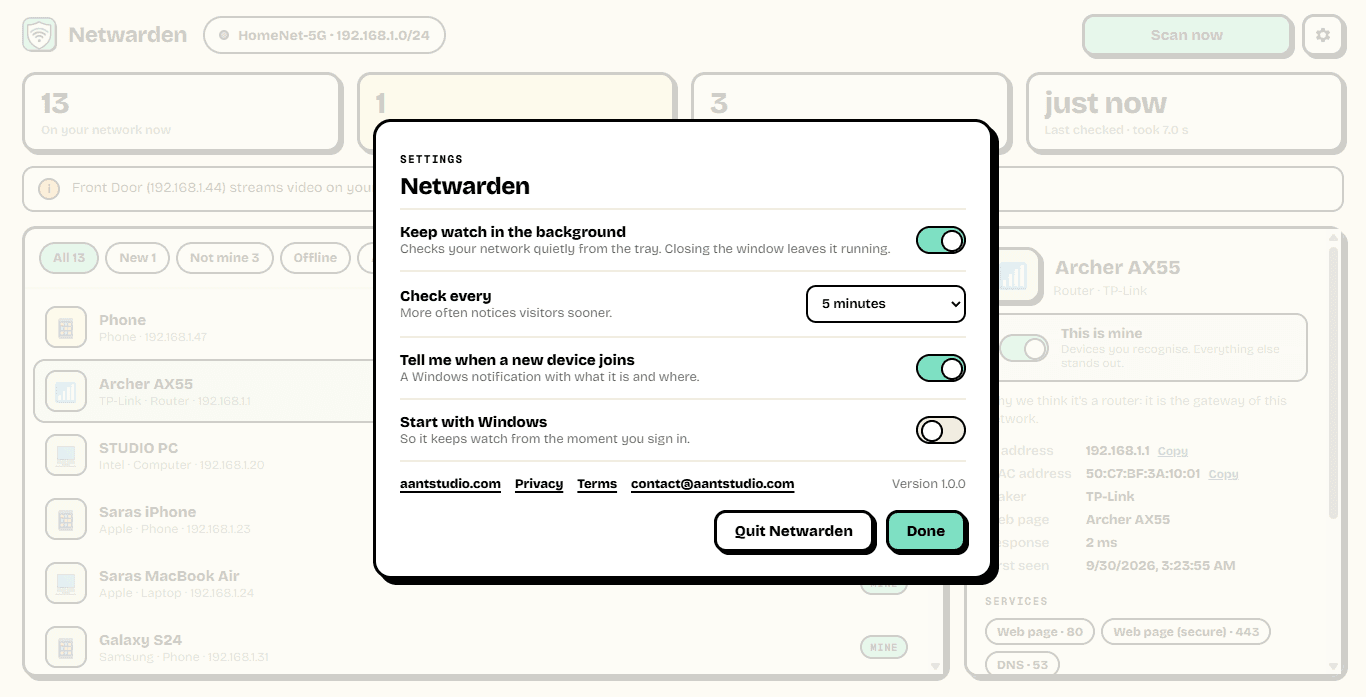
The first scan remembers everything on your network. From then on Netwarden checks quietly from the tray every few minutes, and the moment a device it has never seen connects, a notification tells you what it is and where. Mark the devices you recognise as yours and the strangers stand out.
- Background checks every 2 to 30 minutes
- A notification for every new device
- Mark your own devices as Mine
- Activity: what joined, left and came back
Spot the risks
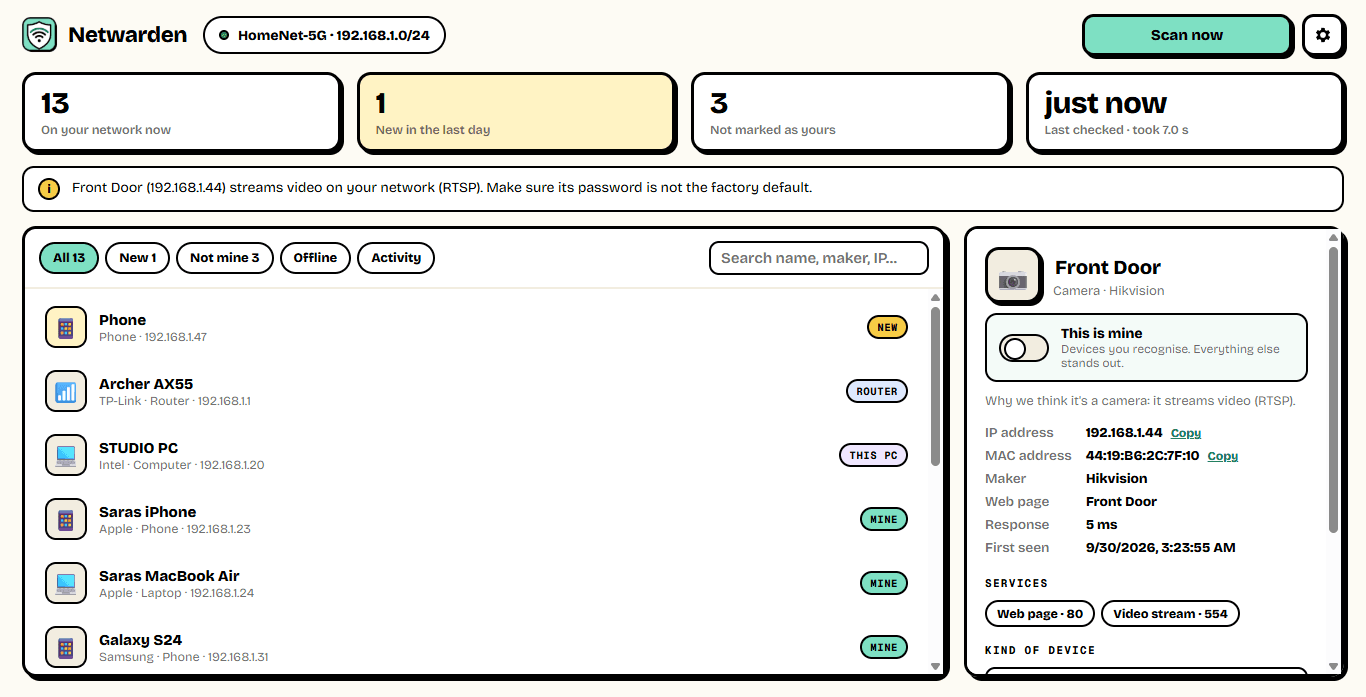
Plain-English security notes.
While it looks around, Netwarden notices the services each device offers. A camera streaming video, a router accepting old Telnet logins, an FTP server — it tells you in plain words, and what to do about it.
- Cameras streaming on your network
- Routers with Telnet left open
- Unencrypted file servers
- One click to a device's settings page
~7 s
For a full scan
of a home network
40,000+
Device makers known
from the IEEE registry
0
Admin rights needed
installs just for you
Ready to try Netwarden?
Free. No ads, no account. No admin rights needed. Updates itself.
A look inside Netwarden.
Every device
What it is
Activity
Keep watch
Everything you need.
The rest of what Netwarden does.
Every device
Phones, TVs, cameras, printers, plugs and more.
New-device alerts
A notification when anything new joins.
What it is
Type, maker and name, with the reason why.
Security notes
Open cameras, Telnet and FTP, in plain words.
Your devices
Name them, add notes, mark them as yours.
Always the latest
New versions install themselves.
Common questions.
Everything you need to know about Netwarden.
Is Netwarden free?
Yes. No advertising, no account, no in-app purchases and no analytics. It goes online only to check this site for a new version.
Can it kick someone off my Wi-Fi?
No — only your router can do that. Netwarden shows you who is there and opens your router's settings page in one click; from there, change your Wi-Fi password (everyone will have to reconnect with the new one) or block the device's address.
Why is a device called "Phone" with a private address?
Modern iPhones and Android phones use a made-up hardware address on each Wi-Fi network to protect their owner's privacy. That hides the maker, so Netwarden says so instead of guessing. Give it a name once you know whose it is.
Some of my devices don't show up.
Phones and tablets doze when their screen is off and may not answer, and some devices ignore every kind of question. Scan again with them awake, or leave Netwarden watching in the background — it notices devices whenever they wake.
Does it send my network details anywhere?
No. The scan, the list of devices and everything you name stay on your PC.
Is scanning my own network safe?
Yes. Netwarden only asks devices on your own local network the ordinary questions any computer asks — are you there, what is your name, which common services do you answer on. It never tries to log in to anything.
Windows showed a blue “Windows protected your PC” screen. Is it safe?
That is SmartScreen, which Windows shows for new software from a small publisher it has not seen many downloads of yet. Click More info, then Run anyway. The installer is checked by dozens of antivirus engines on VirusTotal, and the result is shown on this page. It installs for your Windows account only and needs no admin rights.
Get Netwarden today.
Free. No ads, no account. No admin rights needed. Updates itself.
Version 1.0.0 · Windows 10 & 11
Counting visitors…
Reviews & suggestions.
Used Netwarden? Rate it, and tell us what to add or fix — we read every one.
Loading reviews…
Be the first to rate Netwarden.