Everything your phone is doing, on one line.
Dynoti draws a small island at the top of your screen and shows you what your phone is doing — who is calling, what is playing, how long is left on the timer, how far a download has got, how long until the battery is full. It rests as a quiet pill on the camera hole and opens out the moment there is something to say.
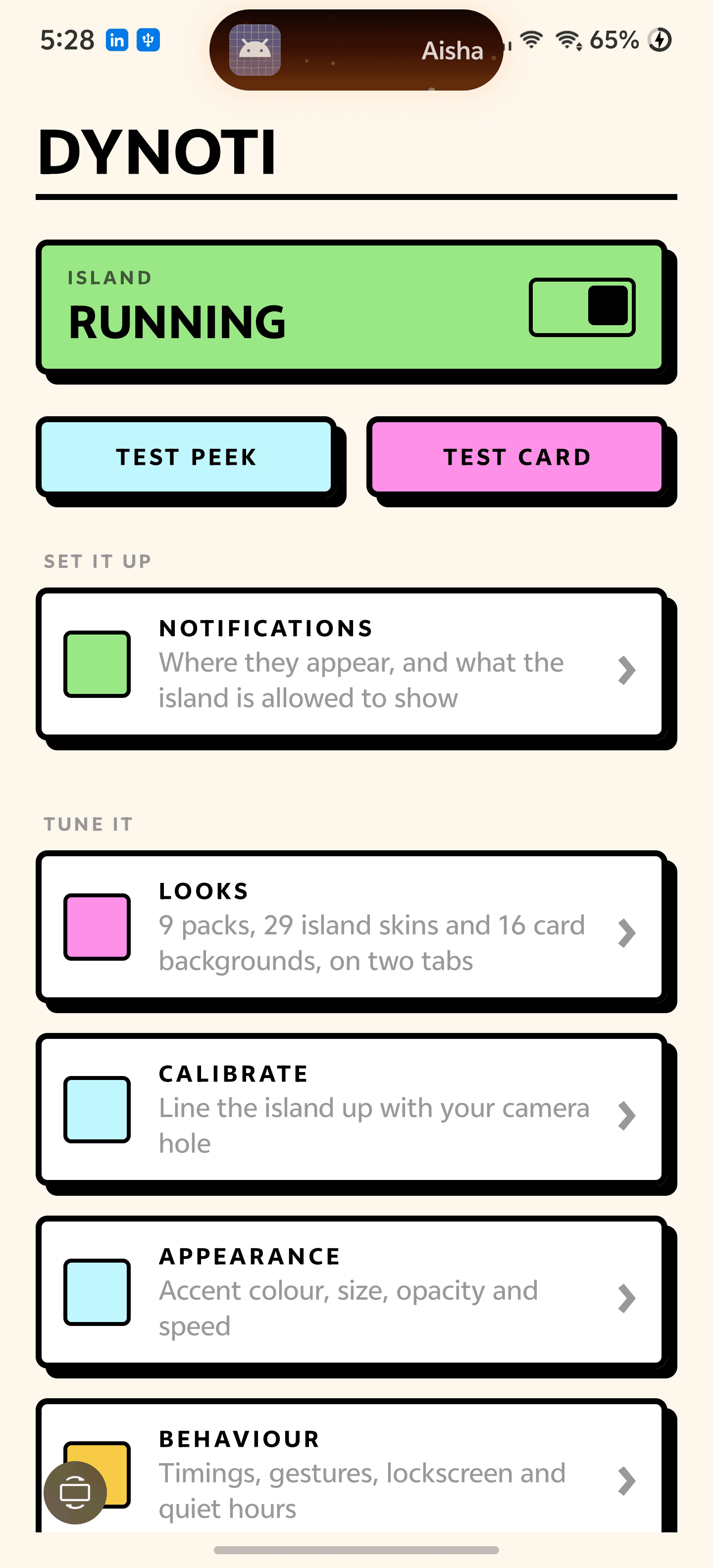
Notifications
It holds what you missed.
Most apps like this show one notification, forget it four seconds later and leave you pulling down the shade to find out what it was. Dynoti keeps them. The island rests as a count, unfolds into a readable list when you tap it, and opens the app behind any row.
- A resting pill with the unread count and the icon of whatever arrived last
- Tap to unfold the list, tap a row to open that app, swipe up to clear
- Works with every app on the phone — nothing to integrate, nothing to configure
- Per-app rules: mute an app, give it its own colour, or let it open in full
- One switch decides whether the shade still gets its own copy of everything
Always there
A pill that never leaves.
The island can rest permanently around your camera cutout — a small pill, not a dot, sized so it reads as an island rather than as the hole it is covering. When something happens it stretches out, shows it, and settles back to the pill. Nothing appears and disappears at random.
- Rests on the cutout, expands on activity, returns to rest on its own
- Stays through the lock screen, and is still there when you unlock
- Message text is held back on the lock screen — the app name shows, the rest waits
- Calibrate it to your exact cutout, or float it under the status bar if you have none
Live activities
Timers, downloads, routes and calls.
Anything with a duration gets its own island with real progress. Calls arrive with the answer and decline buttons already on screen, from any calling app rather than only the system dialer.
- Answer or decline without opening the dialer — WhatsApp, Signal and Telegram included
- Timers, alarms and stopwatches counting on the island, up or down
- Download and upload progress from any app that reports it
- Turn-by-turn navigation, screen recordings and location sharing
- Now playing with album art, a draggable seek bar and swipe-to-skip
System
The things your phone never tells you.
Charging shows the wattage it is actually pulling and how long is left, not just a lightning bolt. Headphones announce themselves by name. Do Not Disturb, ringer mode and volume all surface on the island instead of a system toast in the middle of the screen.
- Charging wattage, time until full and battery temperature
- Battery low and battery full
- Wired, Bluetooth and USB audio connecting, by device name
- Ringer, Do Not Disturb and volume changes
Style
Twenty-nine islands, not one.
The island is built from four independent pieces — fill, border, glow and corner — so the gallery is a set of real looks rather than a colour picker. Half of them move: fire banked low, ice with light travelling under it, a comet running the rim, a scanner sweeping side to side. Every sample in the app is drawn by the code that draws the real island, so nothing you pick can look different once it is on screen.
- 29 island skins, from Obsidian and Ink to Ember, Glacier, Comet, Plasma and HUD
- 16 card backgrounds — Inferno, Nebula, Hologram, Starfield, a horizon Grid and more
- 9 packs pick an island, a card and a colour that were made to go together
- Use your own photograph as the card background, dimmed as far as you like
- Accent taken from the album art, or pinned to one colour
29
Island styles
before cards, layouts and colours
0
Things it sends
notifications stay on the phone
2.4 MB
Download size
every style drawn in code, no assets
Ready to try Dynoti?
Free, straight from this page. No ads, no account, nothing to buy.
A look inside Dynoti.
A notification, on the island
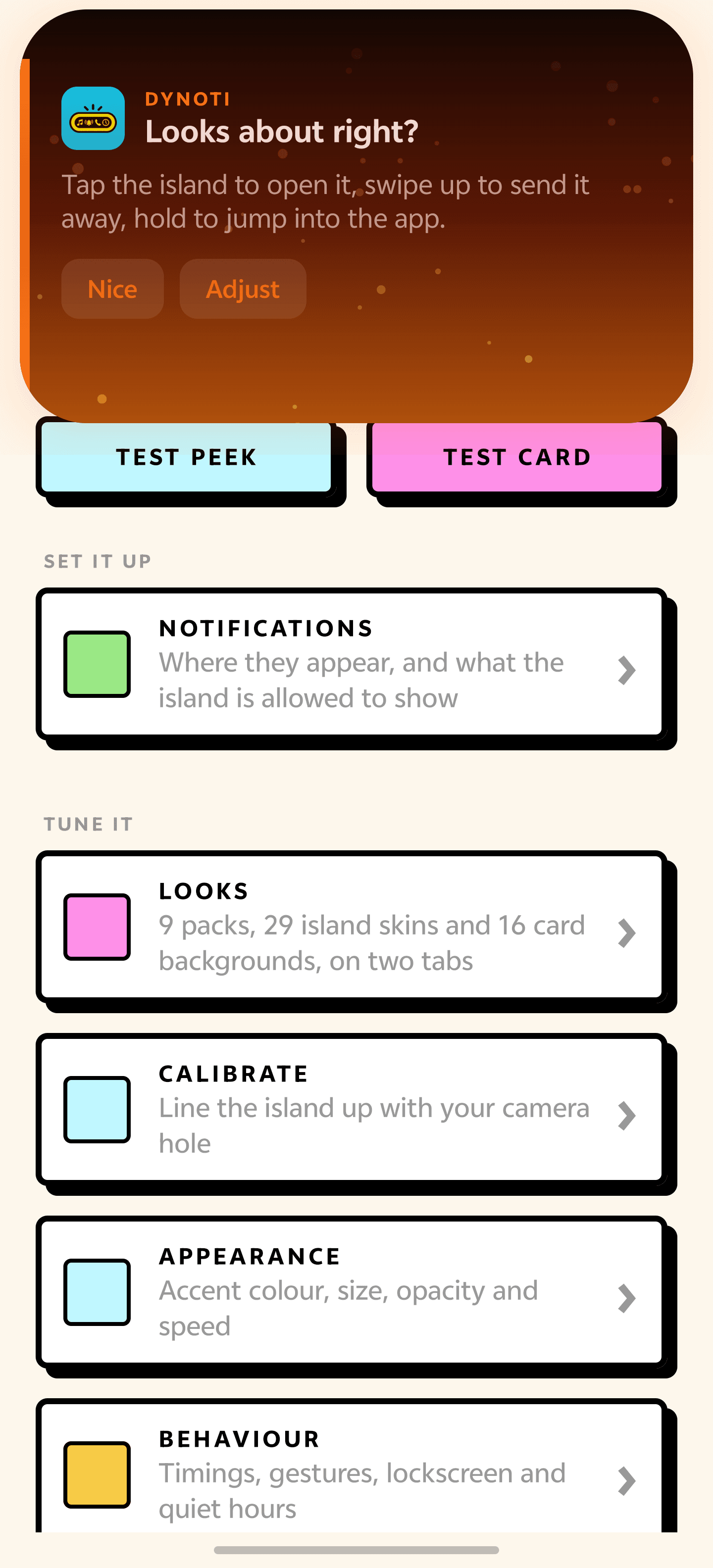
Tap to open it
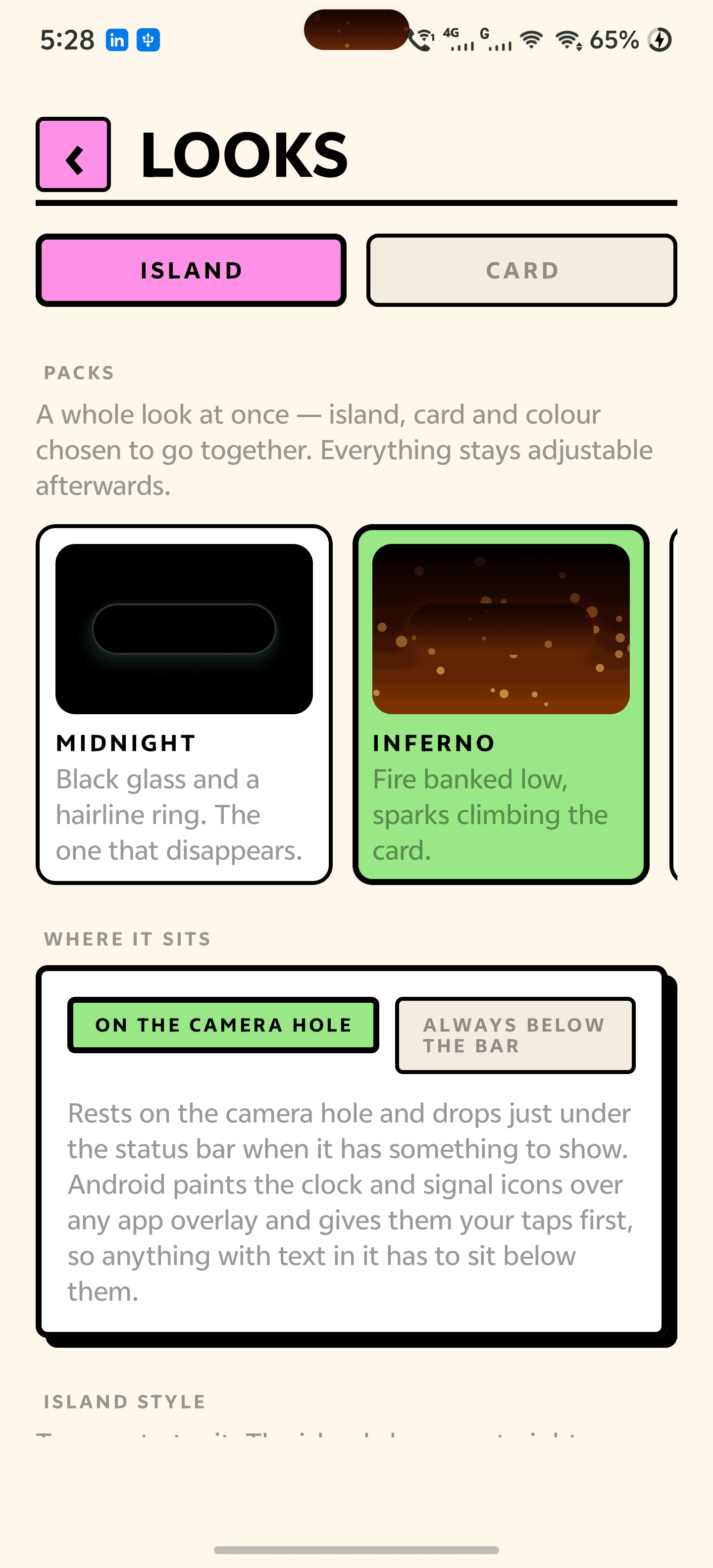
Packs, islands and cards
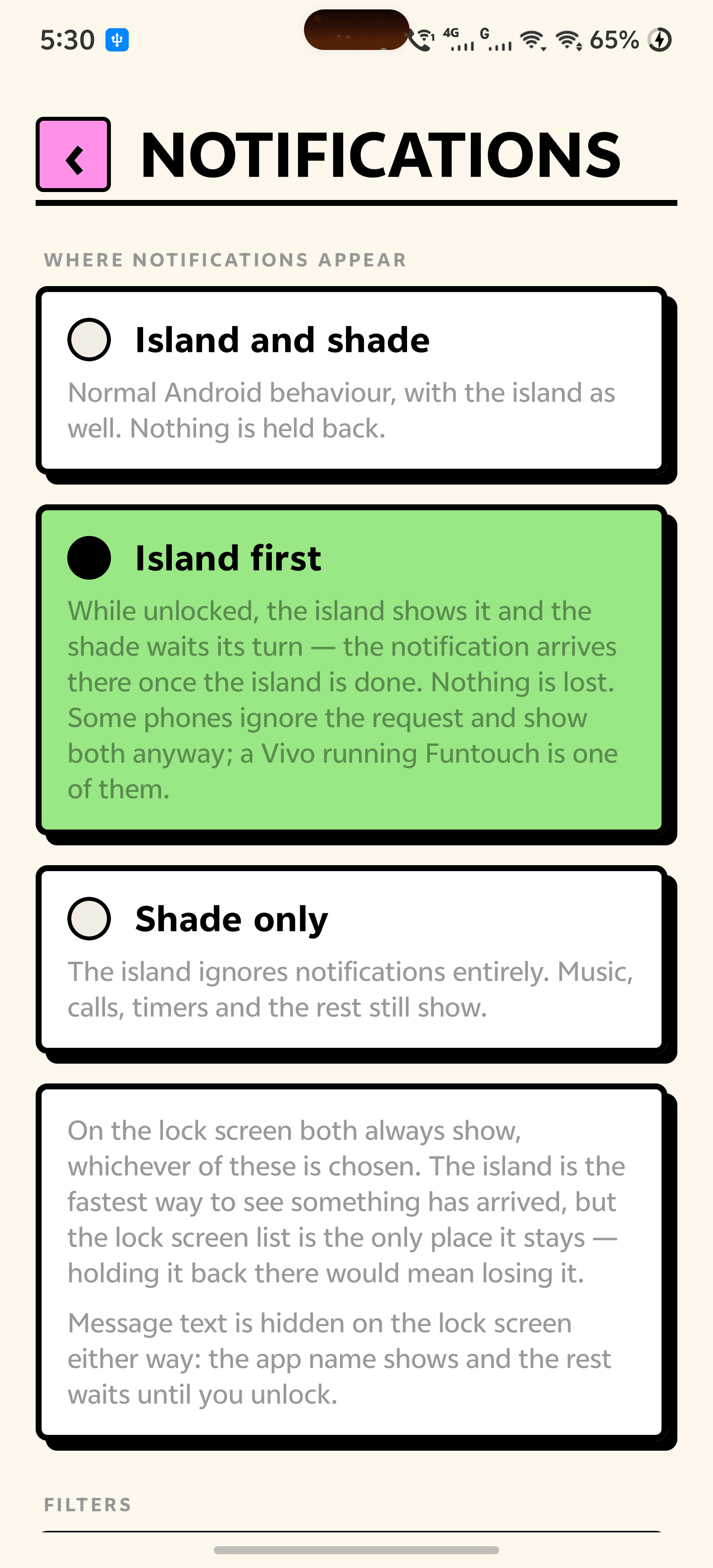
Where notifications land
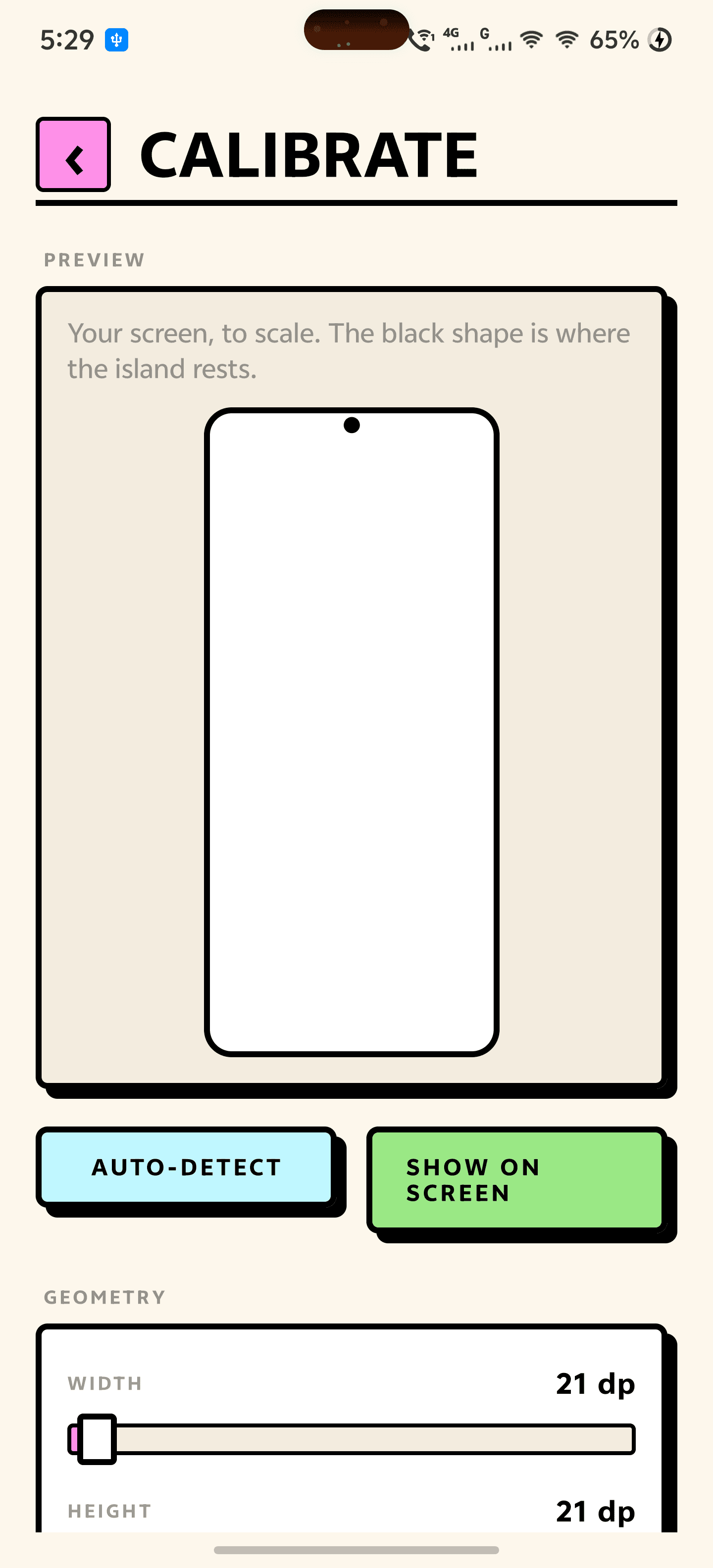
Line it up with your camera
Everything you need.
The rest of what Dynoti does.
Every app
Built on notifications, so any app that posts one is supported without knowing Dynoti exists.
Calls on the island
Answer or decline from the island. Works with any calling app, not just the dialer.
Live progress
Timers, downloads, navigation and recordings, counting and filling in real time.
Now playing
Artwork, a seek bar you can drag, and a swipe left or right to change track.
Yours to style
29 islands, 16 card backgrounds and your own photo behind the card, in 9 ready-made packs.
Nothing leaves
Nothing it reads is ever sent anywhere. It goes online only to check for its own updates.
Common questions.
Everything you need to know about Dynoti.
Does this work on a phone with no camera hole?
Yes. Without a cutout to hide in, the island floats just under the status bar instead. You can put it wherever you like on the Calibrate screen.
Will everything now arrive twice — once on the island and once in the shade?
Only if you want it to. Dynoti has a Notifications screen with three choices: island and shade, island first, or the island left out of it entirely. The lock screen always shows both, because the lock screen list is the only place a notification stays put and holding it back there would mean losing it. Island first depends on your phone honouring a system call that some manufacturer builds quietly ignore, and the app says so rather than pretending.
Do the clock and signal icons cover the island?
Not by default. The resting pill sits on the camera hole, narrow enough for the gap between the clock and the signal icons, and the moment it has an icon and a line of text to show it drops just below the bar, where nothing is painted over it. Android reserves the layer above the status bar for accessibility overlays, so if you want the island up there permanently, Dynoti has an optional service that does that and nothing else. It is off until you switch it on.
Why does it ask for accessibility access?
Only so the island can sit above the status bar. Android reserves that layer for accessibility overlays and there is no other way for an app to reach it. The service reads nothing — it asks for no screen content, receives no text and collects no data — and it stays off until you turn it on. Leave it off and Dynoti works normally, with the island just below the status bar instead.
Why does it stop working after a while on my phone?
Xiaomi, Vivo, Oppo, Huawei and Samsung each add their own background killer on top of Android, and none of them can be switched off by an app. Dynoti opens on a checklist that walks you through every one of them on your particular phone — auto-start, background power, battery optimisation — and ticks each step off once it can see that it is done. The same list stays available afterwards on the Reliability screen.
What permissions does it need, and why?
Two, and one optional. Notification access, so it can see what arrived and reach the media session; and display over other apps, so it can draw the island. The optional one is accessibility, used only to lift the island above the status bar — it reads nothing, and the app works normally without it. The download from this site also has internet access, used for one thing only — checking this site for a new version of Dynoti and downloading it. Nothing Dynoti reads is ever sent anywhere.
Does it drain the battery?
It does no polling. The island reacts to notifications, media sessions and system broadcasts the phone was already sending, and draws nothing at all when it is at rest.
Where do I get it?
Free, as a direct download on this page. Android will ask you to allow installs from your browser the first time. It is not on Google Play yet.
Get Dynoti today.
Free, straight from this page. No ads, no account, nothing to buy.
Version 1.1.0
Coming to Google Play soon.
Counting visitors…
Reviews & suggestions.
Used Dynoti? Rate it, and tell us what to add or fix — we read every one.
Loading reviews…
Be the first to rate Dynoti.