Your phone, your PC's remote.
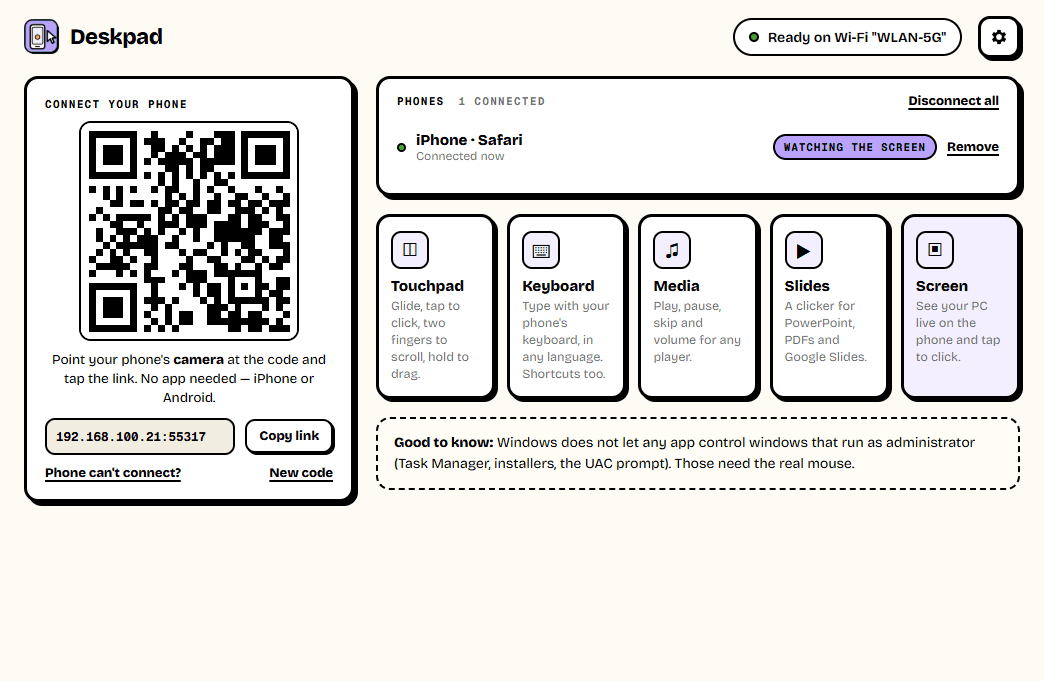
Deskpad turns any phone into a wireless touchpad, keyboard, media remote and presentation clicker for your Windows PC — and shows the PC's screen live on the phone, where a tap clicks. Control a movie from the sofa, run slides from across the room, or type on the PC from your bed. Nothing to install on the phone: scan the QR code and it opens in the browser.
Version 1.0.0 · Windows 10 & 11
— downloads so far
Touchpad
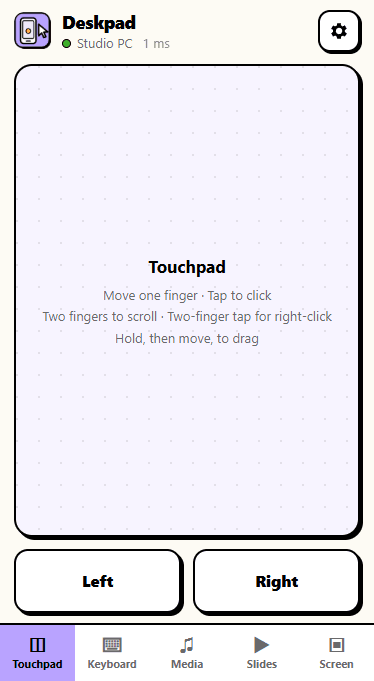
A real touchpad, in your hand.
Glide one finger to move the pointer — quick swipes go further, slow ones stay precise. Tap to click, tap with two fingers to right-click, scroll with two fingers, and hold for a moment before moving to drag. Big Left and Right buttons sit underneath, like on a laptop.
- Tap, right-click and drag
- Two-finger scrolling, natural or classic
- Your own pointer and scroll speed
- Works across every monitor
Live screen
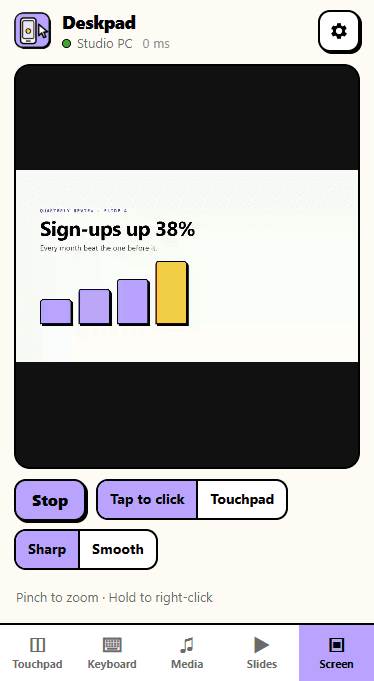
See the PC. Tap to click.
Open the Screen tab and the PC's screen appears on your phone, live. Tap anything to click it, hold to right-click, drag to move things, and pinch to zoom in on small text. Pick Sharp for documents or Smooth for anything that moves.
- Live video of the PC's screen
- Tap to click right where you tap
- Pinch to zoom, hold to right-click
- Choose the screen on multi-monitor PCs
Keys, media, slides
Type, play, present.
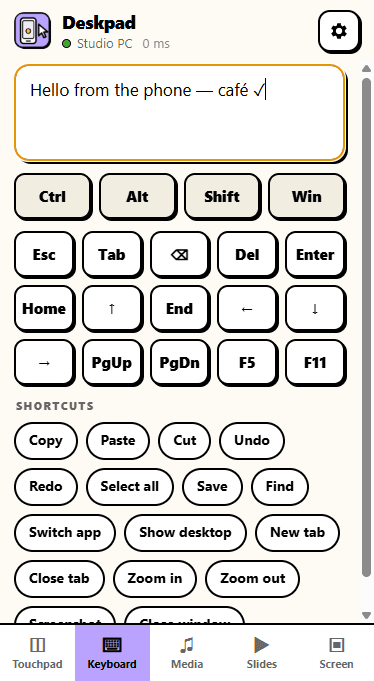
Type on the PC with your phone's own keyboard, in any language, with Esc, Tab, arrows and shortcuts like Copy, Paste and Switch app a tap away. The Media tab plays, pauses, skips and changes the volume in Spotify, YouTube, Netflix or VLC, and the Slides tab is a big, easy clicker for PowerPoint and PDFs, with a timer.
- Your phone's keyboard, any language
- Shortcut buttons and Ctrl / Alt / Win
- Media keys for any player
- A presentation clicker with a timer
5
Remotes in one
touchpad to slide clicker
0
Apps on the phone
just its browser
1
Scan to connect
remembered after that
Ready to try Deskpad?
Free. No ads, no account. Nothing to install on the phone. Updates itself.
A look inside Deskpad.
On the PC
Touchpad
Live screen
Keyboard
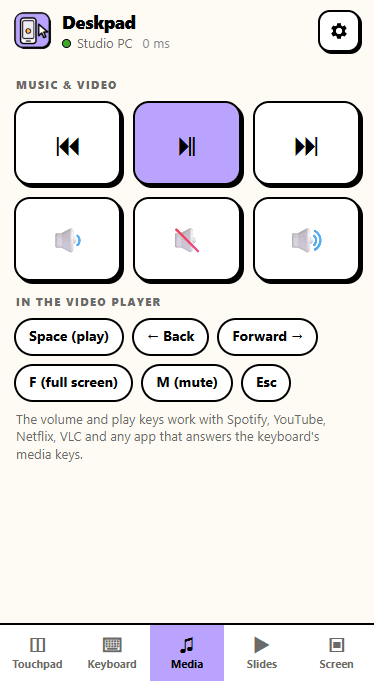
Media
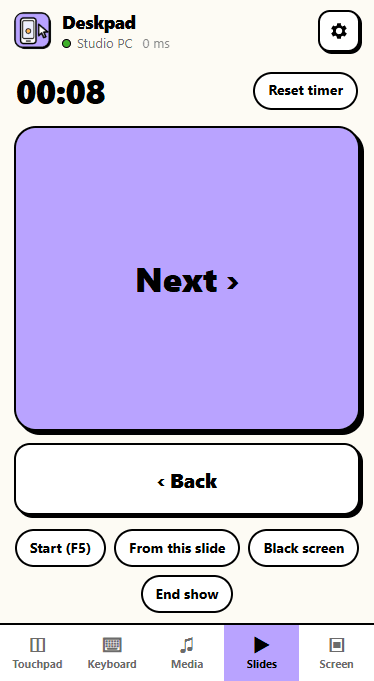
Slides
Everything you need.
The rest of what Deskpad does.
Touchpad
Glide, tap, scroll and drag like a laptop's.
Live screen
See the PC on the phone and tap to click.
Keyboard
Type in any language, with shortcut buttons.
Media remote
Play, pause, skip and volume, from the sofa.
Your phones only
Every new phone needs your OK on the PC.
Always the latest
New versions install themselves.
Common questions.
Everything you need to know about Deskpad.
Is Deskpad free?
Yes. No advertising, no account, no in-app purchases and no analytics. It goes online only to check this site for a new version.
Do I need an app on my phone?
No. Point the phone's camera at the QR code in Deskpad and tap the link: Deskpad opens in the phone's own browser. The same on iPhone and Android.
Can someone else on my Wi-Fi take over my PC?
Not unless you let them. A phone needs the code from your screen, and then you have to click Allow on the PC before it can do anything. Deskpad only answers devices on your own network, and you can remove a phone, or disconnect them all, at any time.
Is the screen view sent over the internet?
No. The picture goes straight from the PC to the phone over your Wi-Fi, never through a server. If you would rather phones never see the screen, switch off "Allow screen view" in Deskpad's settings — the touchpad and keyboard keep working.
Why can't I click in Task Manager or an installer?
Windows does not let any ordinary app control windows that run as administrator — Task Manager, installers and the "Do you want to allow this app" prompt. Use the real mouse for those.
My phone can't open the page. What's wrong?
Usually the phone is on mobile data or a different Wi-Fi than the PC, or Windows Firewall is blocking Deskpad because its "Allow access" box was closed the first time — the app has a "Fix Windows Firewall" button for that. The "Phone can't connect?" link in the app walks through each.
Windows showed a blue “Windows protected your PC” screen. Is it safe?
That is SmartScreen, which Windows shows for new software from a small publisher it has not seen many downloads of yet. Click More info, then Run anyway. The installer is checked by dozens of antivirus engines on VirusTotal, and the result is shown on this page. It installs for your Windows account only and needs no admin rights.
Get Deskpad today.
Free. No ads, no account. Nothing to install on the phone. Updates itself.
Version 1.0.0 · Windows 10 & 11
Counting visitors…
Reviews & suggestions.
Used Deskpad? Rate it, and tell us what to add or fix — we read every one.
Loading reviews…
Be the first to rate Deskpad.