Any moment on your screen, as a GIF.
Press Ctrl + Shift + G, drag a box around anything — or click a window to take all of it — and Lamha records it. Press the shortcut again to stop, trim the start and end, pick the speed and size, and save. The GIF lands in your Pictures folder, and one click copies it, ready to paste into WhatsApp, Slack, Discord or an email.
Version 1.0.0 · Windows 10 & 11
— downloads so far
Choose
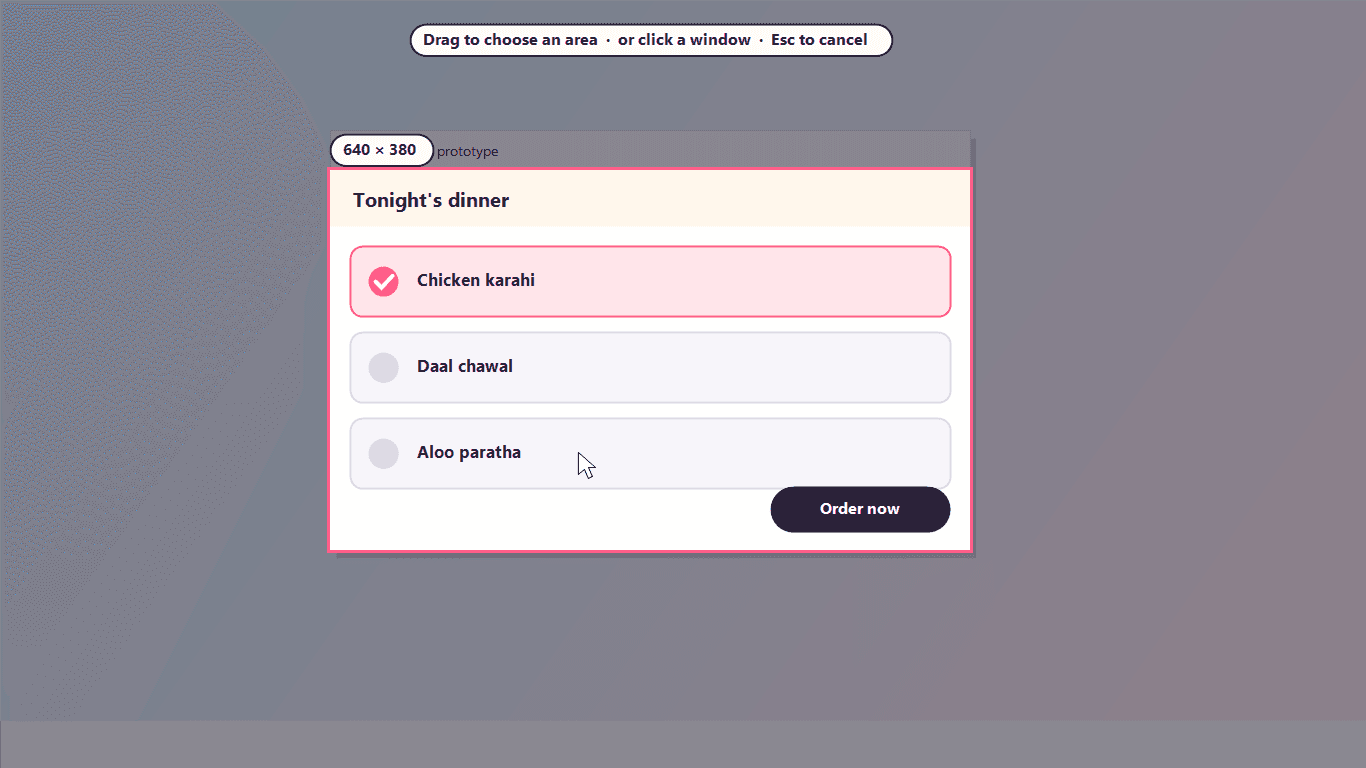
Drag a box, or click a window.
Press Ctrl + Shift + G and the screen holds still while you choose. Drag out any area, with its size shown as you go, or simply click a window to record all of it. Esc changes your mind.
- Any area, at any size
- One click takes a whole window
- The size is shown while you drag
- Works across every monitor
Record
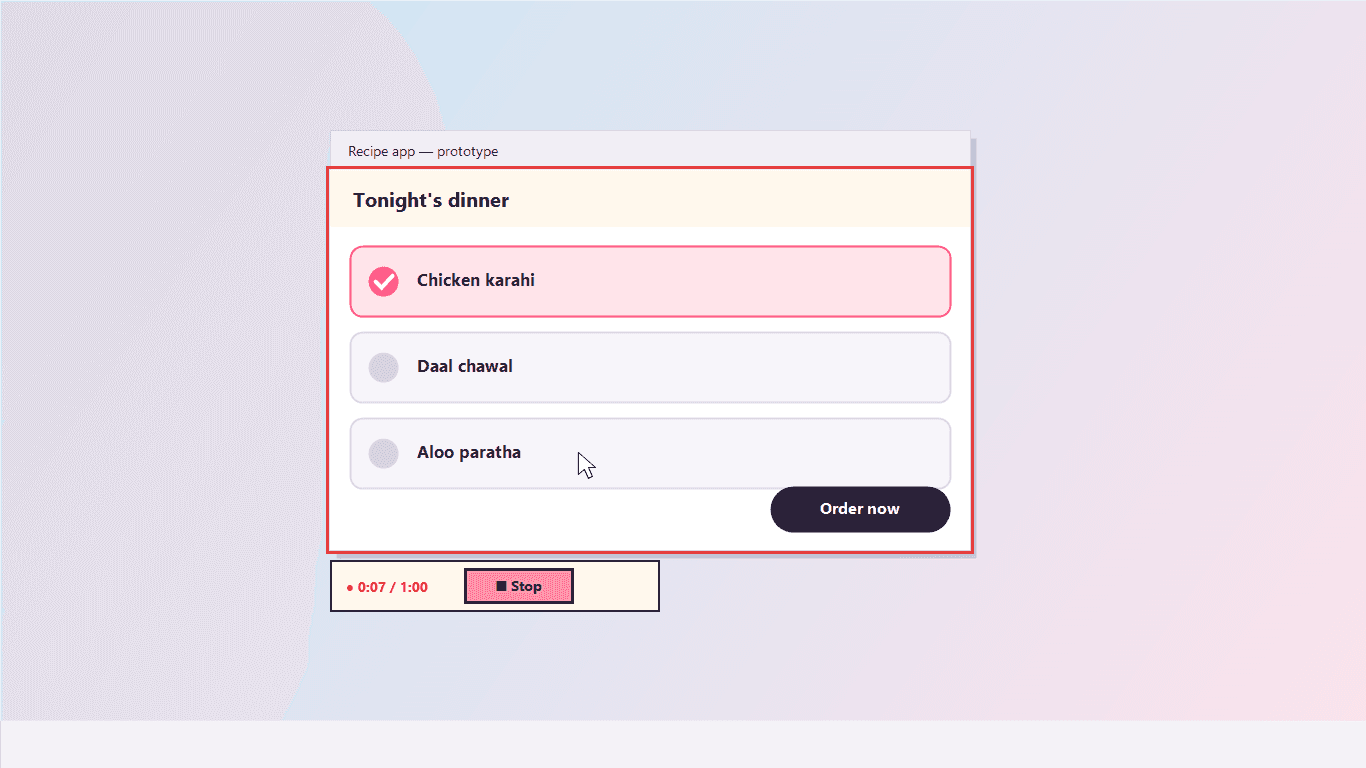
A red outline, a timer, a Stop button.
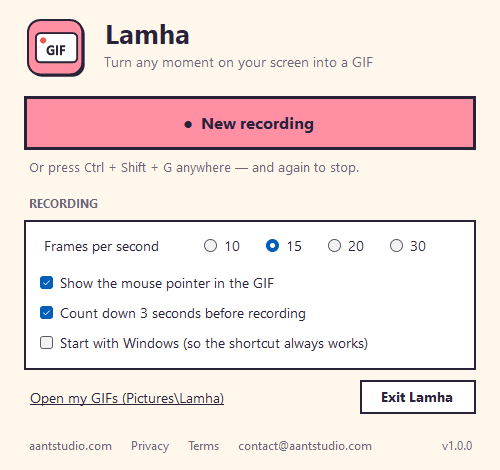
Press Record (after an optional three-second countdown) and Lamha captures the area at 10, 15, 20 or 30 frames a second, with the mouse pointer if you like. The outline and the little bar never show up in your GIF. Press Ctrl + Shift + G again, or Stop, when you are done — up to a minute at a time.
- 10 to 30 frames a second
- Mouse pointer in the GIF, or not
- Menus and tooltips are recorded too
- The outline and timer stay out of the GIF
Trim and save
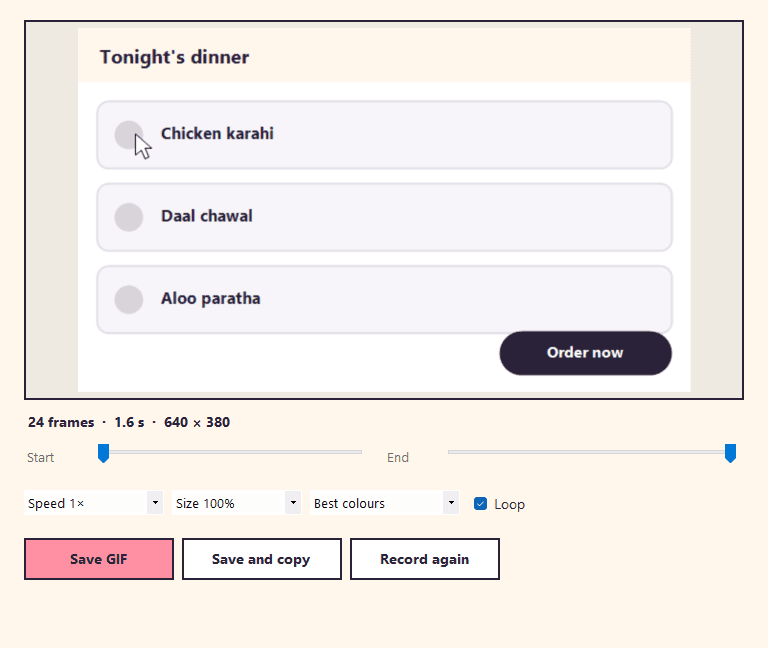
Small GIFs, ready to paste.
Watch your recording back, trim the start and the end, and choose the speed, the size and how many colours to keep. Lamha only stores what changed from one frame to the next, so a recording of a mostly still screen stays small. Save it to Pictures, or save and copy in one go and paste the GIF straight into a chat.
- Trim the start and the end
- Speed 0.5× to 2×, size 50% to 100%
- Fewer colours for an even smaller file
- Save and copy — then just paste
60 s
Per recording
at up to 30 fps
0
Watermarks
your GIF is yours
1.8 MB
Download
the whole app
Ready to try Lamha?
Free. No ads, no account, no watermark. Updates itself.
A look inside Lamha.
Choose an area
Record
Trim and save
Options
Everything you need.
The rest of what Lamha does.
Area or window
Drag any box, or click a window to take all of it.
One shortcut
Ctrl + Shift + G to start, and again to stop.
Trim and resize
Cut the ends, change speed, size and colours.
Copy to paste
Save and copy in one go, then paste into any chat.
Small files
Only what changes between frames is stored.
Always the latest
New versions install themselves.
Common questions.
Everything you need to know about Lamha.
Is Lamha free?
Yes. No advertising, no account, no in-app purchases, no analytics and no watermark on your GIFs. It goes online only to check this site for a new version.
Where do my GIFs go?
Into a Lamha folder inside your Pictures folder. “Save and copy” also puts the file on the clipboard, so you can paste it straight into WhatsApp Web, Slack, Discord, Teams or an email.
How long can a recording be?
Up to a minute at a time. GIFs are best kept short — a few seconds is usually all a demo or a reaction needs — and trimming makes them shorter still.
Does it record sound?
No. GIFs have no sound, so Lamha only records the picture.
Does Lamha send my recordings anywhere?
No. Recording happens on your PC and the GIF is saved on your PC. Nothing is uploaded.
Why does my GIF not show the red outline or the timer?
On purpose. Lamha asks Windows to keep its own outline and bar out of every capture, so they are never in your GIF.
Windows showed a blue “Windows protected your PC” screen. Is it safe?
That is SmartScreen, which Windows shows for new software from a small publisher it has not seen many downloads of yet. Click More info, then Run anyway. The installer is checked by dozens of antivirus engines on VirusTotal, and the result is shown on this page. It installs for your Windows account only and needs no admin rights.
Get Lamha today.
Free. No ads, no account, no watermark. Updates itself.
Version 1.0.0 · Windows 10 & 11
Counting visitors…
Reviews & suggestions.
Used Lamha? Rate it, and tell us what to add or fix — we read every one.
Loading reviews…
Be the first to rate Lamha.