Free, fast, and it shows its work.
One tap to connect. Your real country and your new one sit side by side at the top of the screen, so you can see the change rather than trust a green badge. Underneath: a live speed graph, per-app split tunnelling, a DNS override and IPv6 leak blocking.
Connecting
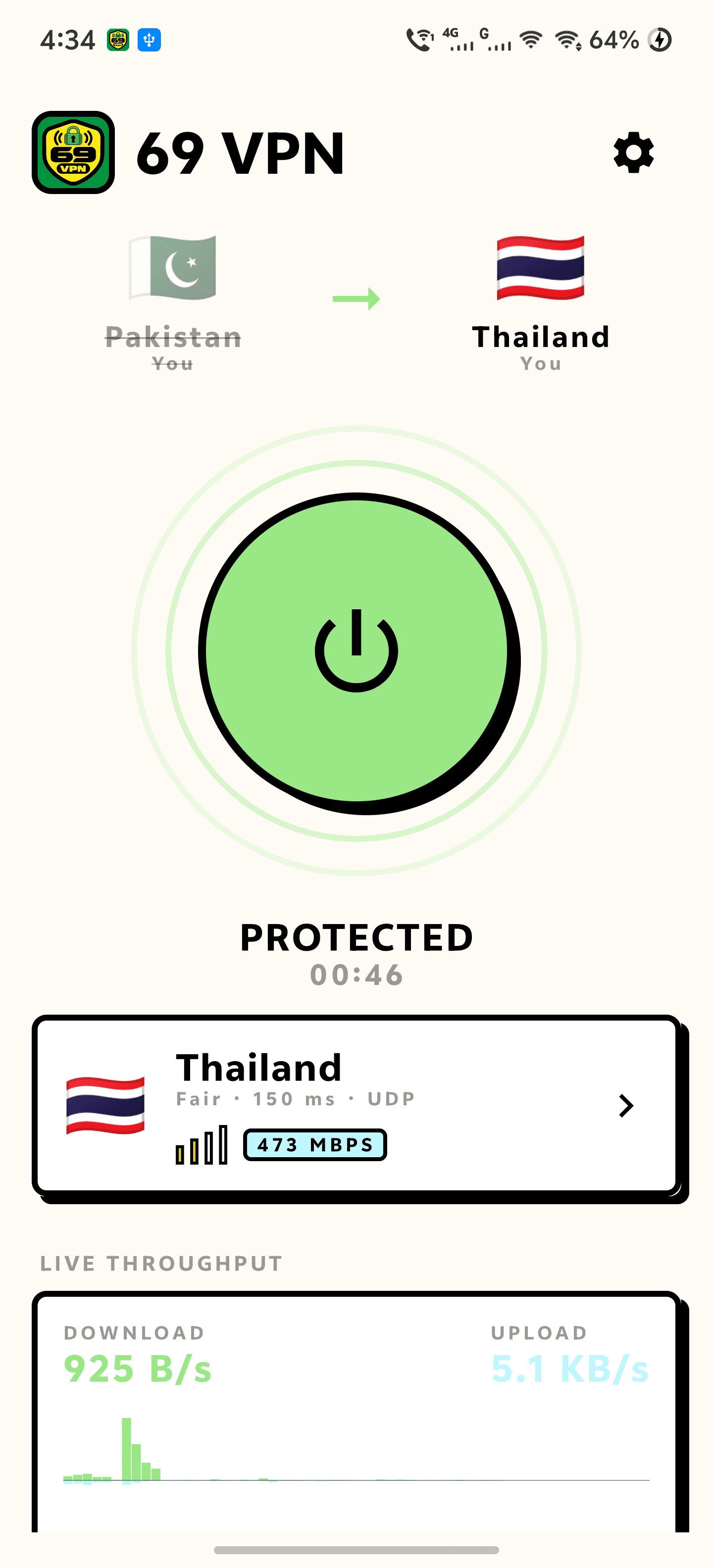
One tap, and you can see it working.
Your real country sits on the left, the country you moved to on the right, and an arrow between them — the old one struck through the moment the tunnel is up. That check runs against the address the internet actually sees, before and after, so the change is something you can read rather than something you have to believe.
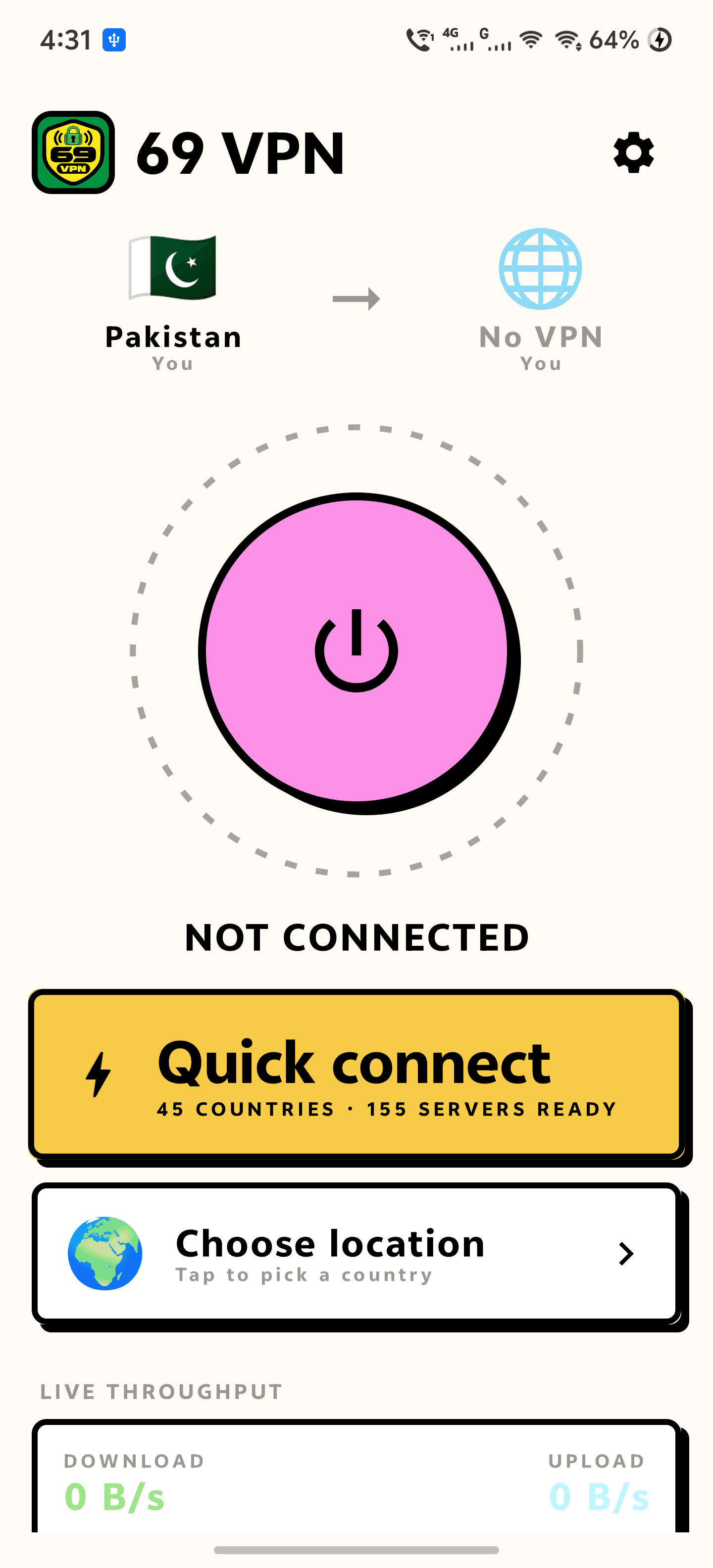
- Quick connect picks the best server, or choose a country yourself
- Before-and-after location, checked on every connect and every switch
- Live download and upload rate, sampled every second, with a scrolling graph
- Session timer and session totals
Servers
Dozens of countries, and only the ones that answer.
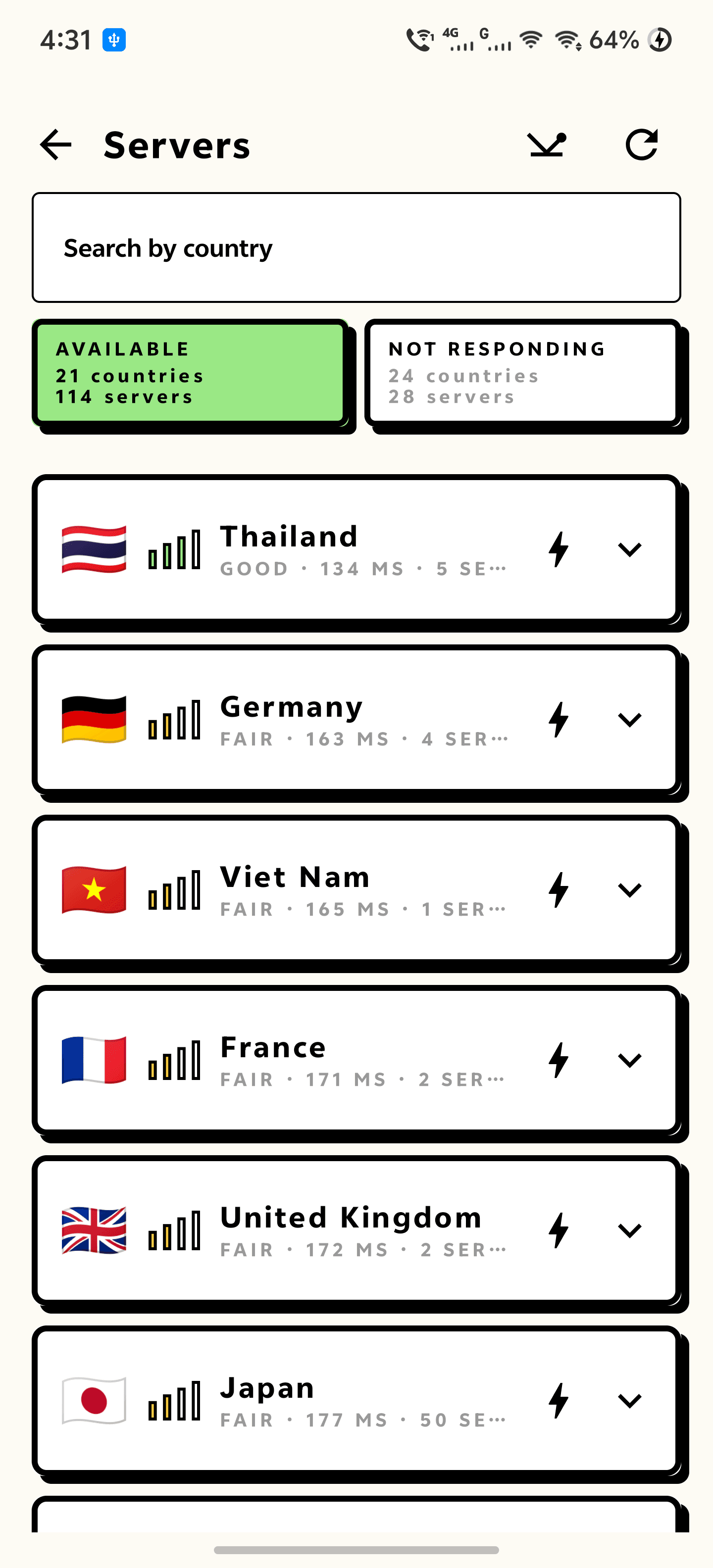
A free server list is mostly dead servers. 69 VPN tests every one of them from your own phone — a real handshake, not a ping — and splits the list in two: countries answering right now, and countries that are not. You swipe between the two, and the app keeps re-testing in the background so a country that comes back moves across on its own.
- Countries across Asia, Europe, the Americas and the Middle East
- Every server handshake-tested from your phone, not trusted from a list
- Signal bars and a real millisecond latency on each country
- Import your own .ovpn profile to use your own server instead
Control
Route exactly what you want to route.
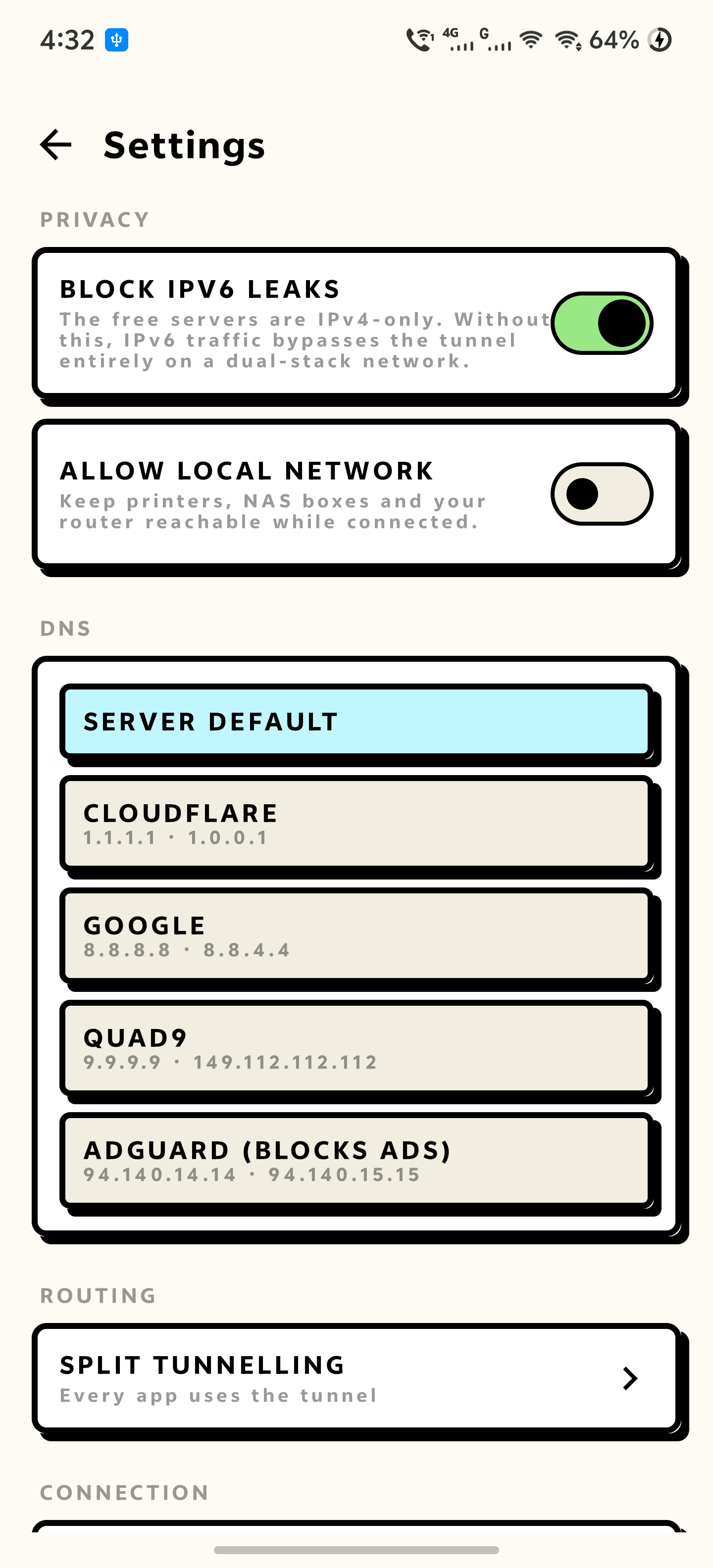
Most free VPNs give you an on switch and nothing else. 69 VPN carries the controls a paid client has: choose which apps go through the tunnel, replace the DNS the server pushes at you, and close the IPv6 hole that quietly bypasses most OpenVPN profiles.
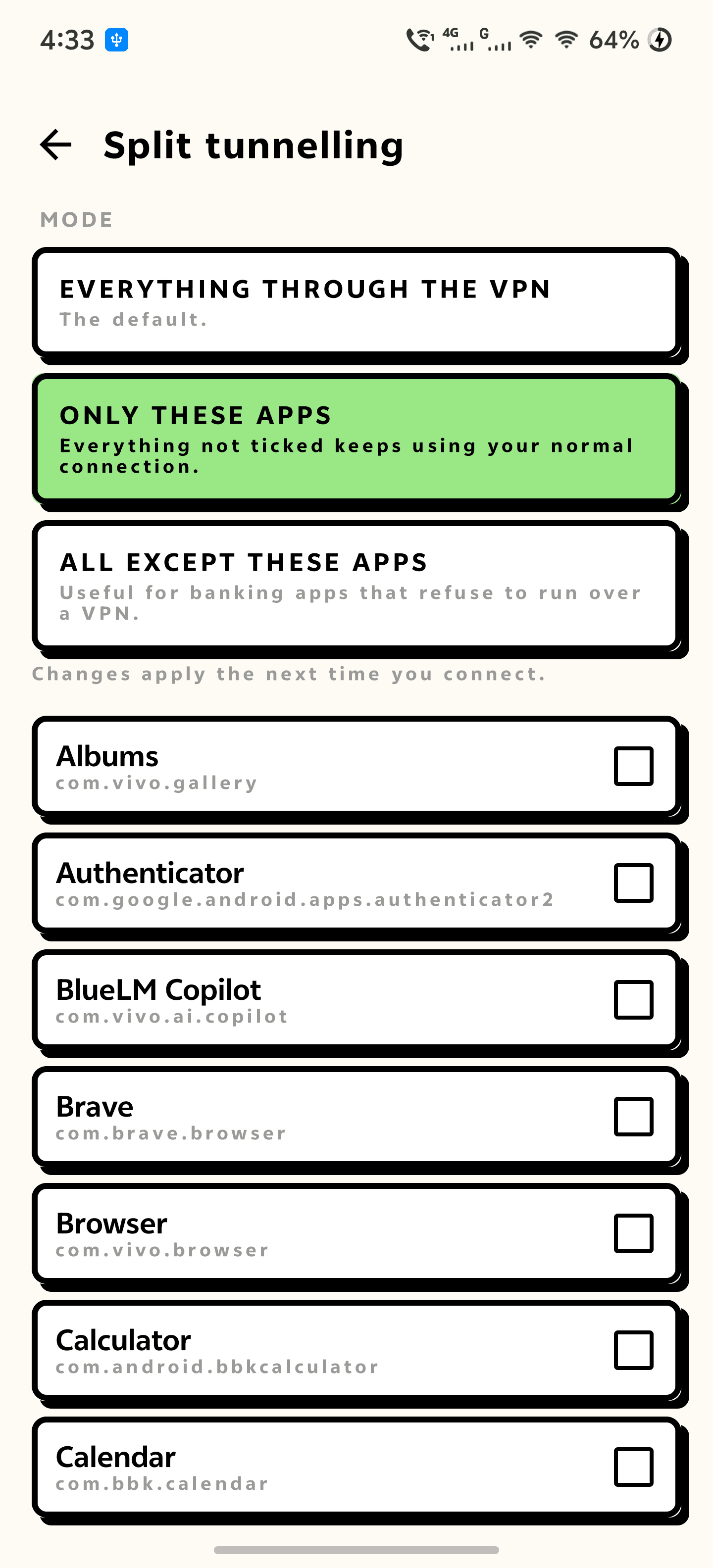
- Split tunnelling — only these apps, or everything except these
- DNS override: Cloudflare, Google, Quad9, or AdGuard to strip ads
- IPv6 leak blocking, on by default
- Local network bypass, so your printer and NAS stay reachable
Honesty
The part other free VPNs leave out.
69 VPN owns no servers. It connects you to free, publicly listed relays run by volunteers and donation-funded operators — that is why there is nothing to bill you for, and it also means most of those operators keep connection records for around two weeks. 69 VPN does not claim a no-logs policy it has no way to honour, and the privacy policy names the networks it draws from.
- No account, no email, no trial and no data cap
- No advertising SDK, no analytics and no tracking in the app
- No claim of a no-logs policy on servers 69 VPN does not own
- What it is and is not good for, said plainly in the policy
0
Accounts
no sign-up, no email, no trial
0
Data cap
no cap, no timer, no queue
1 s
Speed sampling
a measured graph, not an estimate
Ready to try 69 VPN?
Free, straight from this page. No account, no time limit, no data cap.
A look inside 69 VPN.
Proof it moved you
Only the ones that answer
One tap to connect
Route only what you want
The controls a paid client has
Everything you need.
The rest of what 69 VPN does.
Free, with no catch
No account, no data cap and no session limit — the servers are free to use, so there is nothing to bill you for.
Countries that work
Dozens of countries, each handshake-tested from your own phone, with the dead ones moved out of your way.
Proof it moved you
Your old country and your new one side by side at the top of the screen, checked against the address the internet sees.
Live speed
Download and upload rate sampled every second, with session totals and a scrolling graph.
Split tunnelling
Send only the apps you choose through the tunnel, or exempt the ones that refuse to run over a VPN.
Leak blocking
Claims the IPv6 route the free profiles leave open, and lets you override the DNS the server pushes.
Kill switch
Supports Android's always-on VPN, so 'Block connections without VPN' genuinely works.
Quick tile
Connect or drop the tunnel from the notification shade, with live state on the tile.
Common questions.
Everything you need to know about 69 VPN.
How is it free? What is the catch?
The servers are not ours and are not rented — they are free, publicly listed relays run by volunteers and by donation-funded operators. There is nothing to bill you for, so there is no account, no data cap and no timer. The genuine catch is the one on this page: the relays are run by strangers, and most of them keep connection logs for around two weeks.
Does 69 VPN keep logs?
69 VPN itself has no servers and no analytics — there is nowhere for it to log anything to. But it cannot make promises about the relays, because it does not own them. Most of the operators it draws from retain connection records for around two weeks, and the privacy policy says so rather than claiming a no-logs service.
Can I use it for banking or anything sensitive?
Use it to change region and to get off untrusted public Wi-Fi — it is good at both. Do not use a volunteer relay for anything where being identified would genuinely harm you. If you need that, run your own server or use a provider you have a contract with, and import that .ovpn profile into 69 VPN; it will carry either.
Which countries can I connect to?
Dozens, across Asia, Europe, the Americas and the Middle East — the exact list changes daily, because free relays come and go. That is why the app tests every server from your own phone and splits the list into countries answering right now and countries that are not, instead of showing you a long menu that half works.
Where do the servers come from?
Free, publicly listed relay networks — volunteer-donated pools and donation-funded operators that publish their servers openly. 69 VPN owns none of them and pays none of them, which is why it makes no promises on their behalf. The privacy policy names the networks it draws from.
Does it have a kill switch?
It supports Android's own one. The real kill switch on Android is 'Block connections without VPN', which lives in the system VPN settings and requires the app to support always-on VPN — 69 VPN does, and Settings has a shortcut straight to that screen.
Are there ads?
No. There is no advertising SDK, no analytics and no tracking in the app.
Where do I get it?
Free, as a direct download on this page. Android will ask you to allow installs from your browser the first time. It is not on Google Play yet.
Is there a version for my PC?
Yes — 69 VPN for Windows, free in the PC Software section of this site. Same servers and the same before-and-after location check, plus a kill switch built into the app.
Get 69 VPN today.
Free, straight from this page. No account, no time limit, no data cap.
Version 1.1.0
Coming to Google Play soon.
Counting visitors…
Reviews & suggestions.
Used 69 VPN? Rate it, and tell us what to add or fix — we read every one.
Loading reviews…
Be the first to rate 69 VPN.